Your LinkedIn profile has one feature that most people overlook: the main call-to-action button that appears right under your name.
This button is the very first thing people can click when they want to learn more about you, work with you, or check what you offer.
If you have LinkedIn Premium, you can replace the default options with a custom button that sends visitors exactly where you want: your website, your store, your services page, or your newsletter.
If you don’t use Premium, LinkedIn still gives you a free way to add a link at the top of your profile.
This guide explains where to find LinkedIn’s profile button settings, how to set up a custom CTA, and which option brings the best results if your goal is getting clients.
LinkedIn Premium Buttons (Where to Find Them + What You Can Add)
Once you upgrade to Premium, a new option appears on your profile: Add custom button. It sits next to “Add profile section” and “Resources.”
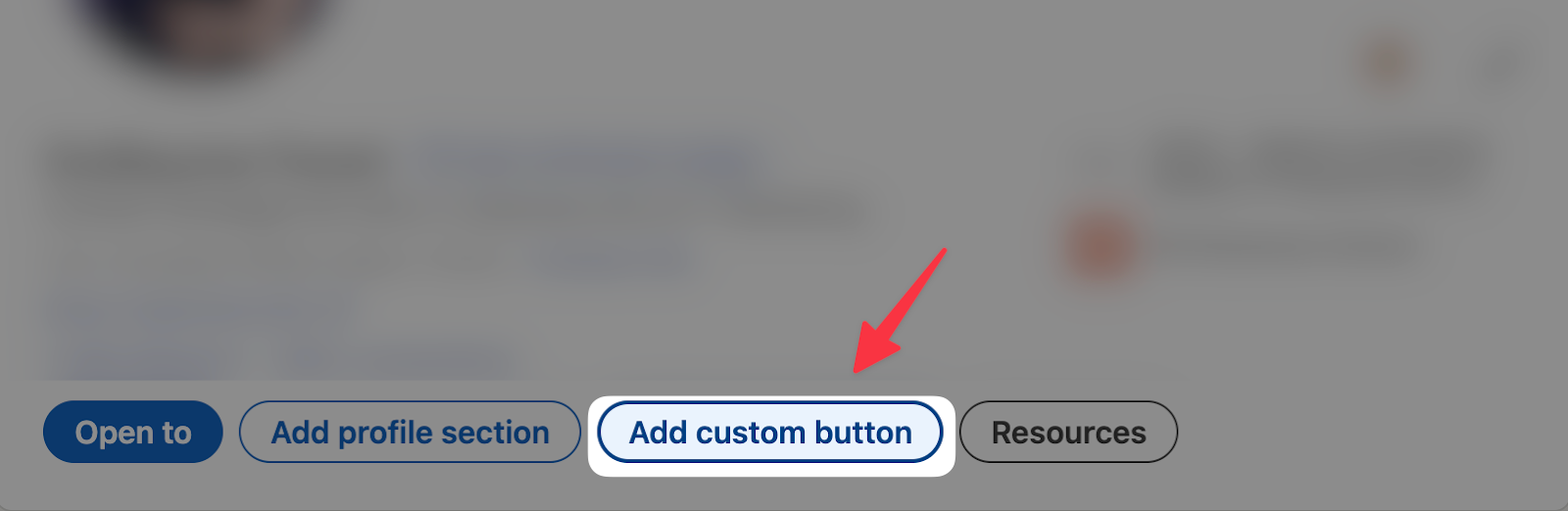
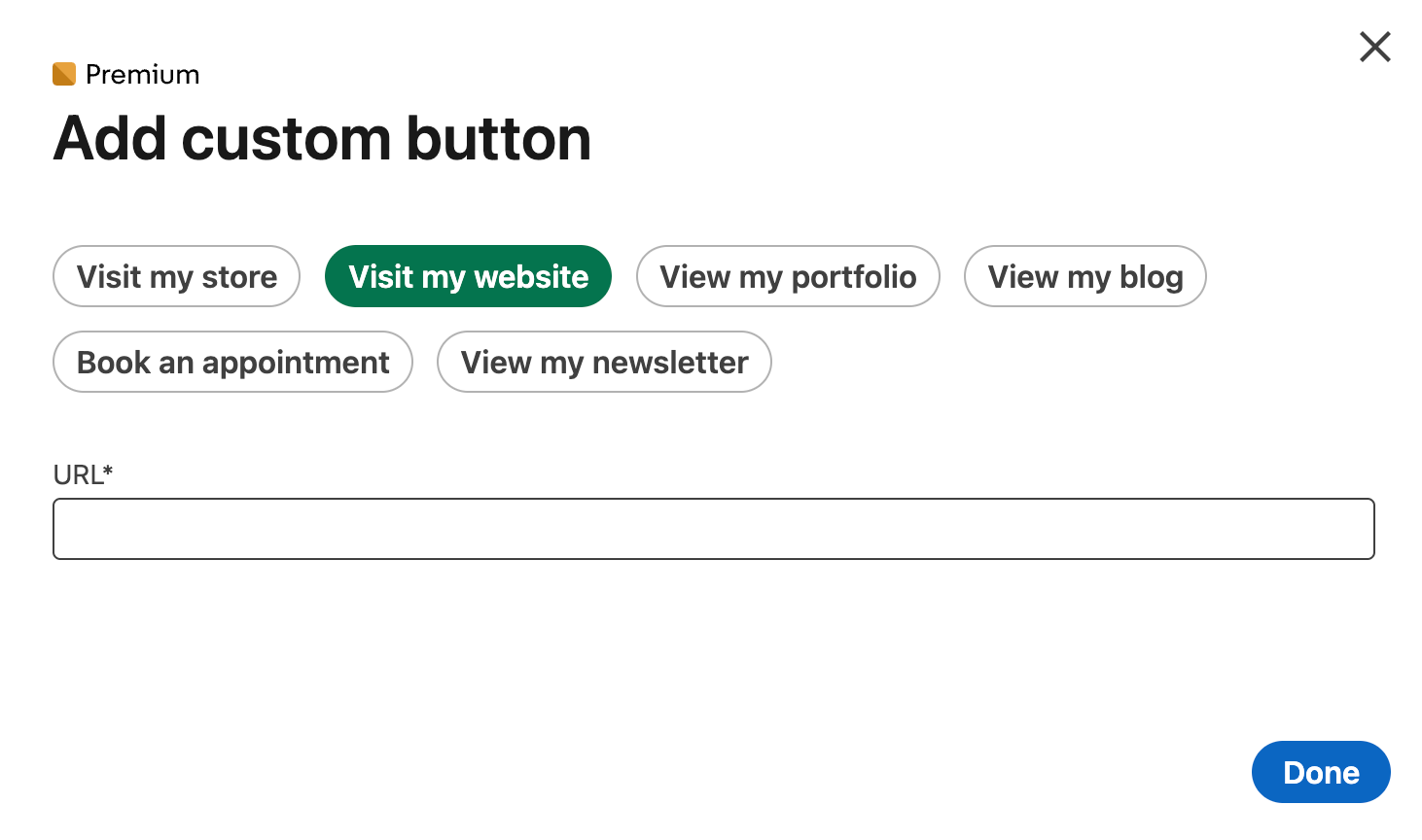
When you click Add custom button, LinkedIn shows several preset CTA types you can choose from:
- Visit my website
- Visit my store
- View my portfolio
- View my blog
- Book an appointment
- View my newsletter
Under the button options, you simply paste the URL you want people to land on.
These are Premium-only features, but they instantly make your profile clearer if you run a business, sell services, or promote content.
If you want to know more about premium features, I wrote an article on Free LinkedIn vs. Premium.
Custom Profile Button Examples
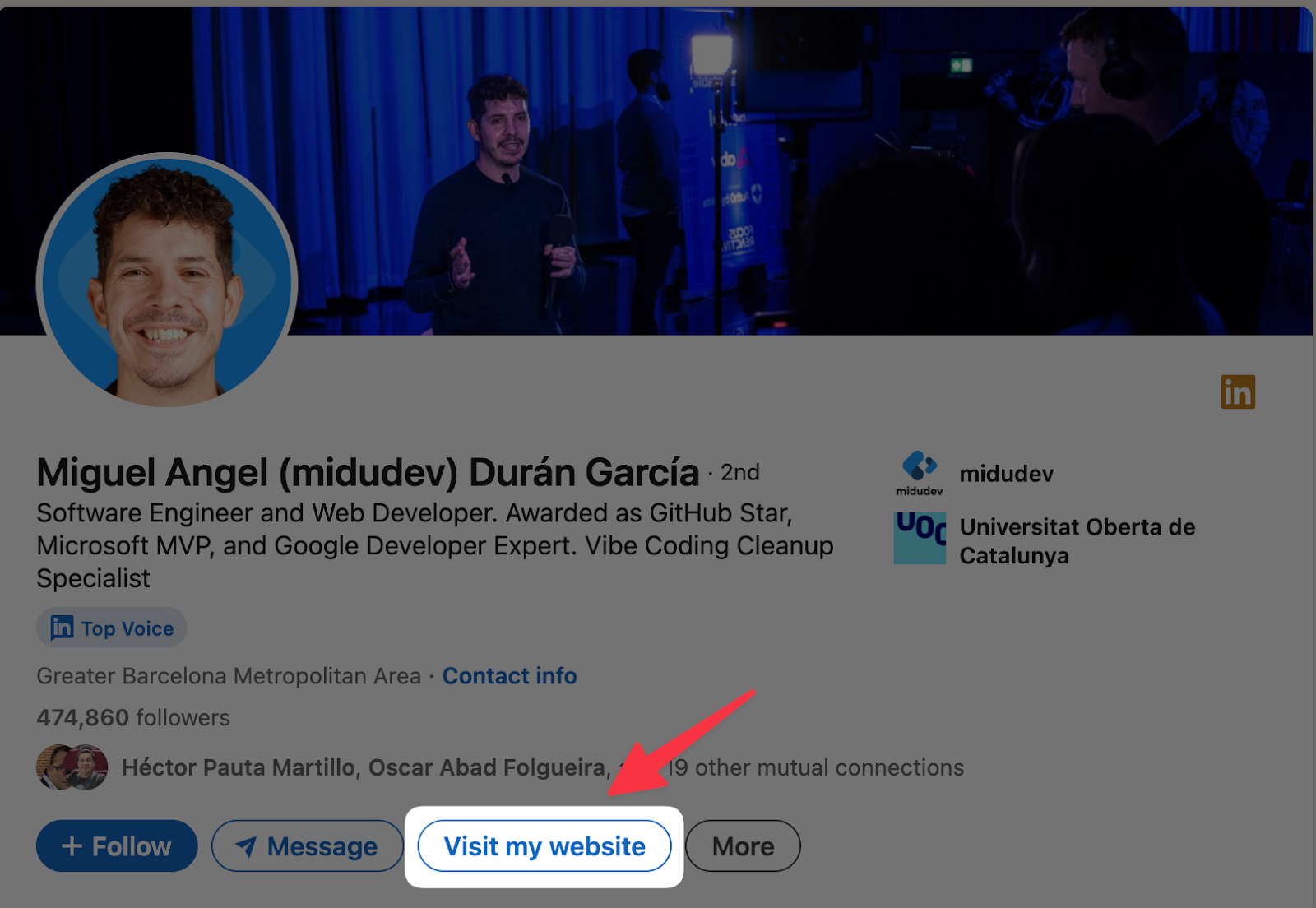
Once you save your button, it appears in the main action bar next to Message, Follow, and More.
Here’s how different buttons look in real profiles:
1. Visit my website: A clean, simple CTA that sends people to your homepage or portfolio
2. View my services: Ideal for freelancers, consultants, and service providers
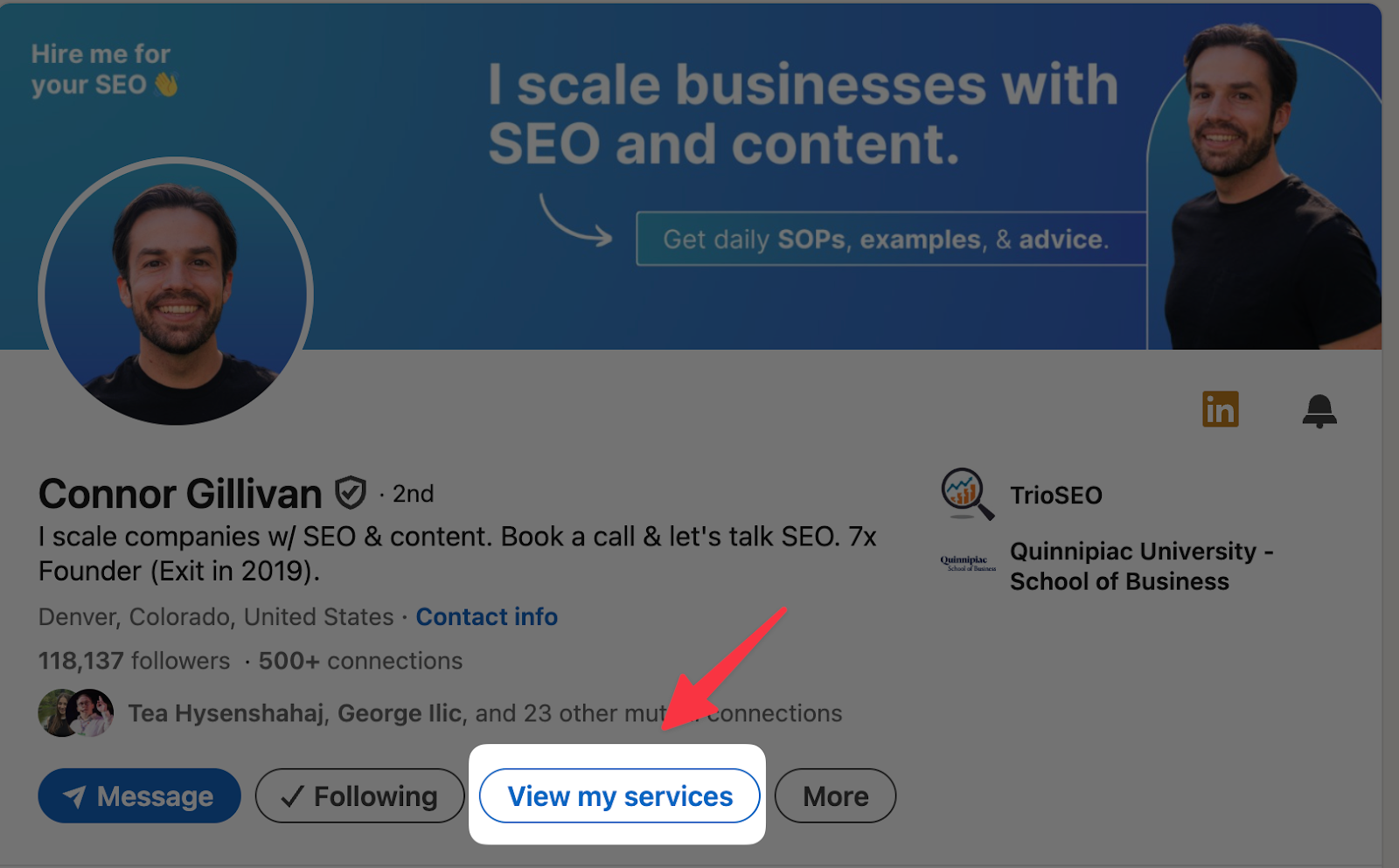
3. View my newsletter: Perfect if you want to grow your LinkedIn Newsletter
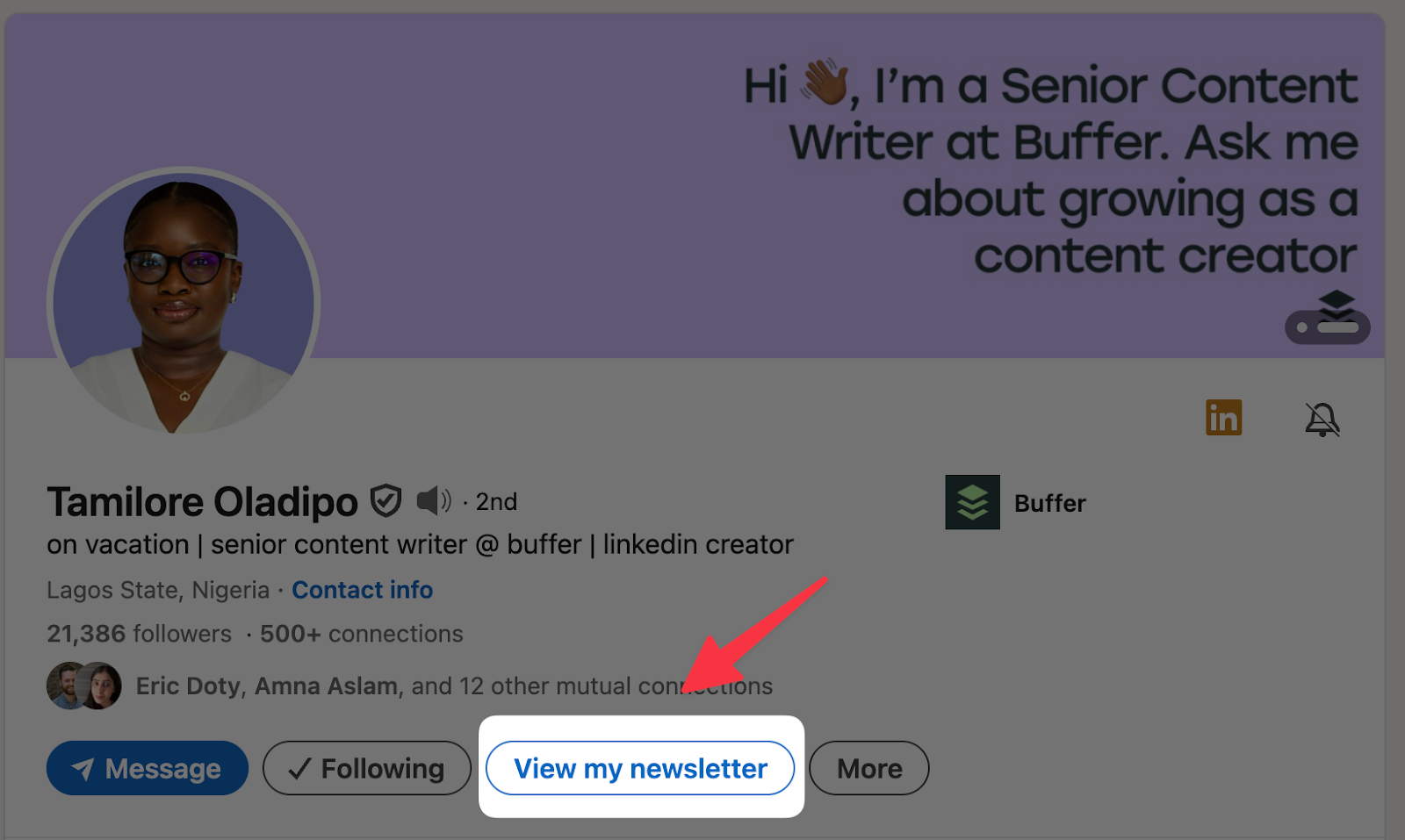
The button is visible on both desktop and mobile, making it one of the most noticeable elements on your profile.
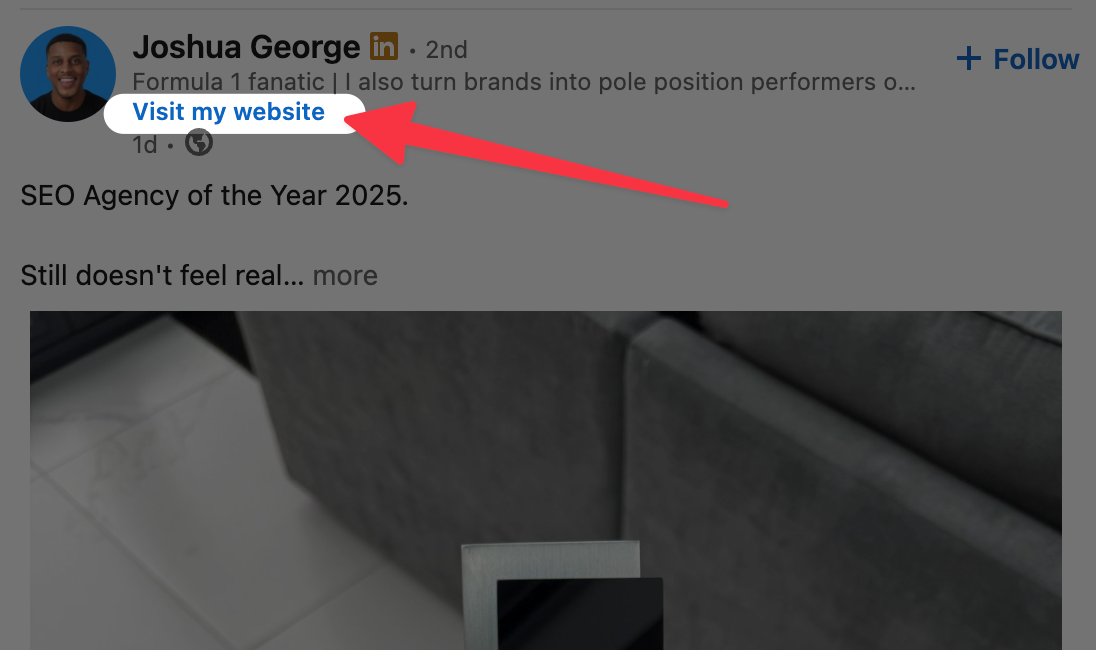
But here’s the part most people don’t realize: your button not only appears on your profile, it also appears directly on your posts (for Premium users).
That means people can click “Visit my website,” “Learn more,” or any custom CTA without ever opening your profile. Here’s how it looks in the feed:
Free Alternative: Add a Website Link Without Premium
If you don’t have Premium, LinkedIn still allows you to add a clickable link at the top of your profile through the Edit Intro panel.
Inside the intro editor, scroll to Website, paste your link, and customize the link text.
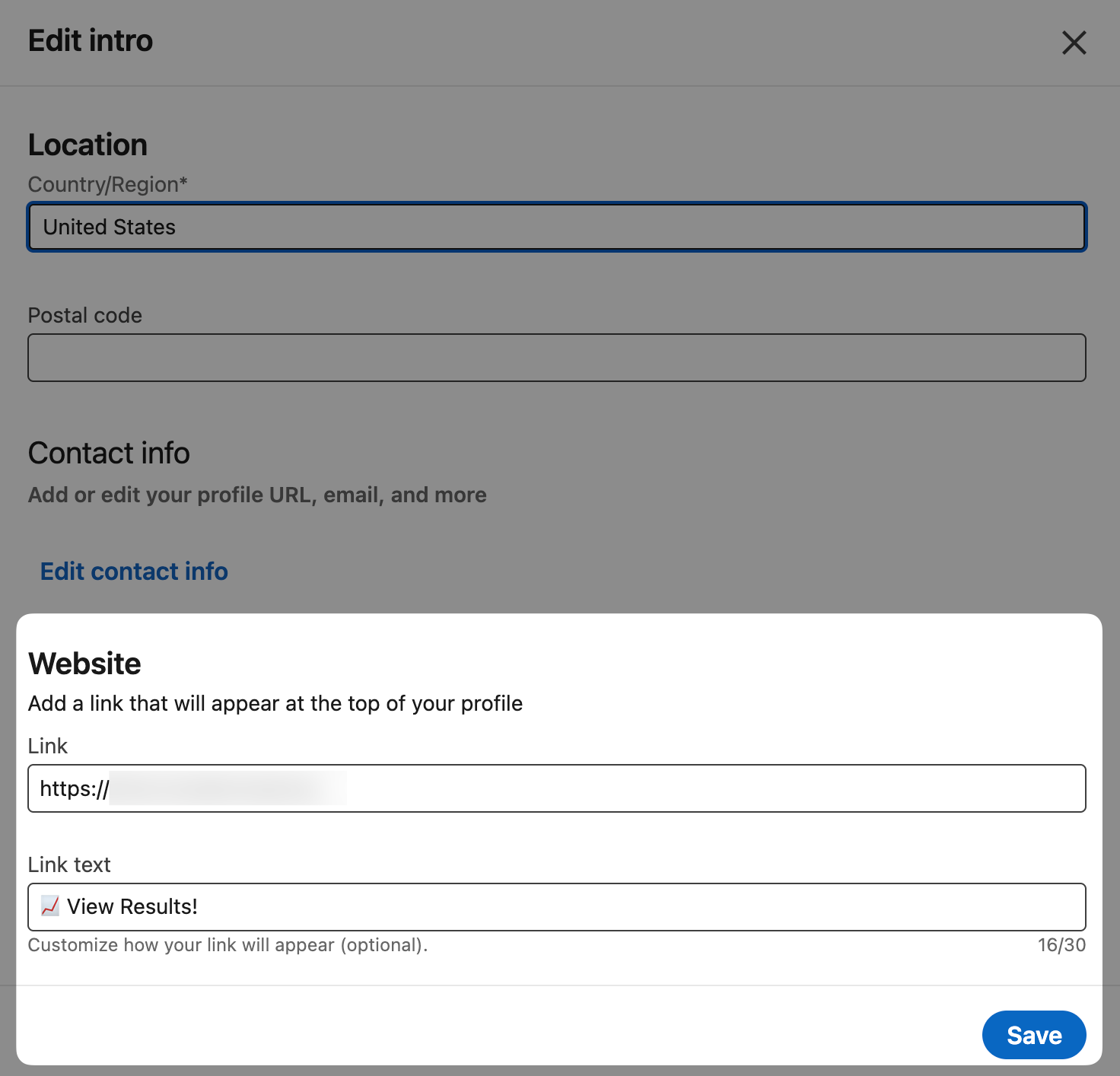
The link then appears right at the top of your profile. It’s not a large button, but it still drives clicks, especially if you use clear link text like:
- “View Results”
- “See My Portfolio”
- “Start Here”
Which LinkedIn Button Should You Choose?
Your profile button should match the action you want visitors to take first. Here’s a simple breakdown:
1. Visit my website or Book an appointment → if you want more clients or inbound leads.
2. View my services → if you sell creative or professional services and want prospects to see what you offer.
3. View my newsletter → if your main goal is growing your email list.
4. View my blog or View my portfolio → if you want people to explore your work before reaching out.
5. Website link (free) → if you don’t have Premium but still want a clear, customizable CTA.
Want More People to Actually Click Your Button?
Your button doesn’t just live on your profile. If you’re on Premium and using buttons like “Visit website” or similar CTAs, LinkedIn can also show them directly on your posts, under your name.
That means people can click your button without even opening your profile.
That’s where Podawaa really helps:
- The more impressions your posts get, the more people see your button in their feed.
- The more targeted your audience is, the more of those clicks turn into leads or clients.
- And when people do visit your profile from a post, your main button is there waiting as a clear next step.
So Podawaa doesn’t just help you get profile views, it helps more of the right people see your posts, your content, and your button.