LinkedIn profile views are a simple but powerful signal. When more people visit your profile, it usually means your content, comments, or activity caught their attention.
More profile views often lead to:
- more connection requests
- more recruiter messages
- more DMs and opportunities
If your profile views feel stuck, it’s usually not because of your profile alone. It’s because people aren’t seeing you often enough.
In this guide, I’ll break down 6 proven ways to increase LinkedIn profile views, with clear examples and practical actions you can apply right away.
Let’s get into it.
TL;DR: 6 Proven Ways to Increase LinkedIn Profile Views
1. Optimize your LinkedIn headline so it clearly states what you do and who you help, since it appears in search results and next to your name on every post and comment.
2. Write a clear LinkedIn summary that explains your role, focus, and value in a few short paragraphs, so profile visitors don’t bounce after clicking.
3. Ask for LinkedIn recommendations to add social proof below your profile and increase trust when people scroll.
4. Leave thoughtful comments on posts in your niche, because comments that get likes and replies often drive profile clicks from people reading the thread.
5. Repost relevant content with a short personal take, which keeps you visible in your network without needing to create a full post every time.
6. Post consistently and check post insights, using impressions and profile views per post to understand what topics and formats attract profile visits.
If you want faster visibility, use Podawaa when posting, as it helps your content reach a relevant audience and can lead to more profile views, engagement, and DMs.
💡 With Podawaa, you can target the right audience and boost your LinkedIn post visibility with more likes and comments.
Try Podawaa for Free →What Actually Drives LinkedIn Profile Views (6 Tips)
1. Optimize Your LinkedIn Headline (People See It Before Your Profile)
Before someone clicks your profile, they usually see your headline first.
Your headline shows up:
- in LinkedIn search
- next to your name when you post
- next to your name when you comment
That’s why it plays such a big role in driving LinkedIn profile views.
Below is a strong example. In this example, the headline doesn’t just state a job title.
It clearly communicates who she helps, what she does, and the level she works at, all within LinkedIn’s headline character limit and without wasting space.
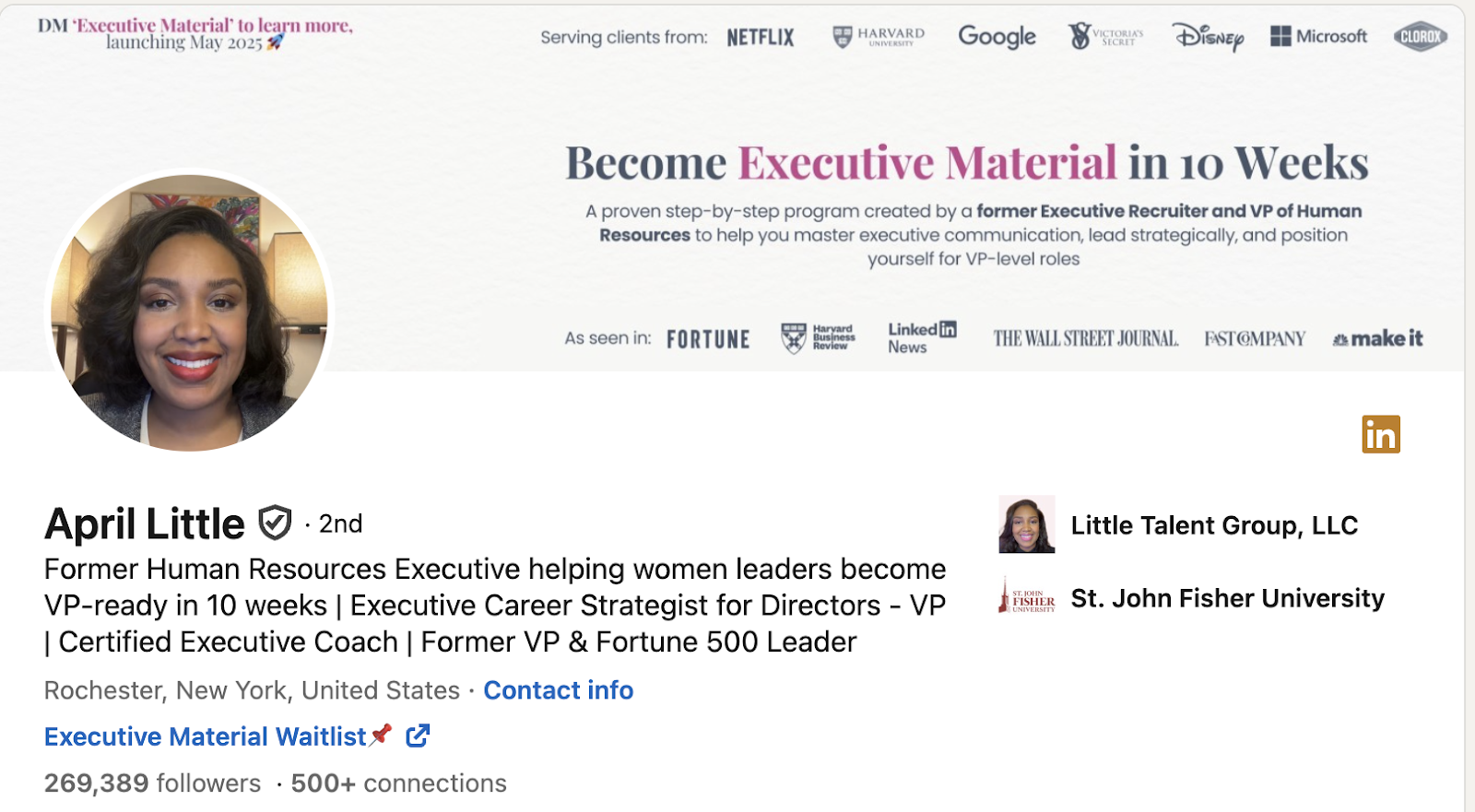
This makes it immediately clear what to expect when someone clicks the profile.
👉If you want inspiration for structuring your own headline, here’s a guide with LinkedIn headline examples you can get inspired by, especially if you’re job hunting.
A clear, well-written headline is often the first reason someone decides to visit your LinkedIn profile.
2. Write a Clear LinkedIn Summary (So People Don’t Click Away)
After someone clicks your profile, the Summary (About section) is usually the next thing they read.
In the example below, the summary is simple and direct. It explains what the person does, who they work with, and what they focus on, without sounding like a resume or a sales pitch.
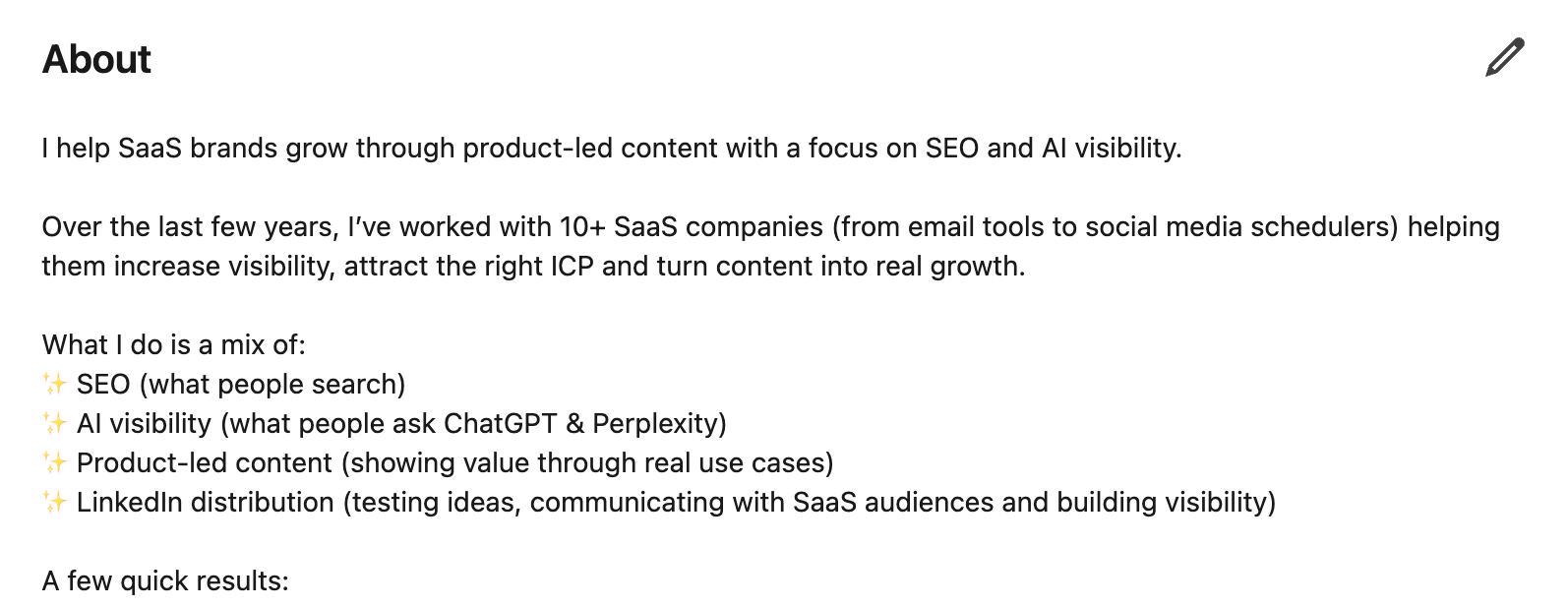
The language is clear, written in first person, and easy to scan, which makes people more likely to keep scrolling instead of leaving the profile.
A good summary supports your headline and helps turn profile views into real interest.
👉If you want inspiration, here’s a guide with LinkedIn summary examples you can use as a reference:
3. Ask for LinkedIn Recommendations (They Sit Right Below Your Profile)
Recommendations and endorsements act as social proof. When someone visits your profile, they appear just below your summary, which means people often see them while scrolling.
In practice, this helps because:
- recommendations add credibility without you saying anything
- they show how others describe working with you
- they make people curious to learn more about your background
A profile with recent, relevant recommendations tends to feel more trustworthy, which increases the chances of profile views turning into follows, messages, or connection requests.
If you’re not sure how to ask or what a strong recommendation looks like, here’s a guide with LinkedIn recommendation examples you can use as inspiration.
4. Comment on Posts in Your Niche (Comments Drive Profile Clicks)
Comments are one of the fastest ways to get LinkedIn profile views.
In the example below, the comment isn’t generic. It adds a real perspective, asks a thoughtful question, and fits naturally into the discussion.
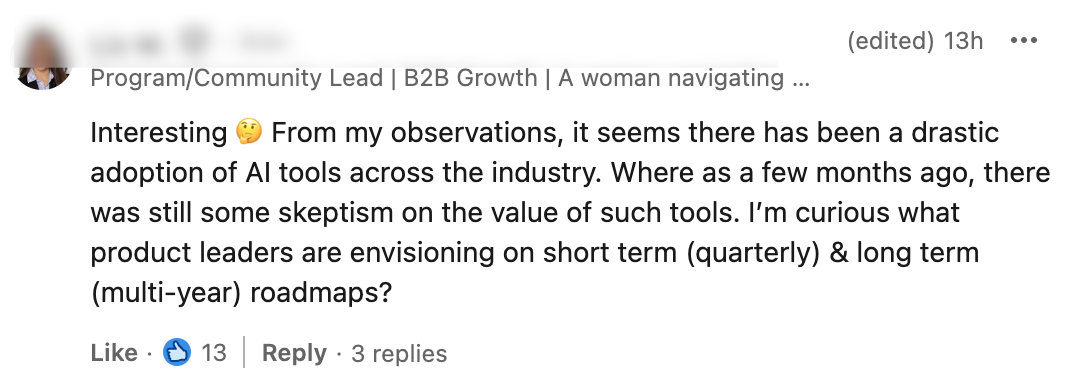
That’s why it received likes and replies and every like or reply pushes the comment higher in the thread.
When people see a comment like this, they often click the profile to see:
- who wrote it
- what they do
- whether they share similar expertise
Even without posting your own content, high-quality comments can consistently bring profile views, especially when you comment on posts in your niche.
The key is simple: add value to the conversation, not just “agree” or “great post.”
5. Repost With Context (Not Just a Silent Repost)
Reposting can help with visibility, but only when you add context. A silent repost usually gets ignored, while a repost with a short comment shows how you think and what topics you care about.
Adding one or two lines with your perspective puts your name and headline in front of the original post’s audience. It’s a simple way to stay visible in your niche, especially if you’re not ready to publish full posts yet.
This works well as a bridge between commenting regularly and posting your own content.
6. Post Actively and Track Profile Views per Post
Posting consistently on LinkedIn helps you stay visible, but what makes this powerful today is that LinkedIn now shows profile views per post. Here’s what that looks like:
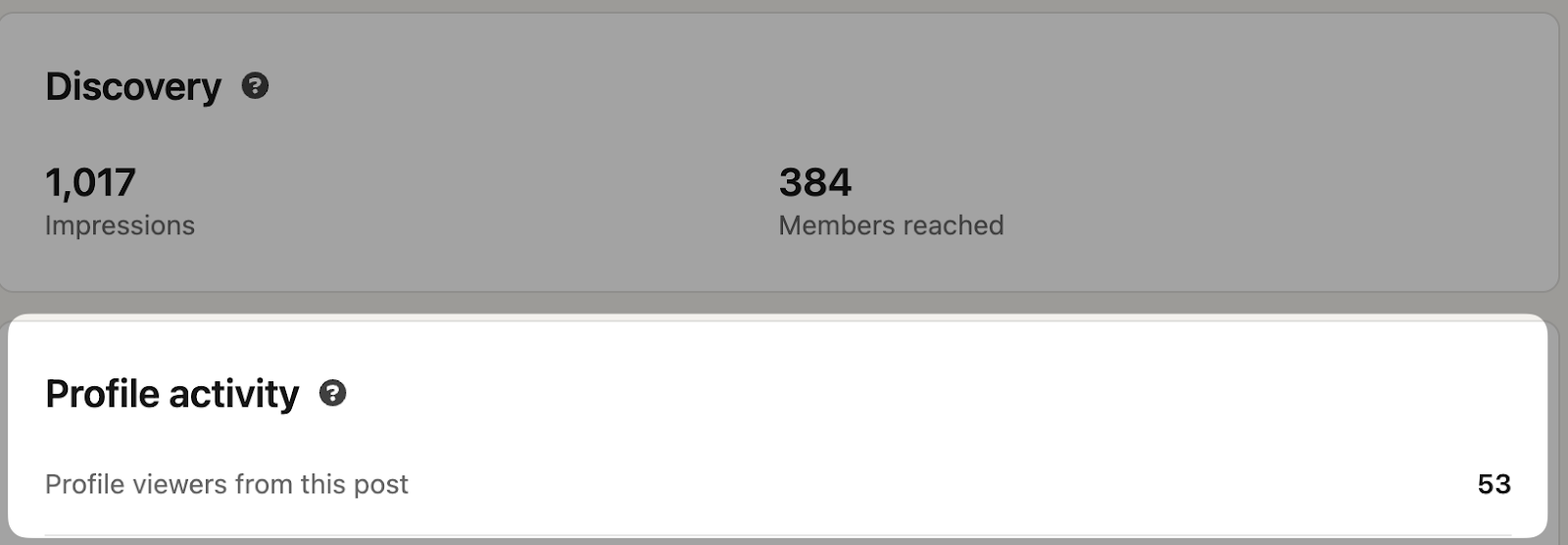
After publishing a post, you can see how many impressions it got, how people engaged with it, and how many profile views it generated.
This tells you exactly which topics, formats, and angles make people curious enough to click your profile.
This is why posting matters even if a post doesn’t “go viral.” One thoughtful post can still lead to profile visits, connection requests, and DMs.
You can test different formats, like carousel posts or simple text posts, look at the insights, and repeat what drives profile views. Over time, this helps you understand what attracts the right audience to your profile.
If you want to speed this up, better visibility helps. When your posts reach more of the right people, they naturally lead to more profile clicks and conversations.
I recommend using Podawaa when you post on LinkedIn, especially if you want more people to actually see your content.
Podawaa helps your posts reach a relevant audience based on what you’re posting about, which often leads to more profile views, stronger engagement, and more inbound DMs.
If you want to see what this looks like in practice, here’s a real example: 👉 How One Marketer Reached 150+ Profile Visits in a Week With Podawaa
💡 With Podawaa, you can target the right audience and boost your LinkedIn post visibility with more likes and comments.
Try Podawaa for Free →