An Open-to-Work post on LinkedIn lets recruiters and your network know that you’re actively looking for new job opportunities.
This feature helps you surface in recruiter searches and encourages people in your network to share roles, referrals, and connections with you.
In this guide, you’ll learn
1. How to add the Open-to-Work badge to your LinkedIn profile
2. How to write an effective Open-to-Work post
3. How to increase its visibility so the right people actually see it.
I will walk you through everything step by step and include real examples you can copy and edit, whether you’re job hunting in general, switching careers, or just starting out.
How to Turn On the Open-to-Work Badge on LinkedIn
Turning on the Open-to-Work badge tells recruiters and your network that you’re actively looking for new opportunities.
You can choose whether only recruiters see it or if it’s visible to everyone on LinkedIn. Follow these steps:
1. Go to your LinkedIn profile
Click on your profile photo or name from the top navigation bar to open your profile page.
2. Click the “Open to” button
You’ll find this button below your profile picture and your LinkedIn headline. Click it to update your job search preferences.
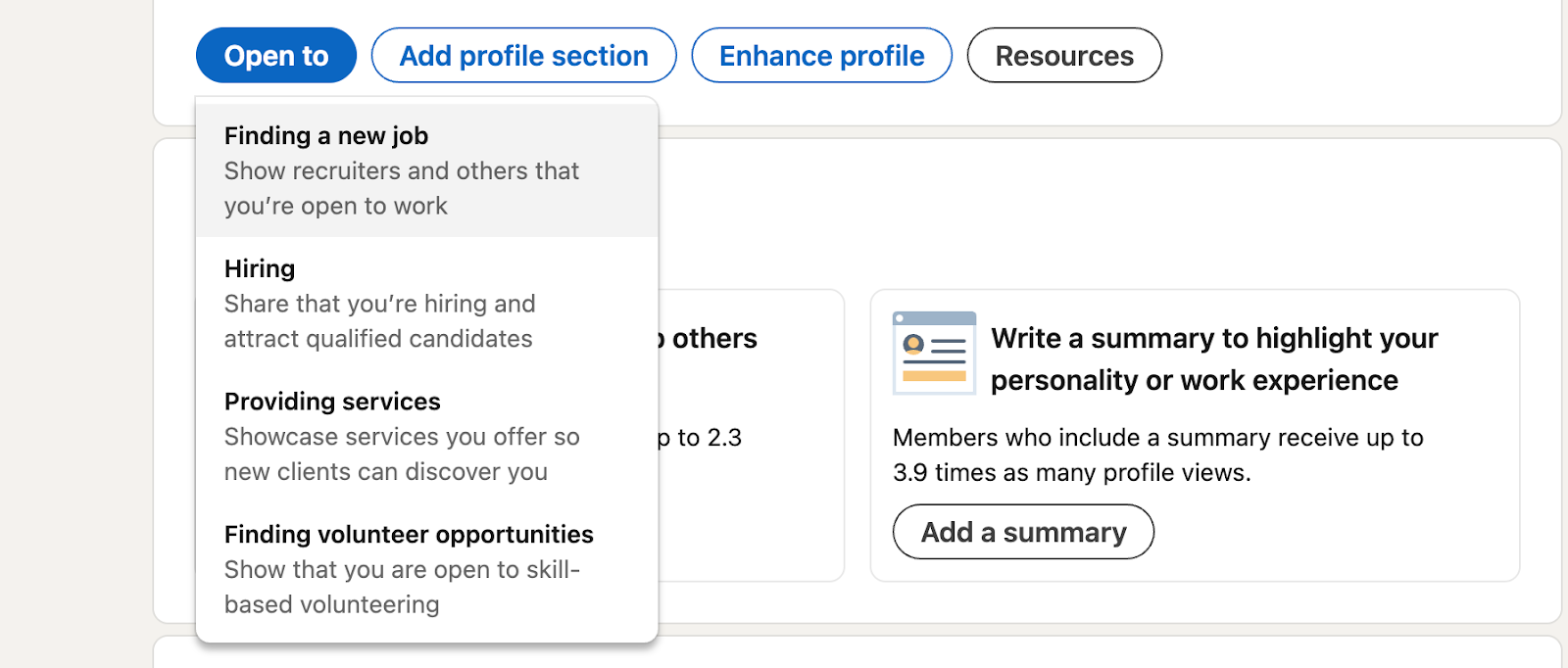
3. Select “Finding a new job”
This opens a setup window where you can define the type of roles you’re looking for. (Here’s a guide on 👉How to optimize your LinkedIn profile for job search)
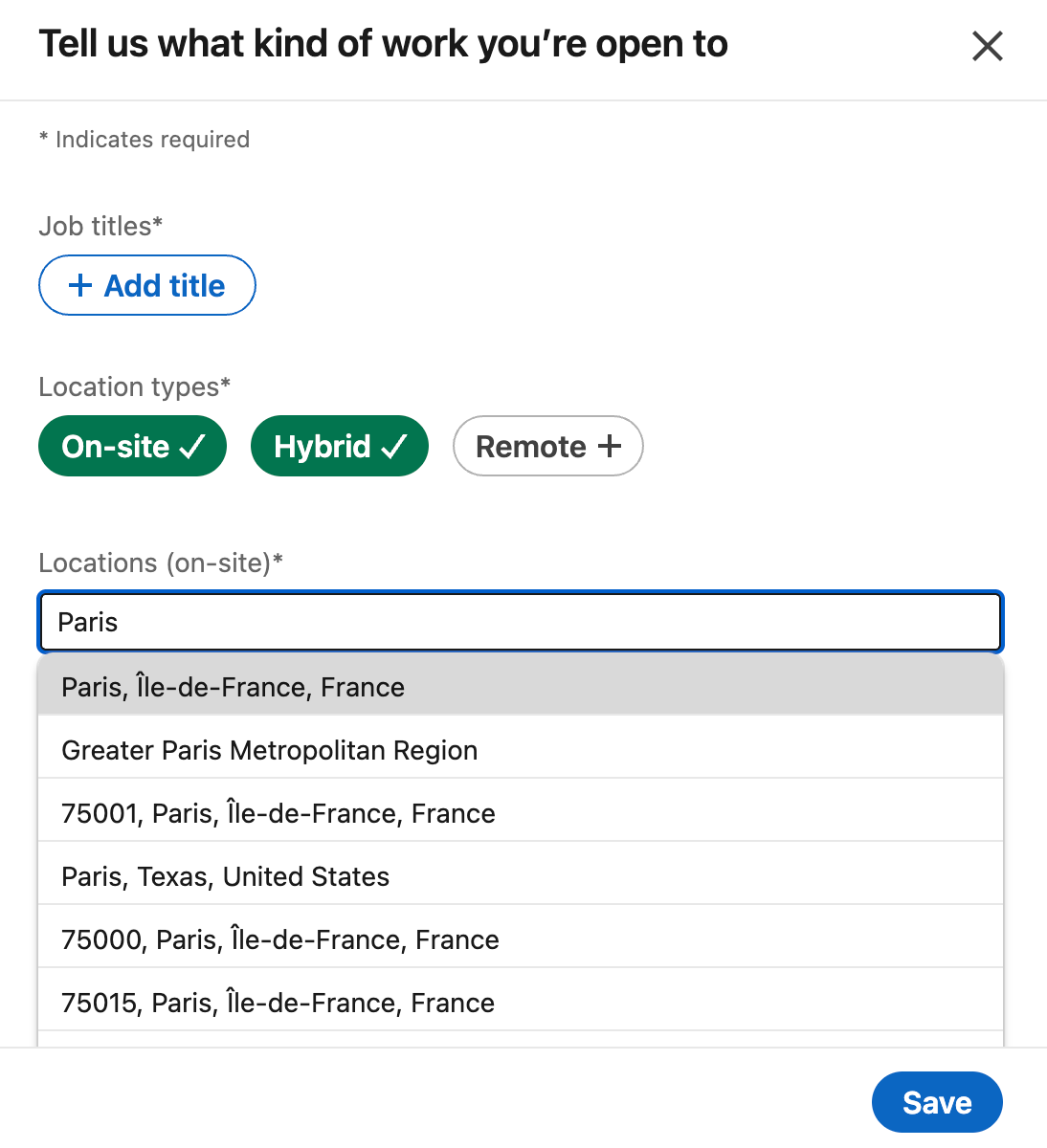
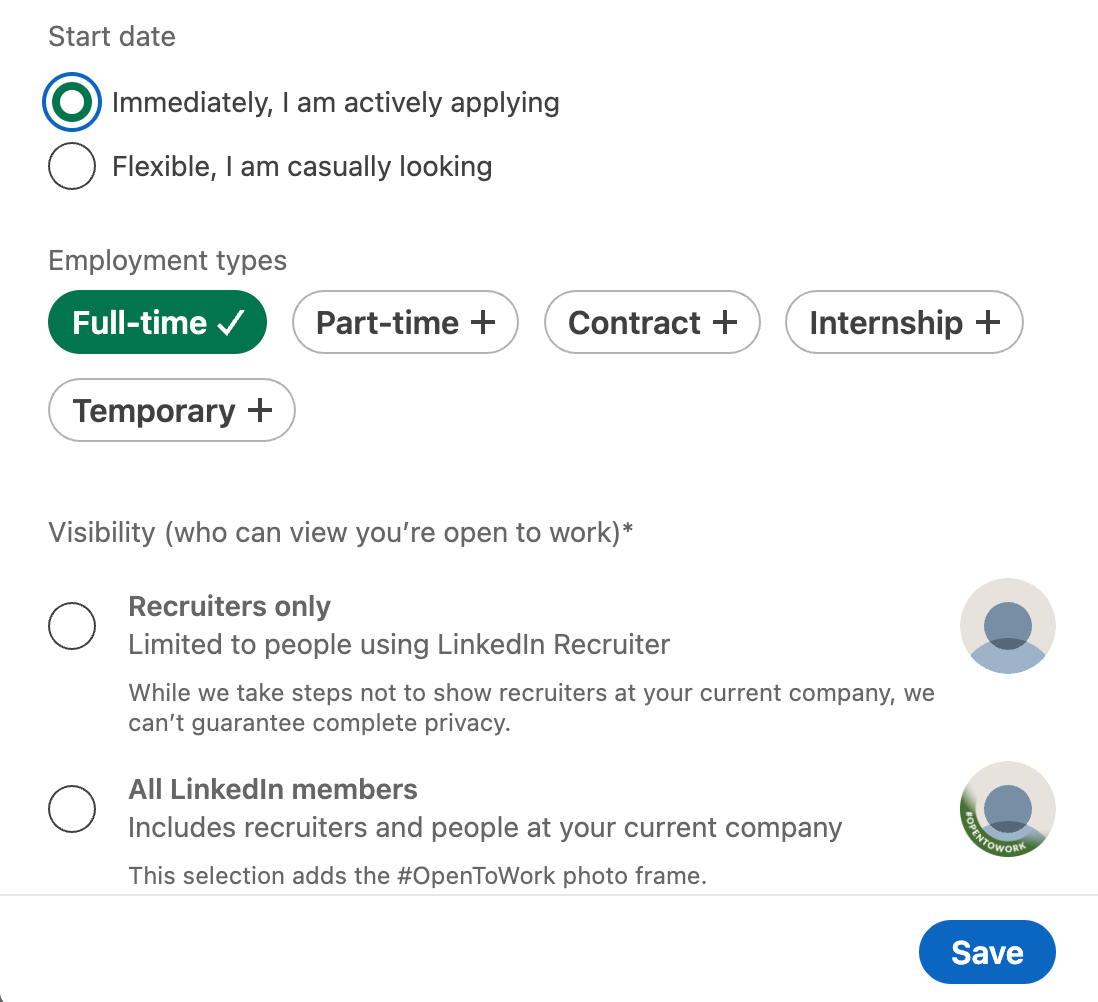
4. Fill in your job preferences.
These details help recruiters match you with relevant roles. Here you can add:
- Job titles you’re targeting
- Locations (on-site, remote, or hybrid)
- Start date
- Employment type (full-time, contract, internship, etc.)
5. Choose who can see your Open-to-Work status
- Recruiters only: Visible only to LinkedIn recruiters (recommended if you’re currently employed)
- All LinkedIn members: Adds the green “Open to Work” badge to your profile photo
Here’s what it will look:
6. Save your changes
Click Add to profile. Your Open-to-Work status is now active.
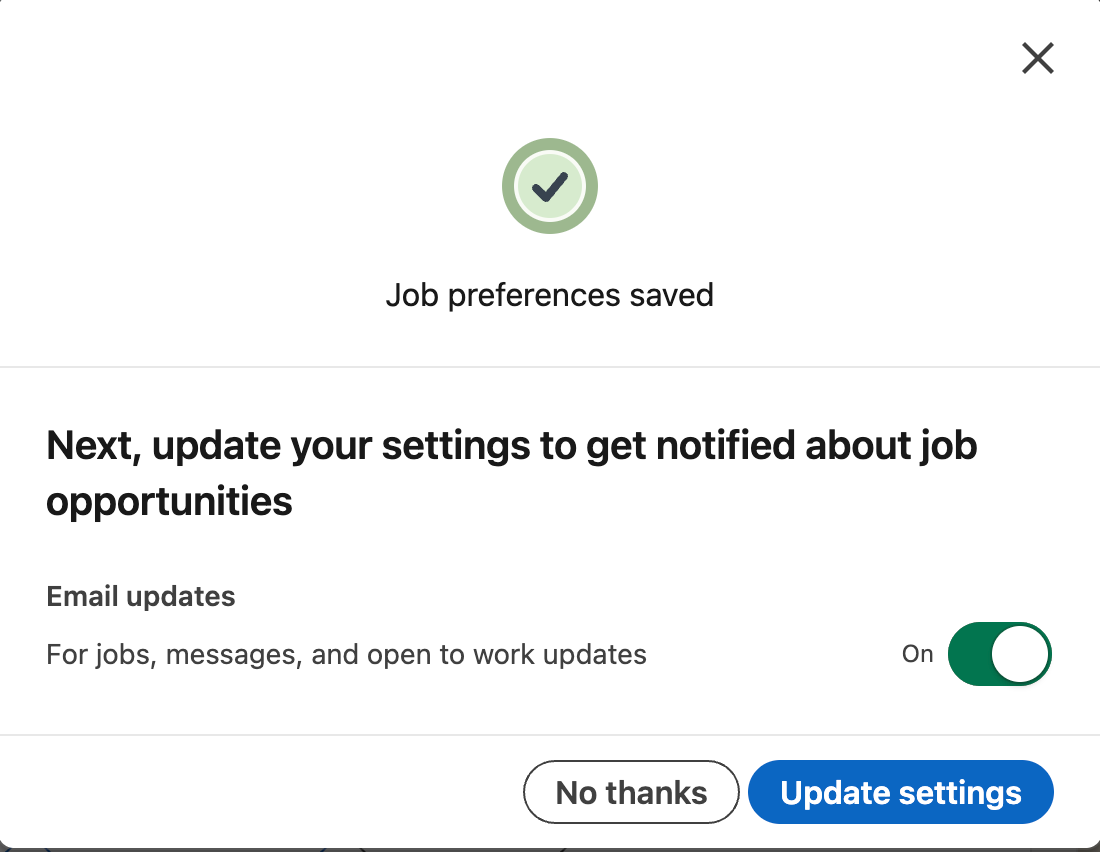
Once enabled, your profile becomes easier to discover in recruiter searches, and your network can clearly see that you’re open to new opportunities.
👉This guide may interest you: How to answer a recruiter on LinkedIn
How to Write an Open-to-Work Post on LinkedIn (With Examples)
Turning on the Open-to-Work badge helps recruiters discover your profile, but it works best when combined with an actual post.
A post gives context to the badge and shows that you’re active, thoughtful, and intentional about your next role.
Recruiters don’t just look at who is open to work, they pay attention to:
- how clearly you communicate
- whether you are active on LinkedIn (Here are some Carousel post examples you can get inspired by)
- what topics they talk about and how they think
That’s why publishing an Open-to-Work post (and continuing to post occasionally about your field) can significantly increase your visibility.
When recruiters see your badge and your content in their feed, it’s much easier for them to remember you and understand what you bring to the table.
Below are real Open-to-Work post examples, each using a slightly different approach, depending on the situation.
Example 1: Open-to-Work Post for a General Job Search
This type of post is ideal if you’re actively looking for a new role and want to reach both recruiters and your existing network.
In the example below, the author openly shares that they’ve turned on the Open-to-Work badge and frames the situation positively.
Instead of focusing on job loss or uncertainty, the post emphasizes growth, gratitude, and readiness for what’s next.
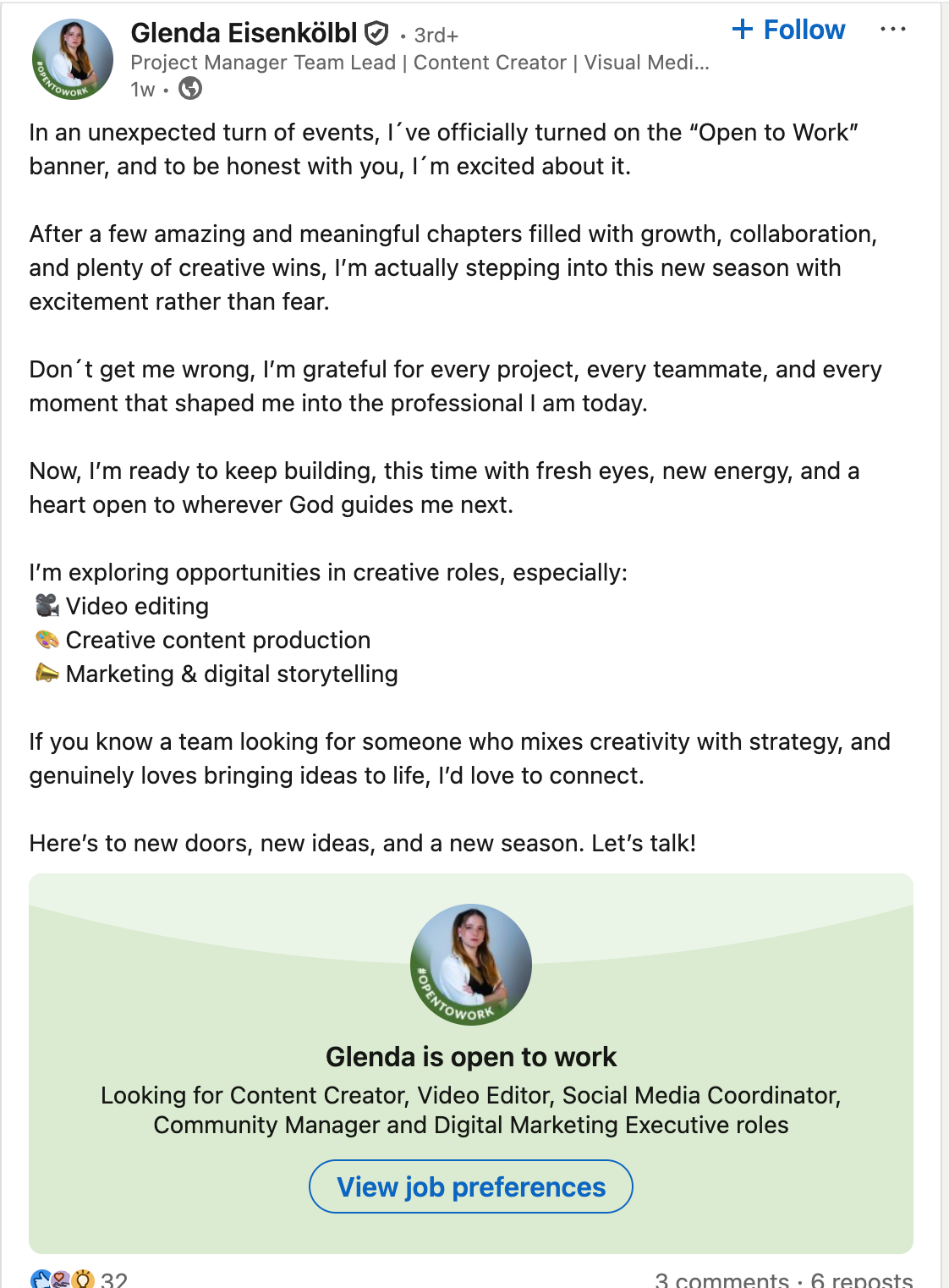
Why this works:
- It’s honest without sounding negative
- It explains why the person is open to work
- It clearly lists the types of roles they’re looking for
- It invites conversations and connections naturally
Example 2: Open-to-Work Post That Uses Personal Commentary
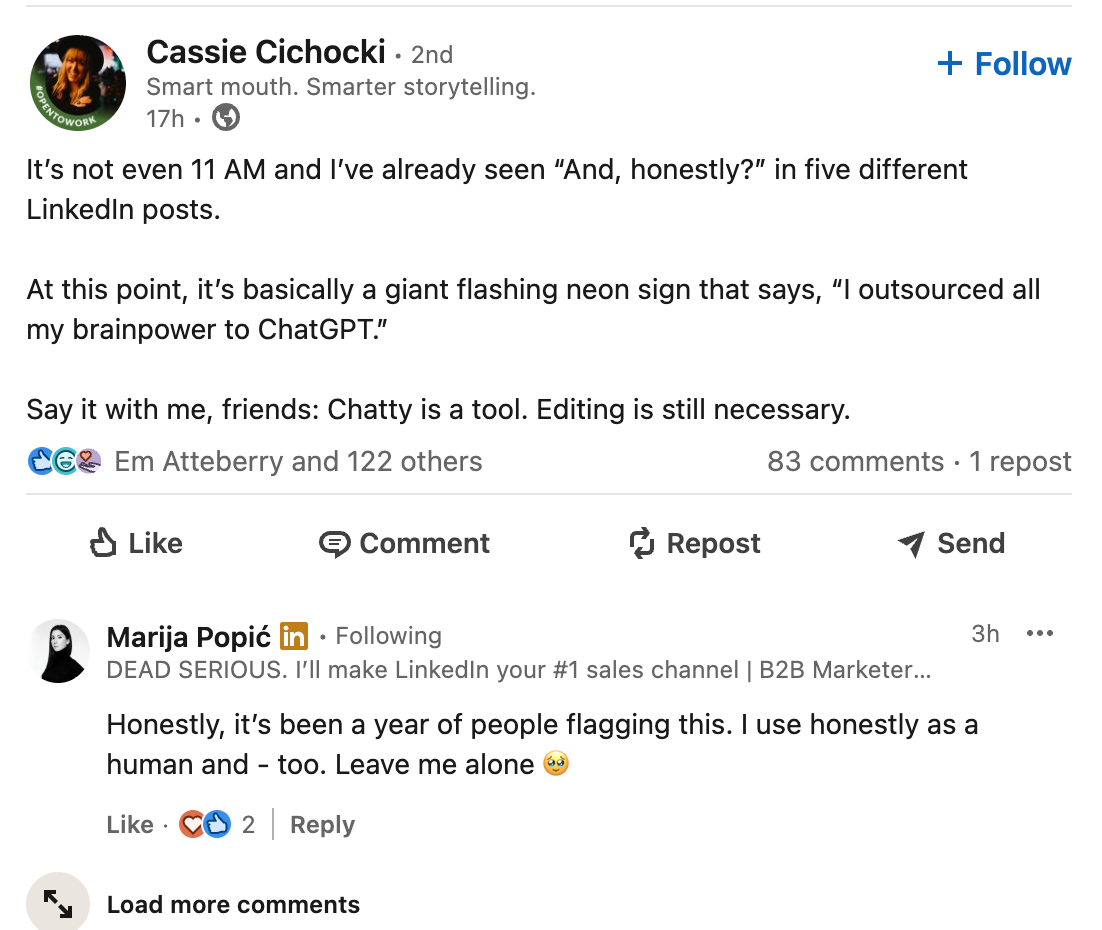
Not every Open-to-Work post has to directly list roles or skills. In this example, the author comments on a trend they’re noticing on LinkedIn, adding a personal and thoughtful perspective. (👉Read this guide for LinkedIn hook examples)
Why this works:
- It shows personality and critical thinking
- It feels human and conversational, not templated
- It encourages comments and discussion
- It keeps the profile active, even without explicitly saying “I’m looking for a job.”
When combined with the Open-to-Work badge, posts like this help recruiters see how you communicate and think (which is often just as important as your job title).
Example 3: Open-to-Work Post Focused on Expertise and Perspective
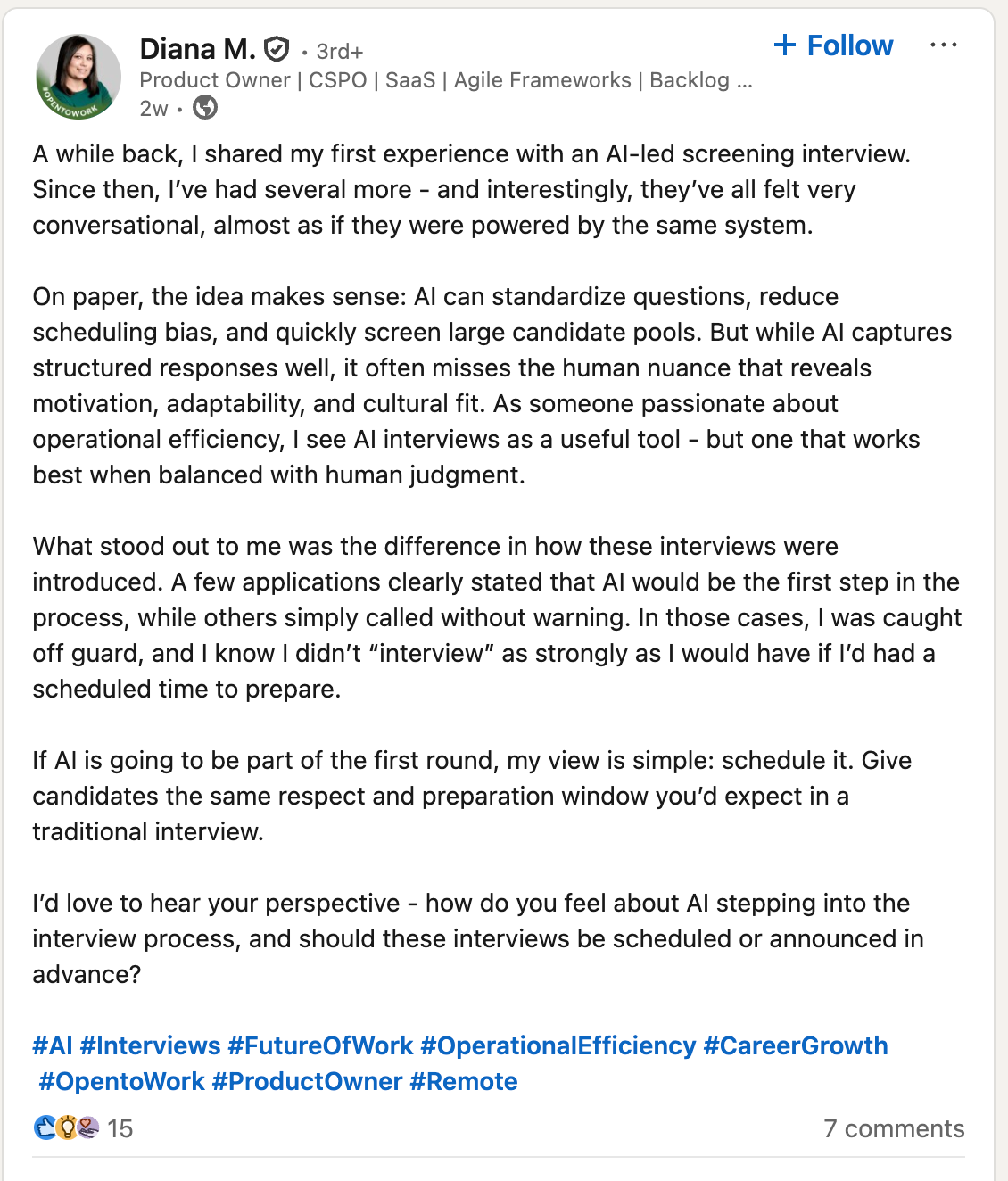
This example works especially well for experienced professionals. The author shares a detailed perspective on AI-led interviews, clearly demonstrating domain knowledge and professional experience.
Why this works:
- It positions the author as knowledgeable in their field
- It attracts the attention of recruiters in related roles or industries
- It sparks thoughtful engagement in the comments
- It builds credibility over time, not just visibility
Even though the post isn’t explicitly about job searching, the Open-to-Work badge signals availability, while the content signals expertise. Together, they create a strong impression.
It’s worth noting that some recruiters question whether the public Open-to-Work banner is always the best option.
As shown in the post below, opinions vary. While some people like the added visibility, others see it as a personal preference rather than a requirement.
What most recruiters agree on is that the private Open-to-Work setting (visible only to recruiters) is the most important.
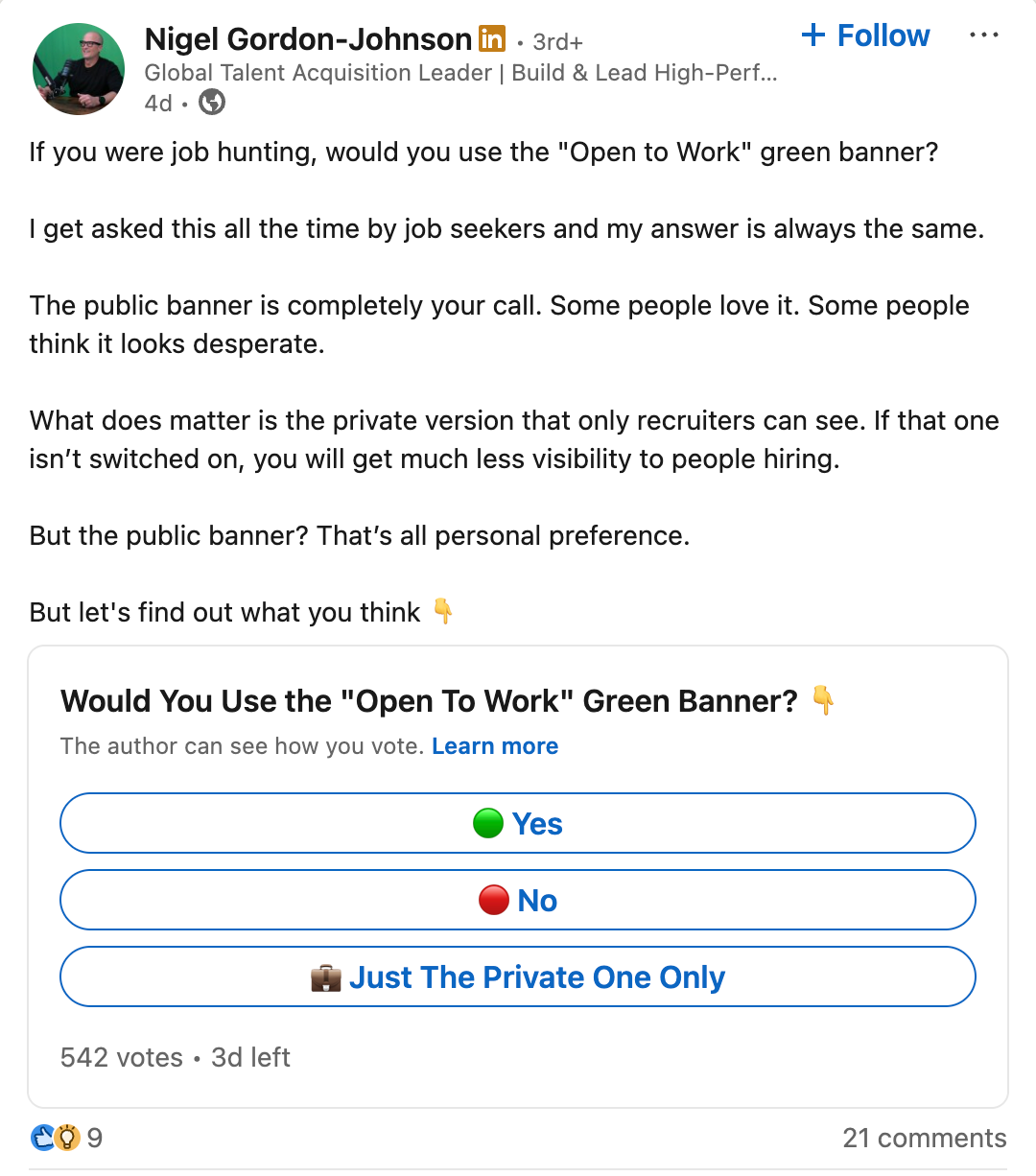
The key takeaway: the banner works best when paired with active posting about your work and expertise, not as a standalone signal.
Boost Your Open-to-Work Post Visibility with Podawaa
If you want recruiters to notice you, posting once is usually not enough. The more you post on LinkedIn, the more people start to recognize you, understand what you do, and remember your profile.
But posting more often only works if your content actually reaches the right people, especially recruiters and professionals in your field.
That’s where Podawaa can help.
Podawaa helps your posts get better visibility by using AI to target the right audience, based on what your post is about.
Your content is shown to people who are more likely to be interested in your role, skills, and experience.
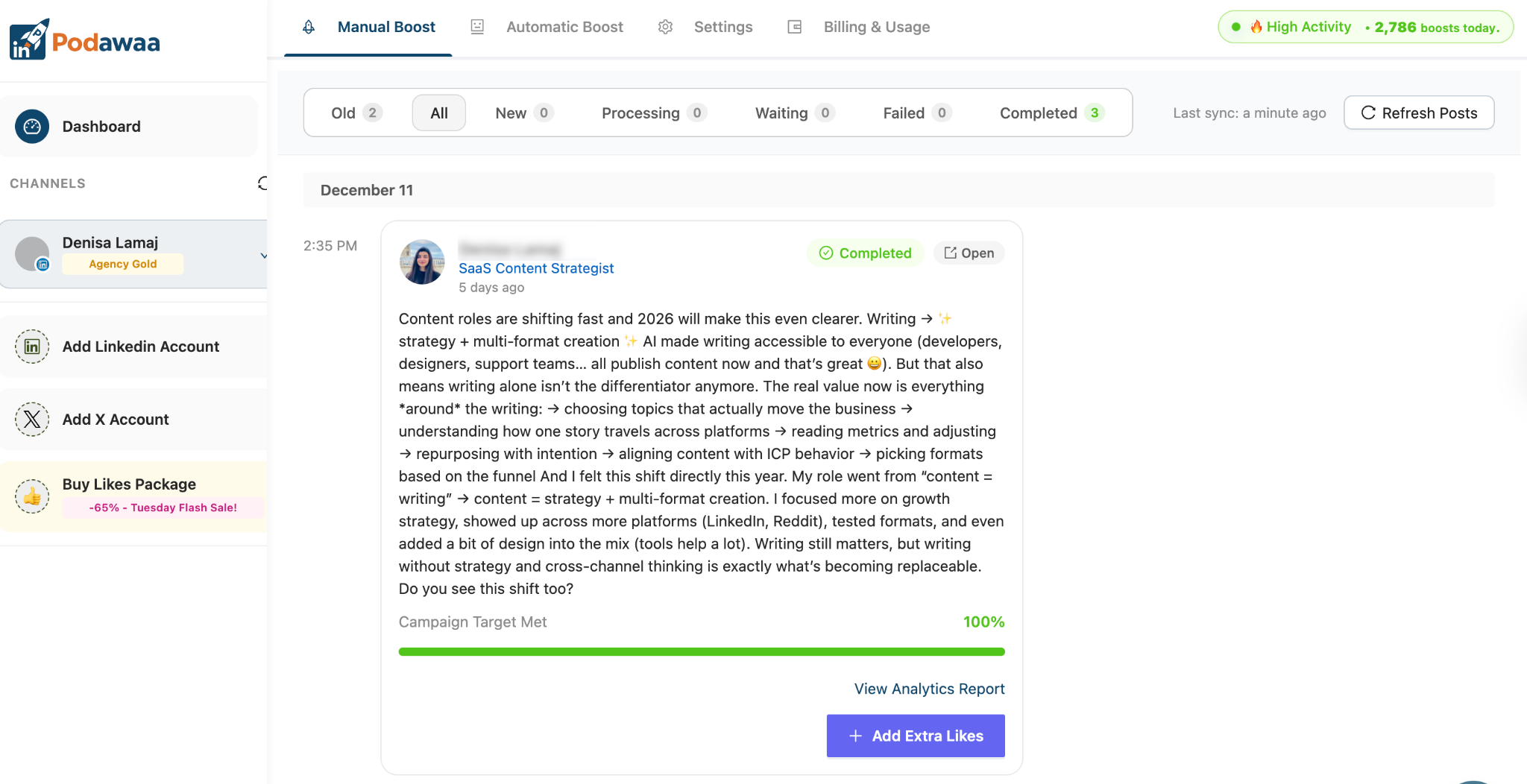
The results using Podawaa:
- More profile views from recruiters
- More likes and comments, which increase reach
- More DMs and conversations about job opportunities
Combining regular posting with better visibility, Podawaa helps recruiters see you more often, not just your Open-to-Work badge, but also the work and ideas behind it.
FAQs About Open-to-Work on LinkedIn
Should I use the Open-to-Work badge on LinkedIn?
Yes, especially the private option visible to recruiters. The public badge is optional and depends on your comfort level. It works best when combined with an active profile and regular posts about your work.
Can my current employer see that I’m Open to Work?
If you choose “Recruiters only”, LinkedIn tries to hide your status from recruiters at your current company. While it’s not guaranteed, this option is generally considered safe for passive job seekers.
Do Open-to-Work posts actually help recruiters find you?
They can, but only when paired with activity. Recruiters are more likely to notice profiles that post, engage, and show expertise. The badge signals availability, while your posts show credibility.