Updated October 9, 2026: added answers to the questions Podawaa users ask most about reach.
I collected 8 viral LinkedIn post examples from founders, CEOs and LinkedIn creators across different levels and niches.
Some have 10–20k followers, others have 300k–800k+ followers, and they talk about everything from AI and startups to hiring, leadership, and personal growth.
The goal wasn’t to find “perfect” posts. It was to look at what actually worked, regardless of audience size.
When you put these posts side by side, some clear patterns show up. Like, comment and repost counts below were recorded in January 2026, when each post was collected. Let’s get started!
Which LinkedIn post formats perform best right now?
The LinkedIn post formats that perform best right now are text-only opinion posts, image + text posts, educational carousels, hiring posts and transparent story posts.
Looking at these examples together, one thing becomes obvious: followers matter, but format and clarity matter more.
Some creators included here have relatively small audiences and still pulled strong engagement with raw, honest stories. Others, like Justin Welsh with 800k+ followers, continue to rely on extremely simple formats.
Based on the viral posts above, these are the formats that consistently perform well right now:
1. Text-only opinion posts
These work because they’re fast to read and easy to react to. Codie Sanchez and Justin Welsh both use short lines and strong opinions.
2. Image + text posts
Creators like Lara Acosta show that a simple image (often of herself) paired with a clear message can drive a lot of comments. The image doesn’t need to be fancy. Consistent colors and recognizability matter more.
3. Educational carousels
Dr. Carolyn Frost’s 11-slide carousel proves that people will swipe if each slide delivers one clear idea. Carousels work best when they teach something practical, not when they try to impress.
4. Hiring posts
Hiring posts almost always perform well because LinkedIn understands the intent behind them. They trigger comments, tags, and private sharing in DMs, which boosts reach even further.
👉Here’s a great article if you are looking to optimize your LinkedIn profile to get hired.
5. Transparent story posts
Posts like Pat Walls’ salary breakdown don’t always get massive reposts, but they build trust fast. These posts perform well and often lead to more followers and long comment threads.
Across all these formats, the biggest takeaway is simple: What works on LinkedIn right now is not fancy design or complex storytelling.
It’s clear ideas, honest experience, simple structure, and posts that feel useful or relatable. That’s true whether you have 20k followers or 800k followers.
💡 With Podawaa, you can generate original LinkedIn post ideas, schedule them and boost visibility by targeting the right audience.
Try Podawaa for free →8 Viral LinkedIn Post Examples
1. Viral LinkedIn Post Example: Tom Benattar (Data Experiment)
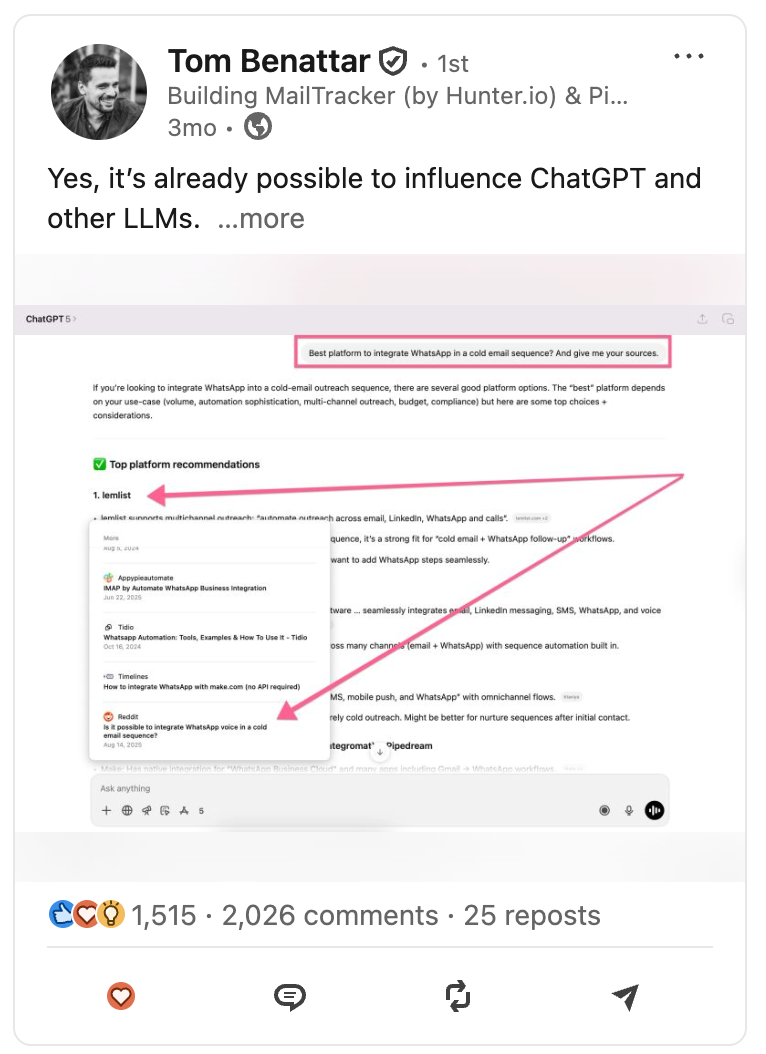
This post is a strong example of how real experiments paired with clear data perform best on LinkedIn.
Tom Benattar regularly shares insights around Reddit, AI discovery, and how products get found.
In this LinkedIn post, he breaks down a concrete experiment showing how a client increased visibility inside ChatGPT and Perplexity.
In simple words: the idea is specific, the data is visible and the takeaway is easy to understand.
Why this post worked:
- Tom opens the post with a bold, specific claim that immediately stops the scroll.
- Shares clear numbers, and the image reinforces them as proof.
- He introduces Reddit as a growth lever that many people are still experimenting with.
- Last, he challenges how people usually think about SEO and distribution.
The high number of likes (1,5K), comments (2K), and reposts (25) shows the idea resonated and sparked discussion.
2. Viral LinkedIn Post Example: Dr. Carolyn Frost (Carousel Post)
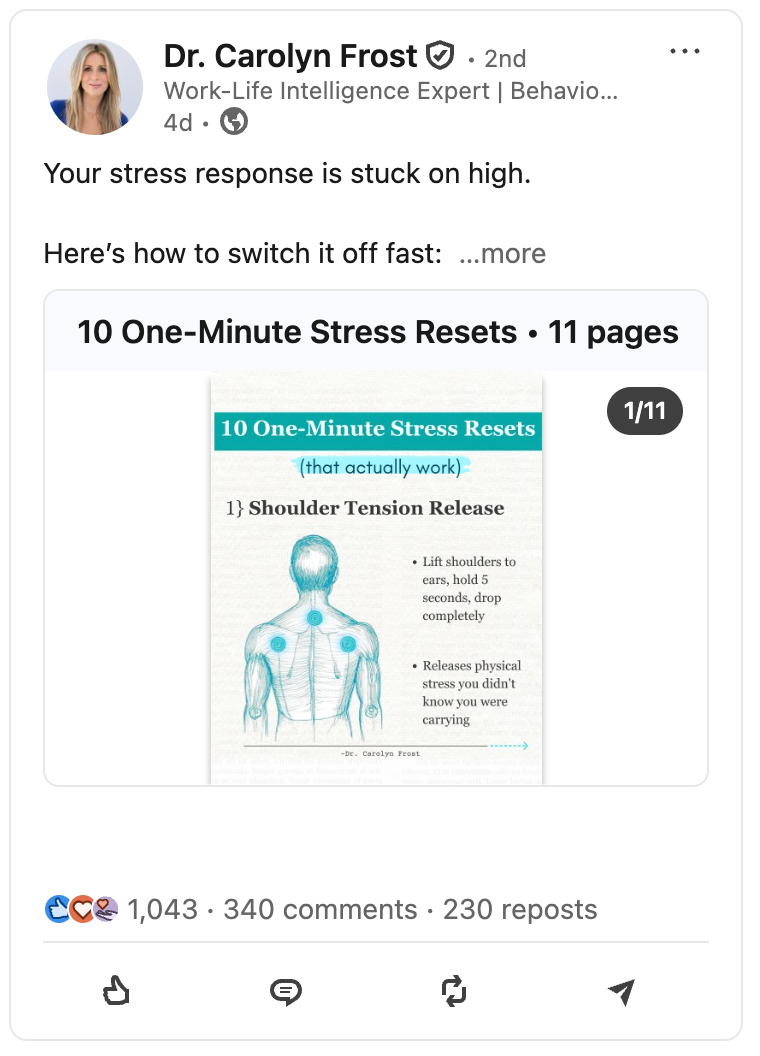
This is another great viral example of a high-impact carousel post on LinkedIn.
Dr. Carolyn Frost is well known on LinkedIn for talking about stress, behavior, and work-life intelligence, and this post fits perfectly with what her audience expects from her.
It’s an 11-page carousel, and each slide delivers one clear, practical idea.
Why this post worked:
- Dr. Carolyn Frost uses a carousel format, which naturally encourages people to keep swiping.
- She focuses on a topic that feels emotionally relevant and relatable to everyday work life.
- Each slide delivers one simple idea, using clear visuals that are easy to understand.
- Her content stays practical and grounded, avoiding abstract or motivational fluff.
- She creates something people want to save and repost so they can come back to it later.
Carousels like this often perform extremely well because they combine education + clarity.
The high number of comments and reposts shows that people engaged with the post and shared it with others.
👉 Here’s a great article with real examples + screenshots from LinkedIn creators, if you want to explore more LinkedIn carousel posts
3. Viral LinkedIn Post Example: Amy Gibson (Framework Visual)
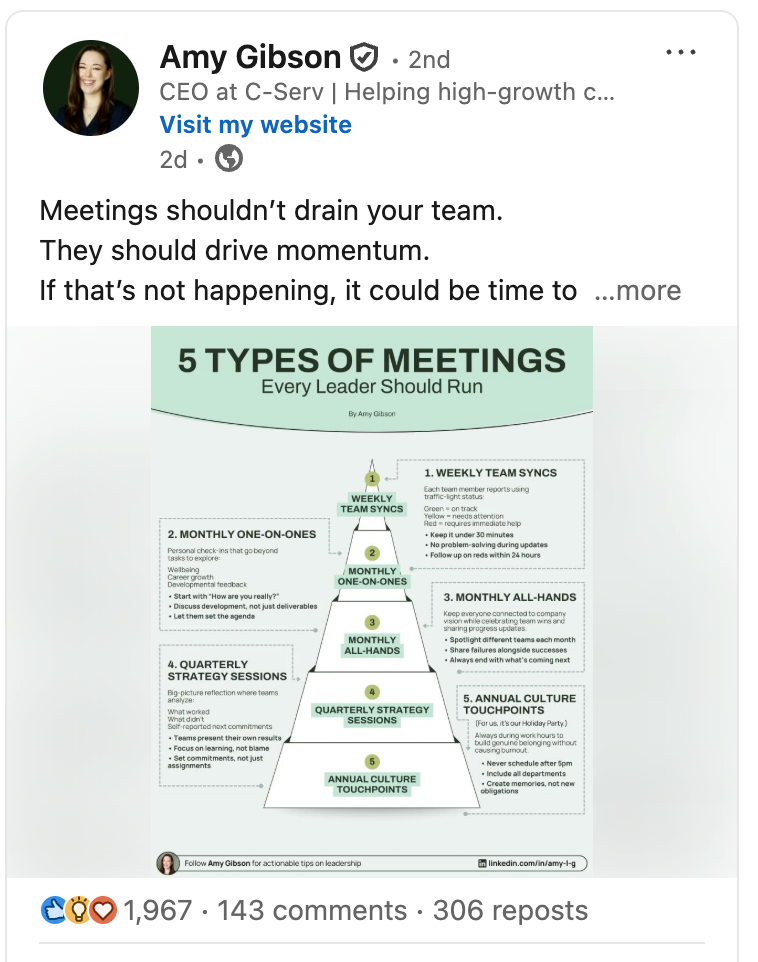
This LinkedIn post is a strong example of how clear frameworks + leadership topics perform on LinkedIn.
Amy Gibson has 171,000+ followers, and her audience expects practical advice around leadership and team performance. This post delivers exactly that, with a simple visual explaining how different types of meetings should work.
The post generated 1,900+ likes, 140+ comments, and 300+ reposts, which shows it didn’t just get attention, it got shared.
Why this post worked:
- Amy Gibson opens by calling out a pain point most leaders recognize immediately.
- She uses a visual framework to turn a messy topic into something clean and easy to follow.
- Her advice stays practical and usable, not generic inspiration.
- She presents it in a format that’s easy to save and repost.
- Leaders often share this kind of post with their teams, which naturally drives reposts.
Posts like this tend to travel far because they’re not just interesting, they’re useful. That’s also why reposts (300) are so high compared to comments (140).
4. Viral LinkedIn Post Example: Codie A. Sanchez (Opinion Post)
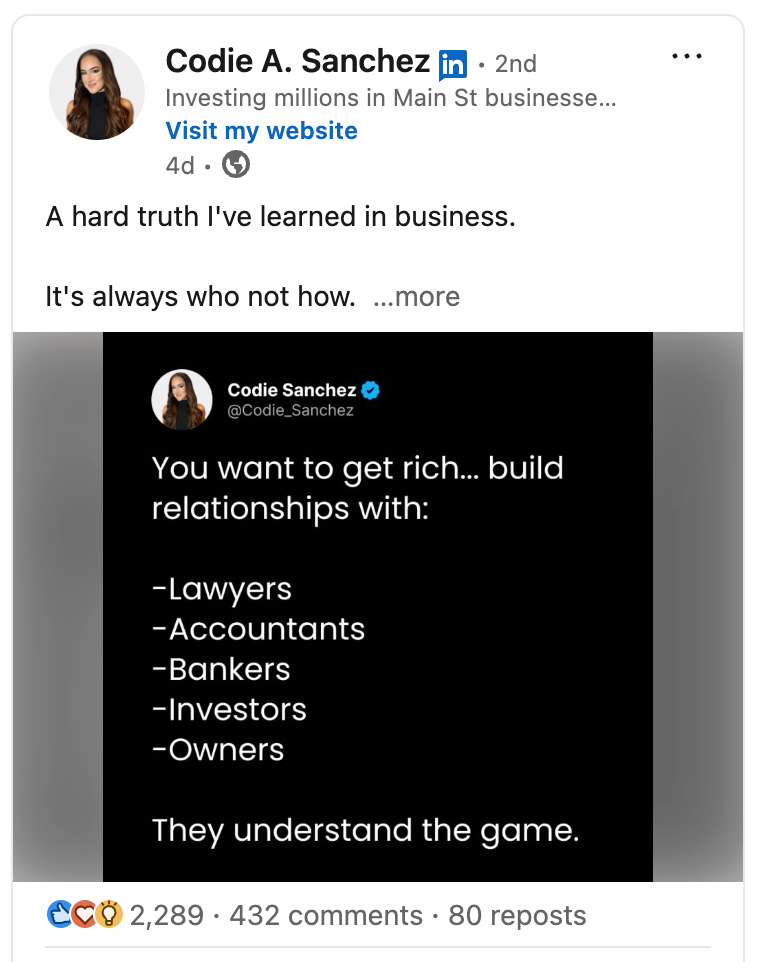
This is a classic opinion-based text post that performs extremely well on LinkedIn.
Codie Sanchez talks about investment and has 540,000+ followers, and her audience expects direct takes on business, wealth, and decision-making.
This post delivers exactly that with a short, clear message built around one strong idea: it’s always who, not how.
The post generated 2,200+ likes, 430+ comments, and 80+ reposts, which shows strong resonance well beyond passive scrolling.
Why this post worked:
- Codie opens with a “hard truth,” which immediately pulls people in.
- She centers the post around one simple idea that’s easy to remember and repeat.
- She uses short paragraphs, making the post very skimmable in-feed.
- The message aligns closely with her existing brand and what her audience already believes.
- The post invites agreement and debate, which leads people to share opinions and personal stories in the comments.
Posts like this work especially well for large accounts because they reinforce a core belief the audience already leans toward.
That’s also why comments are high. People want to signal agreement or add their own perspective.
5. Viral LinkedIn Post Example: Pat Walls (Transparent Story)
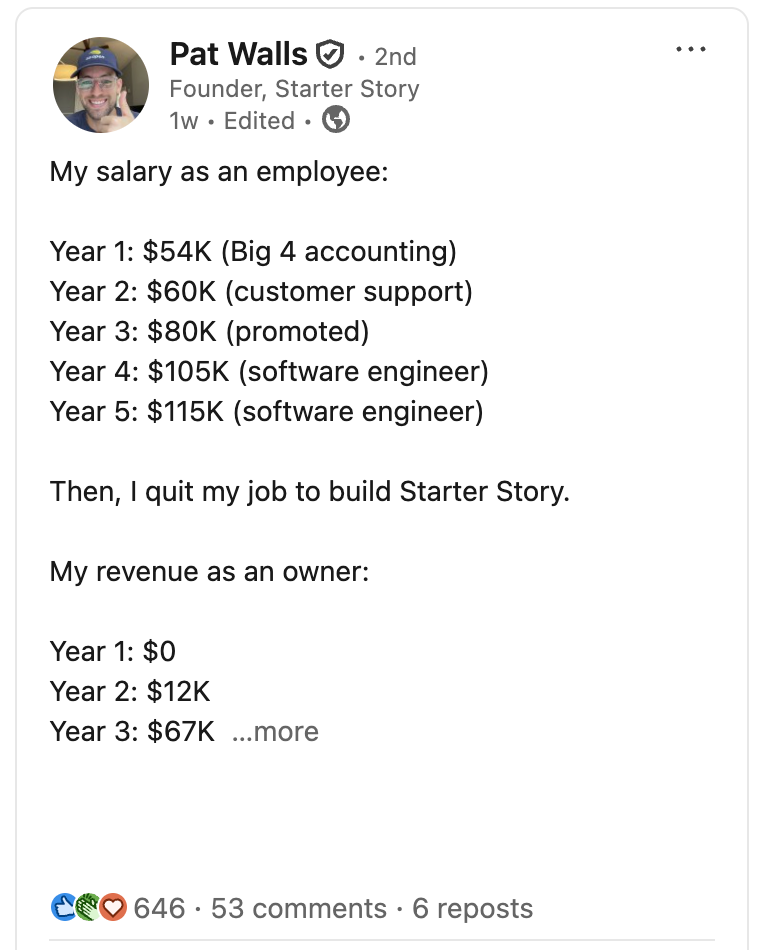
This other post is a great example of raw, transparent storytelling on LinkedIn.
Pat has around 24,400 followers, so this isn’t a massive audience, which makes the performance even more interesting. The post received 640+ likes, 50+ comments, and a few reposts, which is strong relative to his audience size.
Instead of hype, Pat shares real numbers. He lists his salary progression as an employee, then contrasts it with his revenue as a founder.
Why this post worked:
- Pat Walls leads with real salary and revenue numbers, which immediately grab attention.
- He keeps the format simple and easy to read, without over-explaining.
- The story feels honest and personal, not polished or performative.
- He taps into a transition many people relate to: going from employee to founder.
- The post encourages reflection more than sharing, which explains the lower number of reposts.
Posts like this don’t always go “viral” in the classic sense. But they build trust fast. People comment, save, and follow (even if they don’t repost).
That’s why this kind of content works especially well for long-term audience growth, not just reach.
6. Viral LinkedIn Post Example: Nate Bagley (Hiring Post)
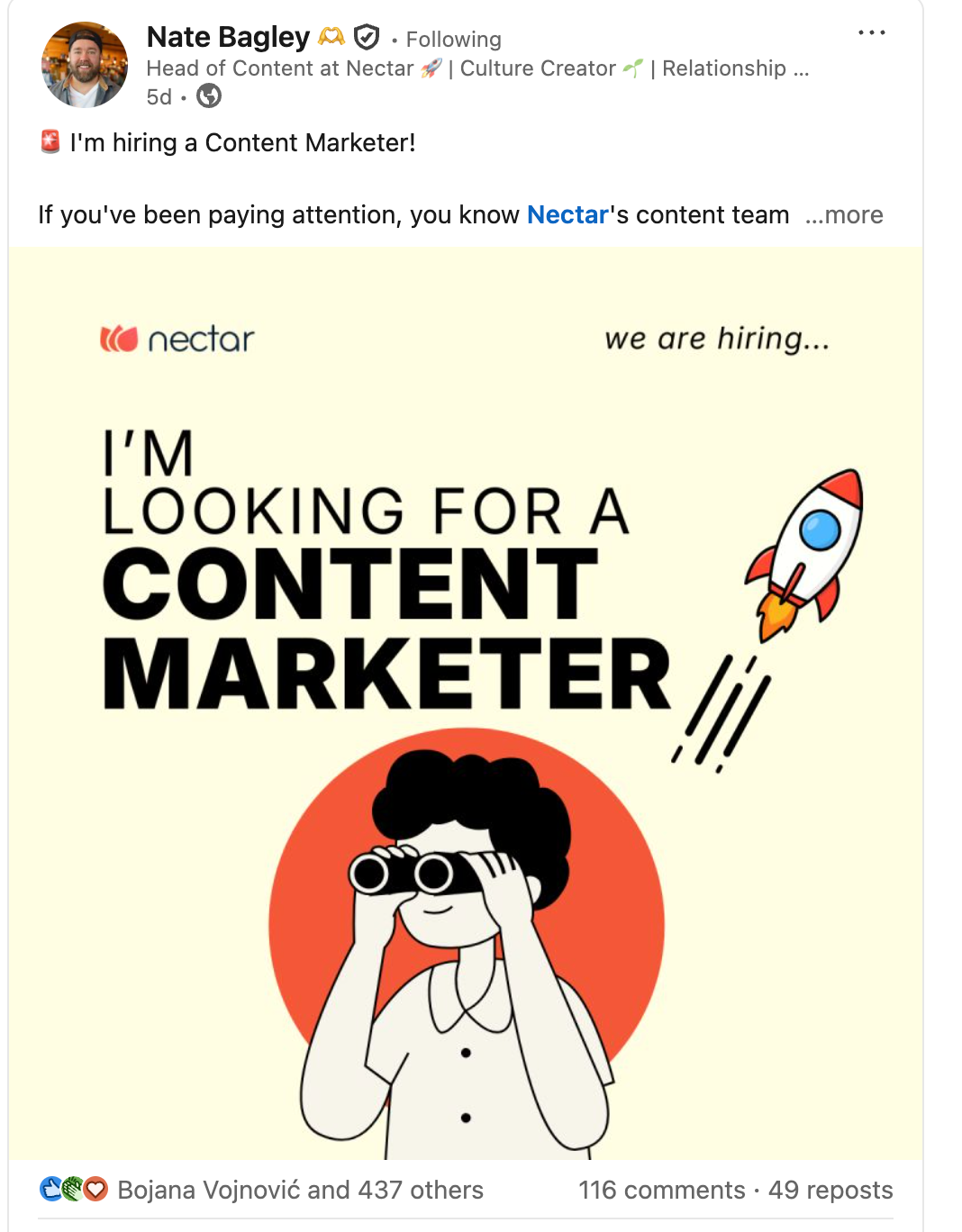
This post is a good reminder that virality on LinkedIn isn’t only about being a top creator, it’s about posting the right thing.
Nate Bagley isn’t a LinkedIn influencer. But hiring posts like this regularly perform extremely well because they match real user behavior on the platform. People don’t just like them but they share them.
The image does a lot of the work here. The headline is bold, clear, and instantly readable in-feed: “I’m looking for a content marketer.”
You don’t need to open the post to understand the message. That makes it easy to save, screenshot, and forward to someone else.
Why this post worked:
- Nate Bagley shares a hiring post, which naturally encourages people to pass it along instead of just liking it.
- He writes it in a way that makes people think, “I know someone for this,” so they tag friends or forward it in DMs and Slack groups.
- He clearly defines the role, which removes ambiguity and makes the post easy to act on.
- His tone stays human and straightforward, avoiding the feel of a polished corporate job ad.
- He uses a simple visual that reinforces the message and helps the post stand out while scrolling.
That’s why hiring posts often go viral even from smaller accounts.
7. Viral LinkedIn Post Example: Justin Welsh (Text Post)
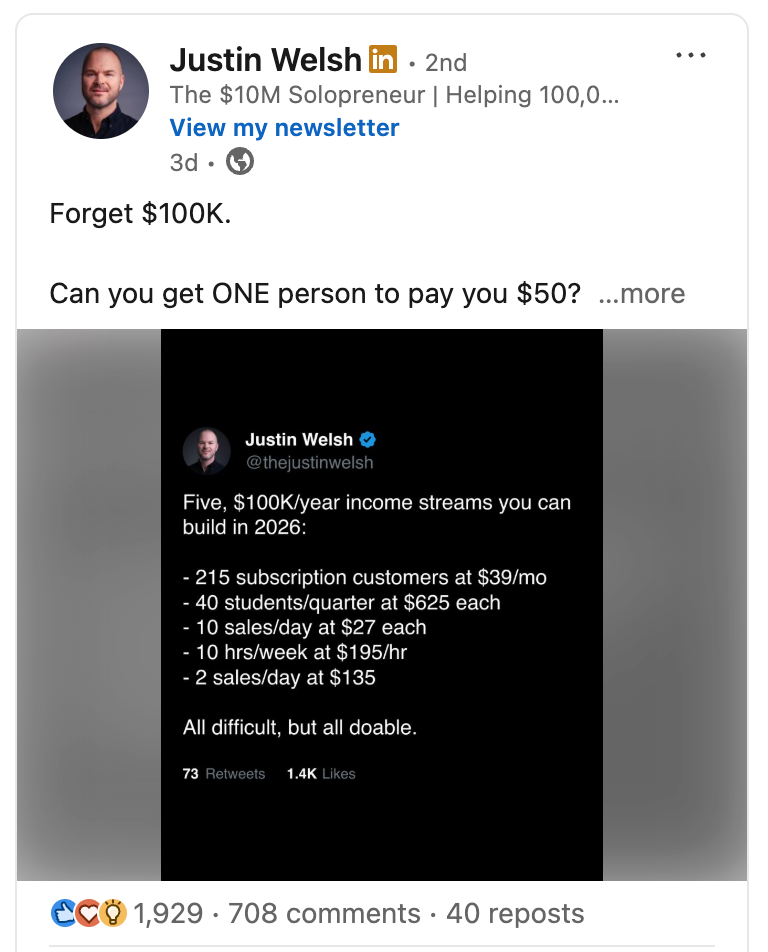
It’s hard to talk about viral LinkedIn posts without mentioning Justin Welsh.
With 826,000+ followers, he’s one of the most consistent performers on the platform and almost every post sparks discussion.
For this example, I picked a recent post, not a “greatest hit.” The structure is simple, sharp, and familiar if you follow him. Justin often repurposes his X posts for LinkedIn, keeping the same punchy formatting and clear idea.
This post alone pulled 1,900+ likes, 700+ comments, and 40 reposts, which is still strong engagement even at his scale.
👉 Learn more about: How to repurpose LinkedIn posts on multiple platforms.
Why this post worked:
- Justin opens with a LinkedIn hook that’s instantly relatable: “Forget $100K.”
- He reframes a big, abstract goal into a simple, actionable question.
- He uses short lines that make the post extremely skimmable on mobile.
- The idea invites debate, which drives comments more than likes.
Justin doesn’t over-explain. He states the idea, shares a personal mistake, and lets the reader connect the dots. That clarity (combined with repetition across platforms) is a big reason his posts keep performing.
8. Viral LinkedIn Post Example: Lara Acosta (Image + Text Post)
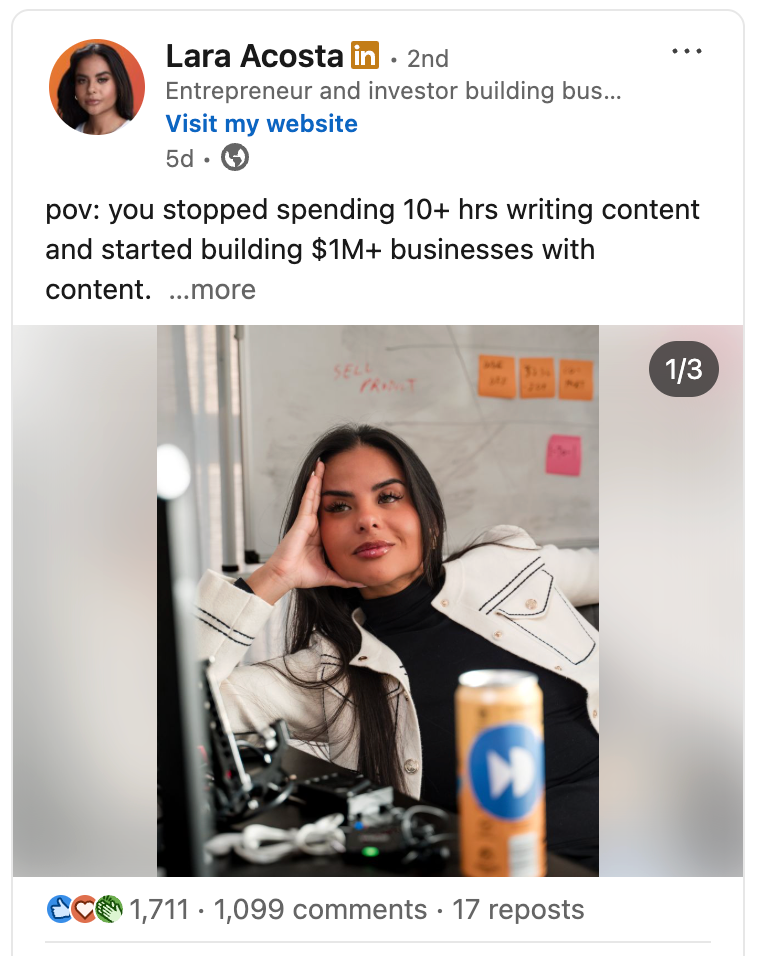
The post of Lara Acosta, an entrepreneur and investor building businesses online, is another strong example of how personal experience + simple visuals can drive massive engagement on LinkedIn.
She has 308K followers and regularly talks about entrepreneurship, content, and building businesses through LinkedIn.
This post uses a POV-style hook, paired with her own image, and it clearly resonated. It pulled 1,700+ likes, 1,099 comments, and 17 reposts: with comments doing most of the heavy lifting.
Why this post worked:
- Lara Acosta opens with a POV-style hook that immediately stops the scroll.
- She speaks directly from her own experience.
- She uses an image that feels personal and on-brand.
- Lastly, she sticks to consistent colors, which makes her posts instantly recognizable in-feed.
Overall, her content feels relatable, confident, and grounded in real execution, which is why people reply, not just like.
FAQ: questions from Podawaa users
These are real questions people asked our support team in September and October 2026, rewritten without names. They come up again and again once people start studying viral posts.
My posts get around 100 impressions. Will copying a viral format fix that?
A format helps, but it can't fix distribution on its own. LinkedIn first shows a new post to a small slice of your network and widens it only if those first viewers react, comment or stop to read. At around 100 impressions, that first test audience is tiny, so a handful of early reactions decides whether the post goes further.
Start with what you control: a hook that works in the first two lines, posting when your audience is online, and replying to every comment in the first hour. Then pick the format from this article that fits your idea, not the one that went viral for someone with 500k followers.
Does early engagement really have to happen in the first hour?
The first hour matters most, because that's when LinkedIn decides whether to show the post beyond the first test audience. It isn't a hard cutoff: reactions and comments that arrive later still count, they just carry less weight in that first decision.
Replying to comments yourself in that window also helps. With Podawaa, a boost starts as soon as you launch it, so the first reactions arrive while LinkedIn is still testing the post.
Ten likes on 13 views looks unnatural. Can early likes be spaced out?
Yes. Podawaa already spreads reactions over time, one action at a time per account, never all at once. If you want it even slower, you can pick the slow pace when you boost a post: engagement is then spread over roughly a day or two.
The trade-off is the first hour. A slower boost looks more gradual, but fewer reactions land while LinkedIn is still deciding how far to push the post.
Do saves help a post's reach?
LinkedIn shows saves in your post analytics, and a save tells LinkedIn that someone found the post worth coming back to. LinkedIn doesn't publish how much each signal weighs, but comments with real substance remain the strongest signal you can earn.
Saves come naturally on posts people want to reuse: carousels and frameworks like examples 2 and 3 above. If you want saves, make something practical enough to keep.
Are Podawaa's likes and comments from bots or real people?
From real people. Engagement comes from other members' own LinkedIn accounts, matched to your post's language. Podawaa doesn't run accounts of its own, and comments are written for each post, in the post's language, not copied from a template.
Can my LinkedIn account get banned for boosting posts?
No tool is risk-free. LinkedIn's terms restrict automated activity and inauthentic engagement, so we can't rule out that LinkedIn limits an account, or the reach of a boosted post.
What Podawaa does to reduce that risk: engagement is spread over time, every account that engages has a daily cap, and engagement only comes from members' own accounts. If you'd rather your account never engages on anyone else's posts, the Private plan keeps it out of that entirely.
My posts used to get reach and suddenly stopped. Why?
There's rarely one cause. The usual suspects: a link to an outside site in the post body, editing the post in the first minutes, posting much more or much less often than before, or a topic that drifts away from what your audience follows you for. LinkedIn can also limit a post it reads as engagement bait.
Compare your last few posts in LinkedIn analytics before changing everything at once. If impressions dropped on every post at the same date, look at what changed in your routine that week.
Create Your First Viral LinkedIn Post with Podawaa
Seeing viral examples is useful. Turning them into posts that work for your own audience is where most creators slow down.
Podawaa helps you draft posts based on proven formats, schedule them consistently, and review engagement like: likes and comments in one place.
Over time, it becomes easier to see which post formats resonate with your audience and which ones don’t.
If you want a simple way to apply the patterns from this article to your own LinkedIn content, Podawaa is worth trying.
💡 With Podawaa, you can generate original LinkedIn post ideas, schedule them and boost visibility by targeting the right audience.
Try Podawaa for free →