LinkedIn creators don’t struggle with posting anymore but they find it hard knowing what actually works.
Likes, comments, profile views, and impressions exist, but LinkedIn’s native analytics don’t give them enough clarity to improve consistently.
This list focuses on LinkedIn analytics tools built for personal profiles and creators, not enterprise social media teams.
Some tools focus only on analytics, while others combine analytics with scheduling, AI writing, or content boosting.
Podawaa stands out because it connects analytics directly to action: find trends, create posts, publish, boost, and measure engagement in one place.
If you post on LinkedIn regularly and want to improve results, these tools are worth using.
6 Best LinkedIn Analytics Tools (TL;DR)
- Podawaa: Best overall for creators who want engagement analytics + AI posting + boosting in one workflow
- Buffer: Best simple analytics for staying consistent without complexity
- Planable: Best for creators who plan content ahead and want clean performance reports
- Shield: Best LinkedIn analytics for deep post and audience insights
- Taplio: Best for tracking growth KPIs and post-performance over time
- Hootsuite: Best for creators who publish on LinkedIn and other social platforms and need scheduling, analytics in one dashboard
How I Tested These LinkedIn Analytics Tools
I tested these tools from a creator point of view, not as a social media agency or enterprise team.
The main focus was LinkedIn personal profiles, not just company pages. I paid close attention to how easy it was to answer real creator questions like:
- Which posts get the most engagement?
- Am I getting more comments or just passive likes?
- Is my profile getting more views after posting?
- Can I quickly see what worked last week or last month?
For each tool, I explored:
- Engagement analytics (likes, comments, profile views, impressions)
- Post-level performance tracking
- Ease of understanding the data (not just charts)
- Whether analytics actually help improve future posts
I also looked at how analytics fit into the workflow. Some tools stop at reporting. Others, like Podawaa, connect analytics directly to content creation, scheduling, and boosting (which makes a big difference if you post often).
Free plans or trials were used when available to evaluate how useful the tools are before paying.
6 Best LinkedIn Analytics Tools
1. Podawaa
Obviously, Podawaa should be on this list, because it helps LinkedIn creators understand what actually works on their profile and then act on it.
This isn’t a pure analytics tool, but the analytics feature is central to how Podawaa works. You don’t just look at numbers but you use them to improve reach and engagement.
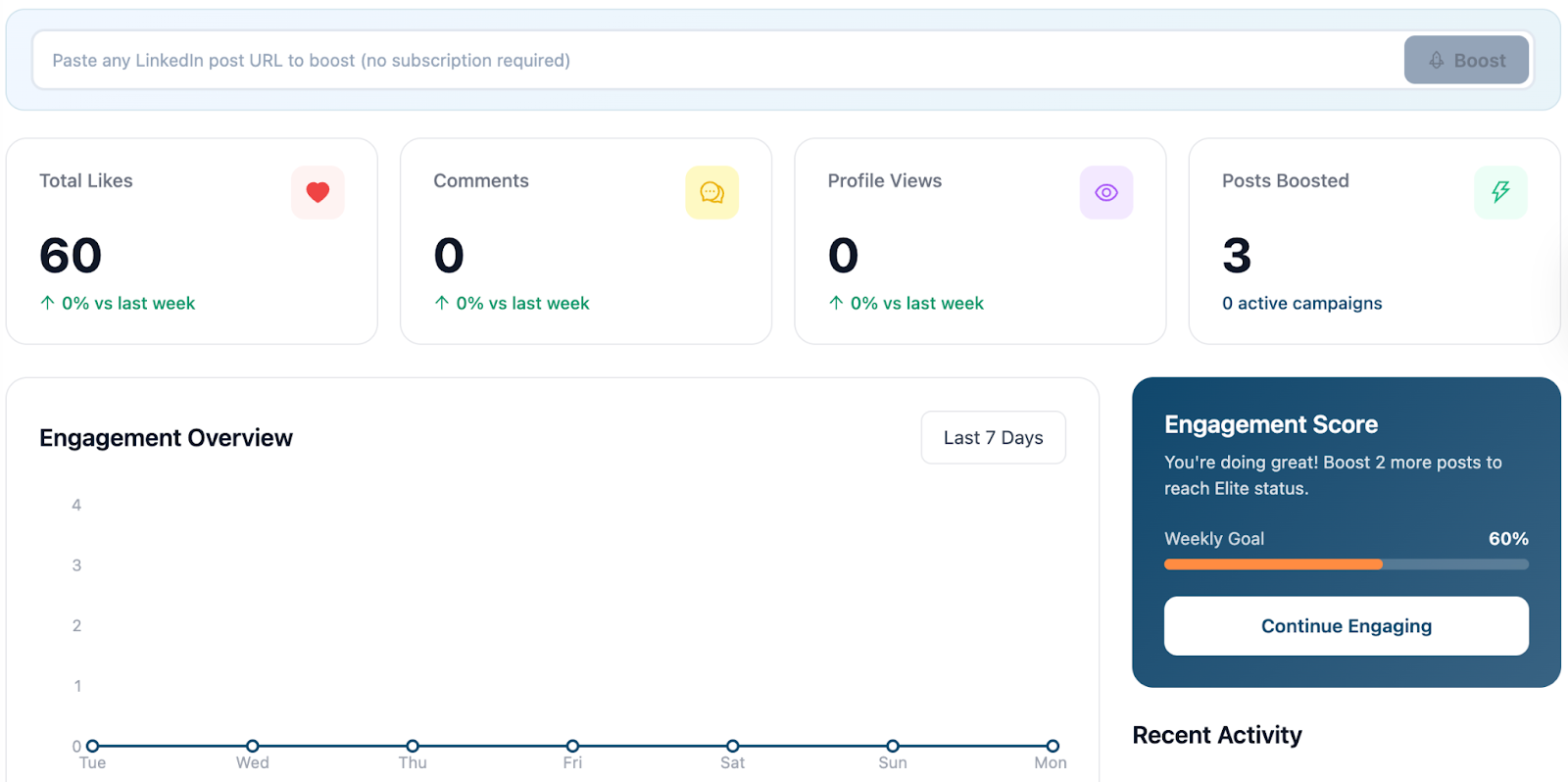
Podawaa is used daily by more than 10,000+ LinkedIn creators who want to grow faster. Inside the dashboard, you can see your engagement at a glance: total likes, comments, profile views, and how many posts you’ve boosted.
The engagement overview makes it easy to spot patterns over the last few days and understand what performs and what doesn’t.
What makes Podawaa different is the workflow. You can check trending topics, generate LinkedIn posts with AI (currently in beta), schedule them, boost selected posts, and then track the engagement results in one place.
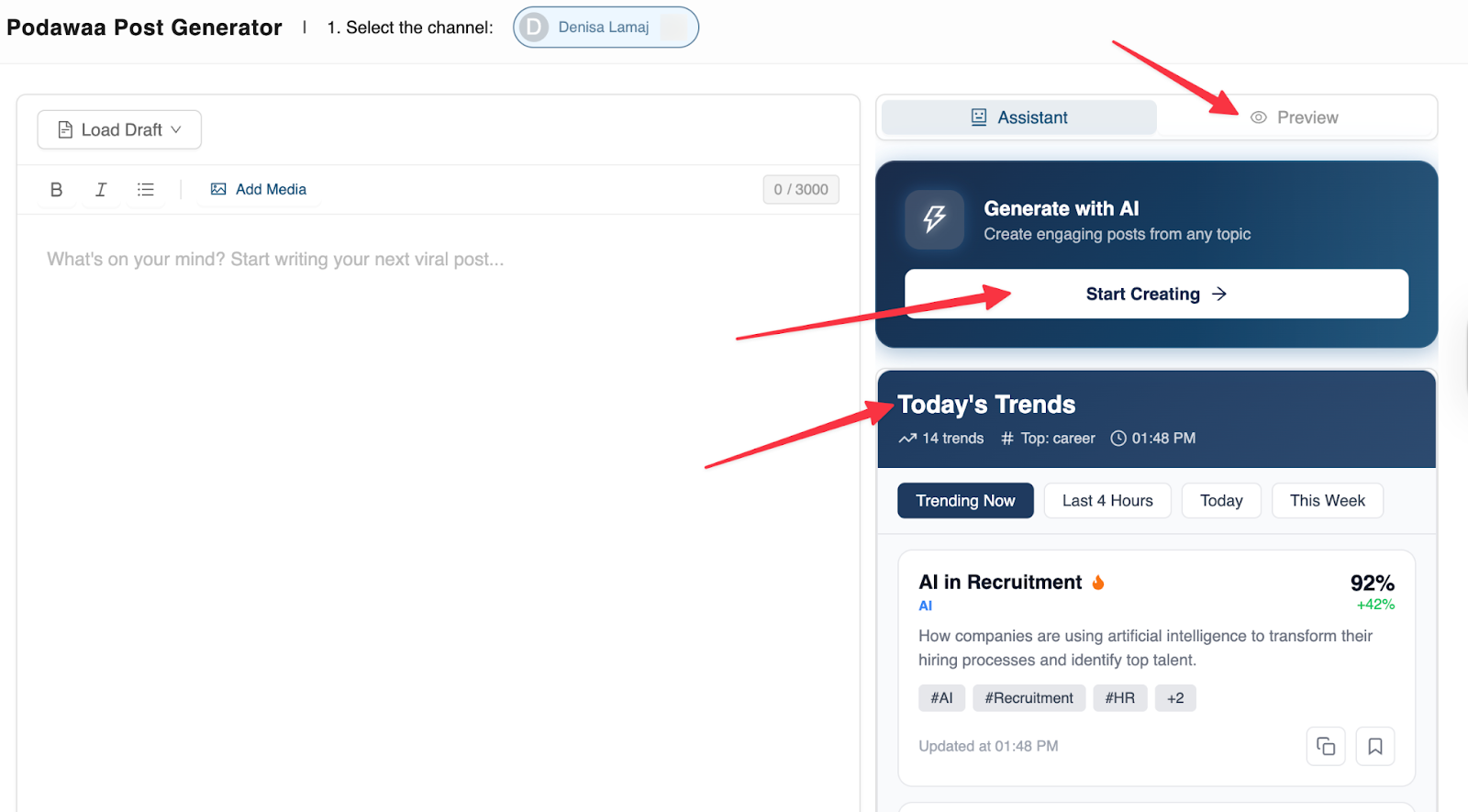
After posting, you come back to the analytics to see if people actually interacted with your content.
I use Podawaa’s Pro Community plan, and the biggest value is clarity. You always know where your engagement stands and what to improve next.
In simple words, Podawaa connects posting, boosting, and analytics into one simple loop. I don’t need multiple tools to create, publish, and track engagement.
Features
- LinkedIn engagement analytics (likes, comments, profile views)
- Engagement score with weekly goal tracking
- AI-powered LinkedIn post generator (beta)
- Trending topics to target the right audience
- LinkedIn post scheduling and boosting
- Clean dashboard built for creators
Cons
- Limited free plan (You do get a 7-day free trial to test more premium features)
Pricing
- Free forever plan
- Paid plans start at EUR 29.99 / month
Reviews
Podawaa is well-liked by 10K LinkedIn creators who care to grow their personal brand. Most feedback highlights how easy it is to understand analytics and turn them into action.
2. Planable
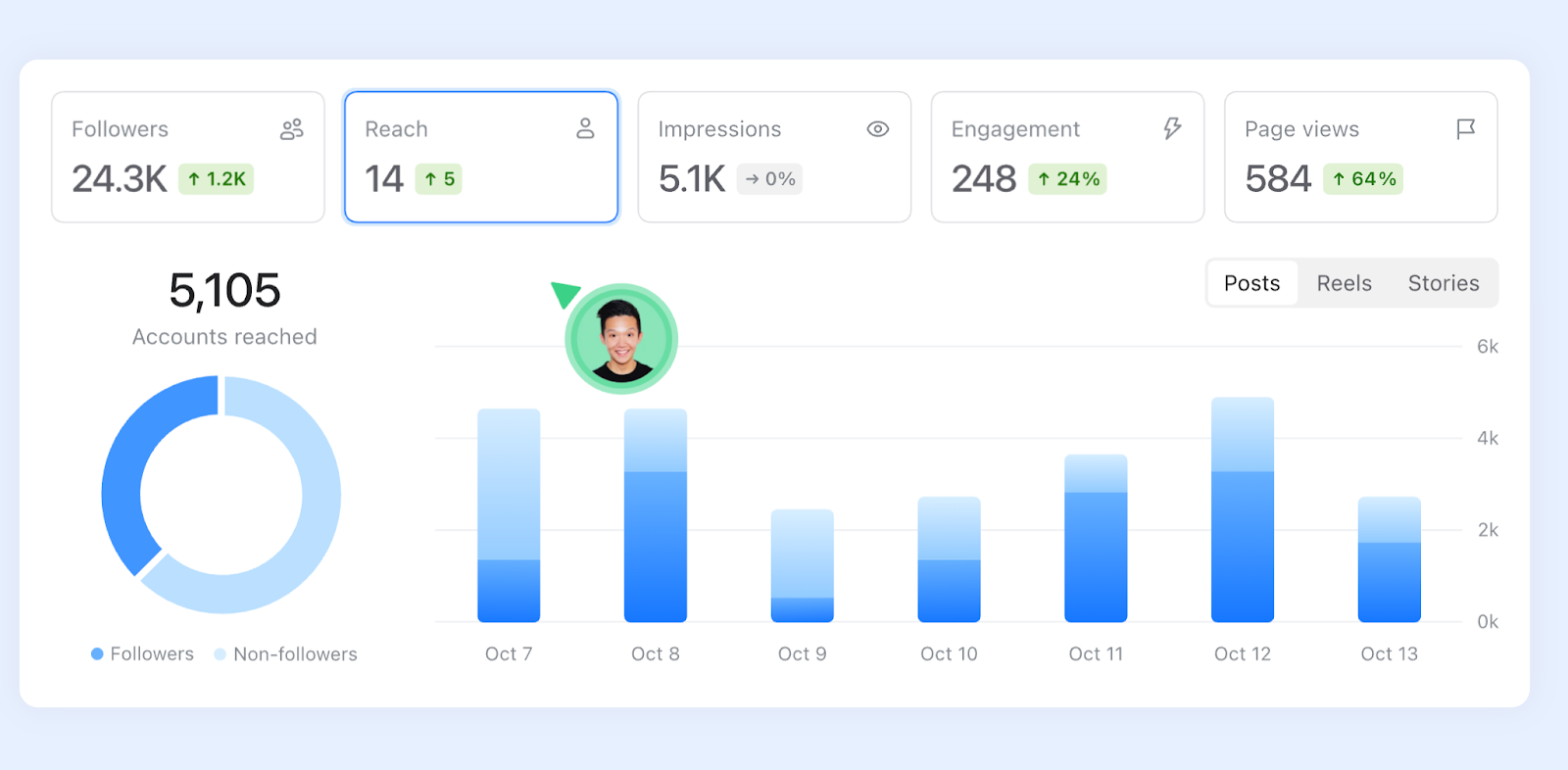
Planable works well for LinkedIn creators who like to plan ahead and make decisions based on clear analytics.
Its analytics help you understand what content performs best and why. If you post consistently and want visibility into audience behavior, Planable gives you useful insights without being overwhelming.
One of the main strengths of Planable is how it highlights top-performing posts. You can quickly spot which posts get the most LinkedIn impressions, likes, comments, and shares, then focus on what works.
Planable also provides audience insights. You can see follower demographics, such as age distribution, and adjust your content to better match your audience.
Features
- Top posts overview to identify winning content
- LinkedIn analytics for impressions, engagement, and reactions
- Audience insights and follower demographics
- Visual reports with charts and trends
- Exportable reports (PDF or shareable link)
- Automatic monthly reports
Cons
- Can feel heavy if you only want quick analytics
Pricing
- Free plan available
- Paid plans start at $39 per workspace/month
Reviews
Creators like Planable for its clean interface and strong reporting. Reviews often mention how easy it is to present results and understand which content performs best, especially when sharing reports with others.
3. Buffer
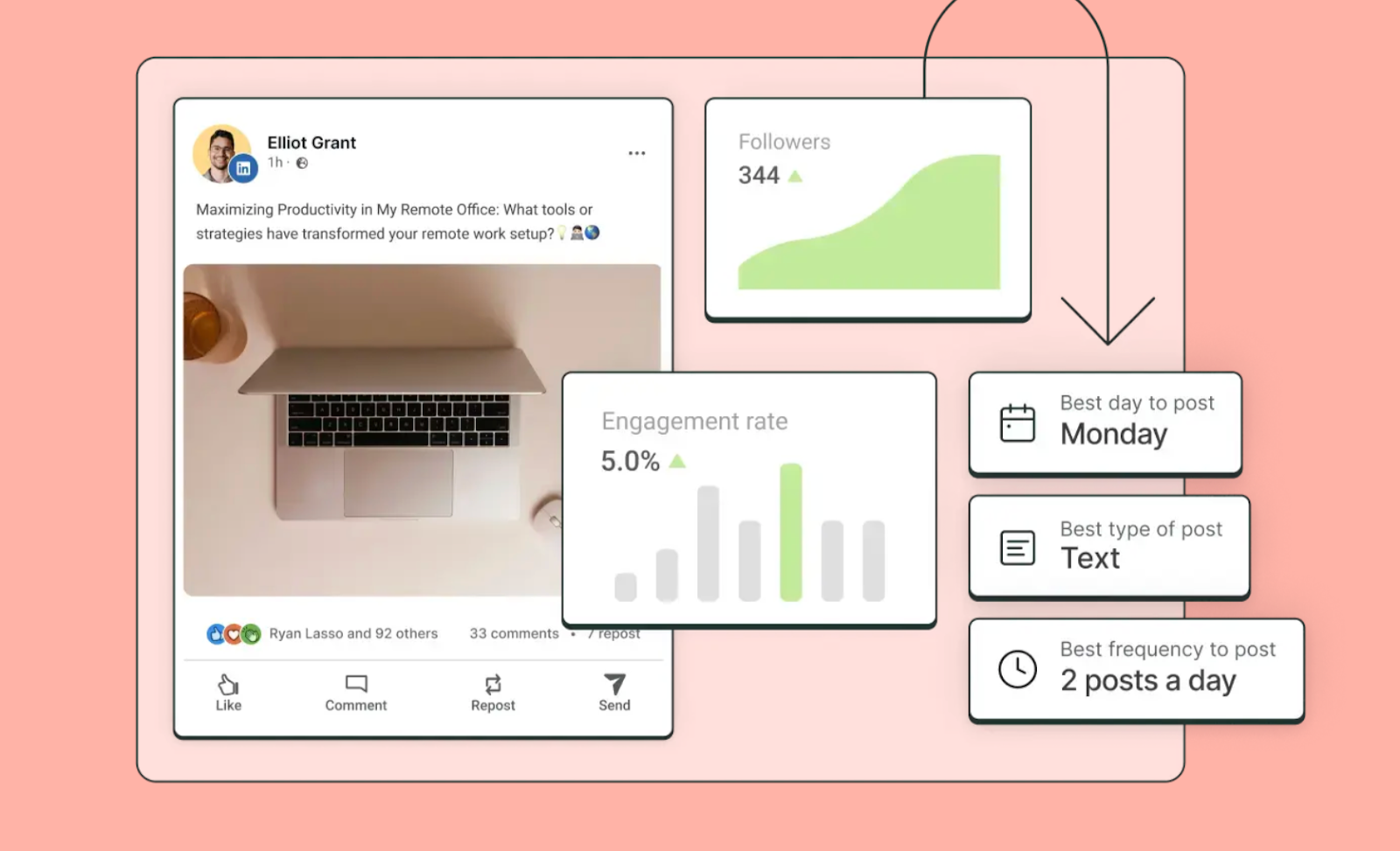
Buffer is one of the easiest ways for LinkedIn creators to stay consistent and understand what content works.
It’s not a deep analytics platform, but it covers the basics well and removes a lot of friction from posting regularly. If your main goal is to show up consistently on LinkedIn and track engagement without overthinking data, Buffer fits nicely.
Most creators use Buffer to schedule LinkedIn posts ahead of time and avoid daily posting stress. You can queue content, schedule different post formats, and then check how each post performs.
Buffer shows key engagement signals like reactions and engagement rate, which help you understand what your audience responds to. It’s especially useful if you’re still learning what type of content works for your LinkedIn profile.
Another strong point is idea management. You can save post ideas in one place and use AI to brainstorm new content, refine captions, or generate hashtags.
Features
- Schedule LinkedIn posts in advance
- Basic LinkedIn analytics (engagement, growth)
- Content idea hub with AI assistance
- Support for text, images, videos, PDFs, and carousels
- Cross-posting to other social platforms
Cons
- You can connect only 3 social accounts in the free plan
Pricing
- Free plan available
- Paid plans unlock more scheduling slots and analytics
Reviews
Creators like Buffer for its simplicity and reliability. Most feedback highlights how easy it is to stay consistent and understand basic post-performance without dealing with complex dashboards.
4. Shield
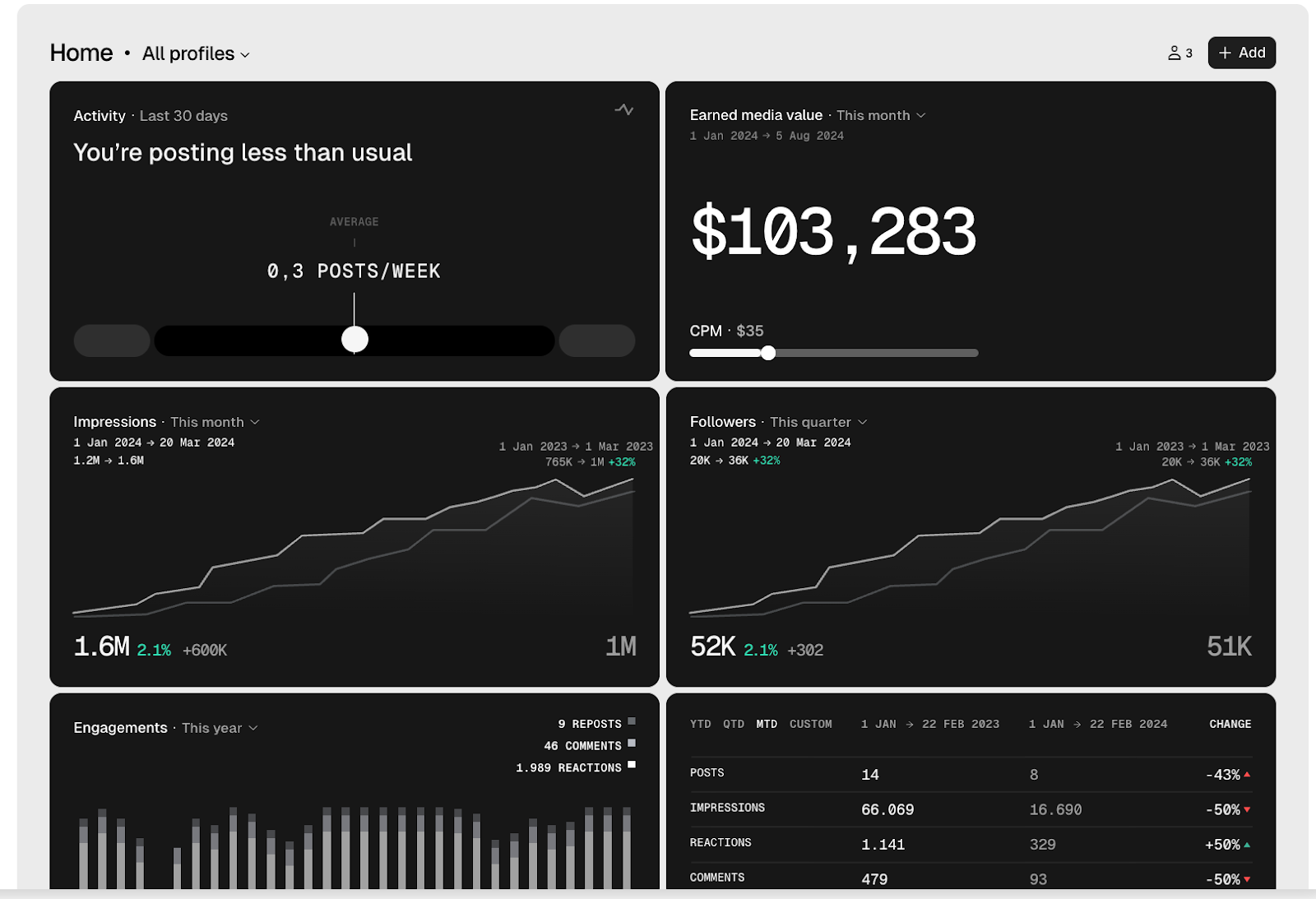
Shield Analytics is built specifically for LinkedIn creators who want deep visibility into how their content performs over time.
Unlike scheduling tools, Shield focuses almost entirely on analytics. It’s the kind of tool you use when you want to start making decisions based on real engagement and audience data.
One of Shield’s biggest strengths is clarity at scale. You can see LinkedIn followers, impressions, engagements, reactions, comments, and reposts across long time periods.
The dashboard makes it easy to spot growth trends, slowdowns, and spikes in performance. If you post often, Shield helps you understand how posting frequency affects reach and engagement.
The tool also provides strong filtering and comparison analytics. You can search posts by keyword, filter by post type (text, image, video, poll, document, repost), and compare performance across different time ranges.
This makes it easier to answer questions like “What type of content works best?” or “Did my engagement improve this month?”
Audience demographics add another useful layer. You can see who’s actually engaging with your content based on job titles, locations, industries, and company size, and adjust your content strategy if you’re not reaching the right people.
Features
- Detailed LinkedIn analytics for impressions, engagement, and followers
- Audience demographics (job title, location, industry, company size)
- Engagement tracking per post, including comments and reactions
- Content performance across time periods and post types
- Advanced search and filters for posts
- Save posts and organize insights with collections
Cons
- Analytics-only tool (no scheduling or content creation)
- Can feel heavy for casual or early-stage creators
Pricing
- No free forever plan
- Paid plans are required for full analytics access
Reviews
Shield Analytics is popular among LinkedIn creators and personal brands. Reviews often mention how powerful the filtering and long-term analytics are, especially for creators who publish frequently and want precise performance insights.
5. Taplio
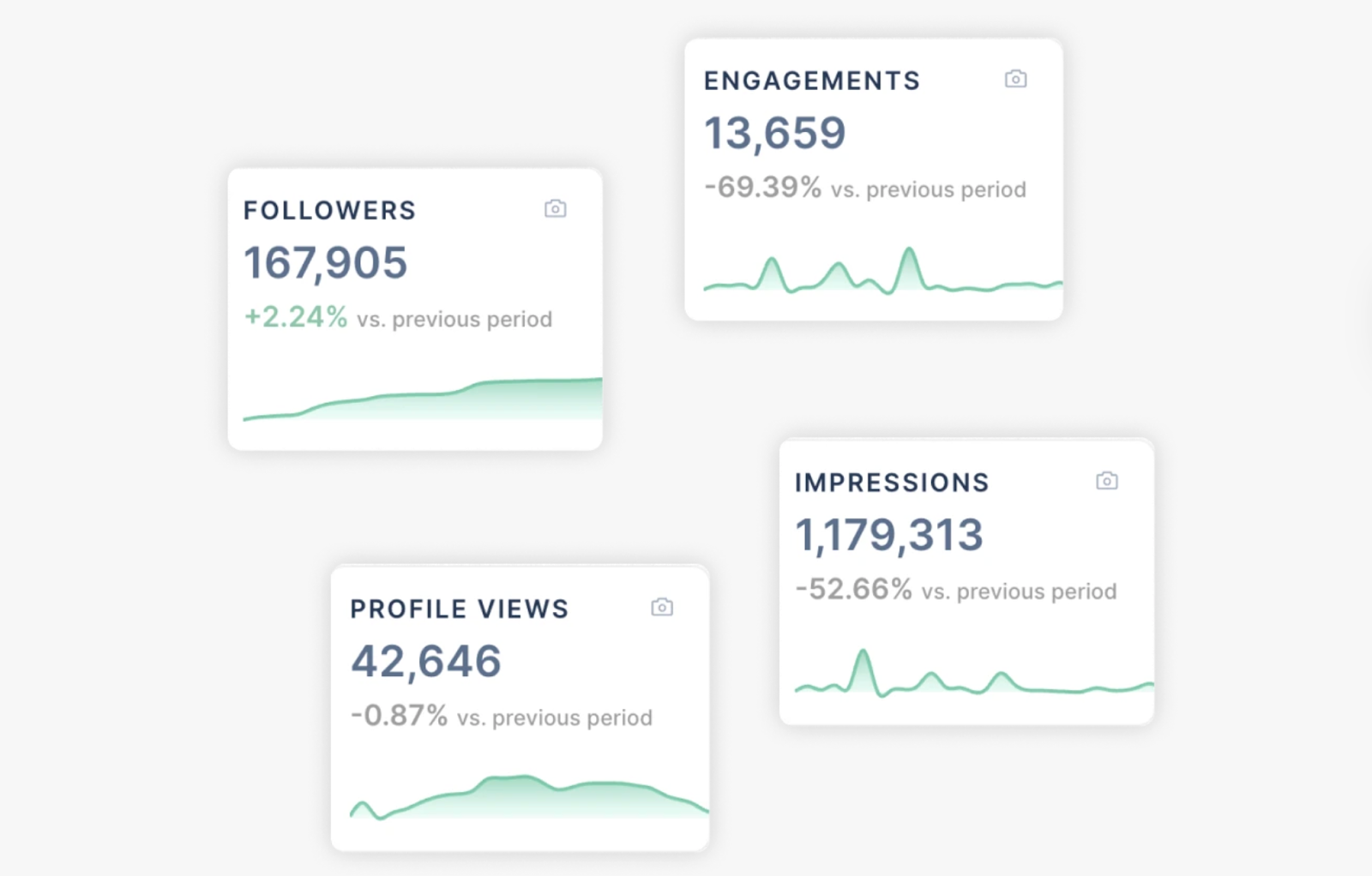
Taplio is built for LinkedIn creators who want clear analytics and growth insights in one place. It’s about helping you understand what’s moving your profile forward and what’s holding it back.
If you care about followers, impressions, profile views, and engagement trends, Taplio makes those metrics easy to see and act on.
The analytics dashboard gives you a quick overview of your main KPIs in one click. You can track followers, impressions, profile views, likes, and LinkedIn comments without jumping between different screens.
This is useful if you want a fast check on your LinkedIn performance before deciding what to post next.
The tool also lets you dive deeper into each metric. You can analyze performance over custom time periods and switch between different visualizations to better understand trends. This helps when engagement drops or spikes and you want to know why.
Post-level analytics are another strong point. Taplio keeps a full history of your posts and shows how each one performed.
You can compare content types and decide whether to optimize for views, likes, or comments. For creators working with teams or clients, Taplio also supports multi-account analytics, making reporting much easier.
Features
- LinkedIn analytics dashboard with all key KPIs
- Track followers, impressions, profile views, likes, and comments
- Deep analytics with custom time ranges and visualizations
- Detailed post-level performance tracking
- Identify best-performing content types
- Multi-account and team analytics
Cons
- No free plan
- Can feel overwhelming for beginners
Pricing
- Paid plans start at $39/month
Reviews
Taplio is trusted by thousands of LinkedIn creators, founders, and marketers. Reviews often mention how helpful it is for tracking growth over time and understanding which content is worth repeating.
6. Hootsuite
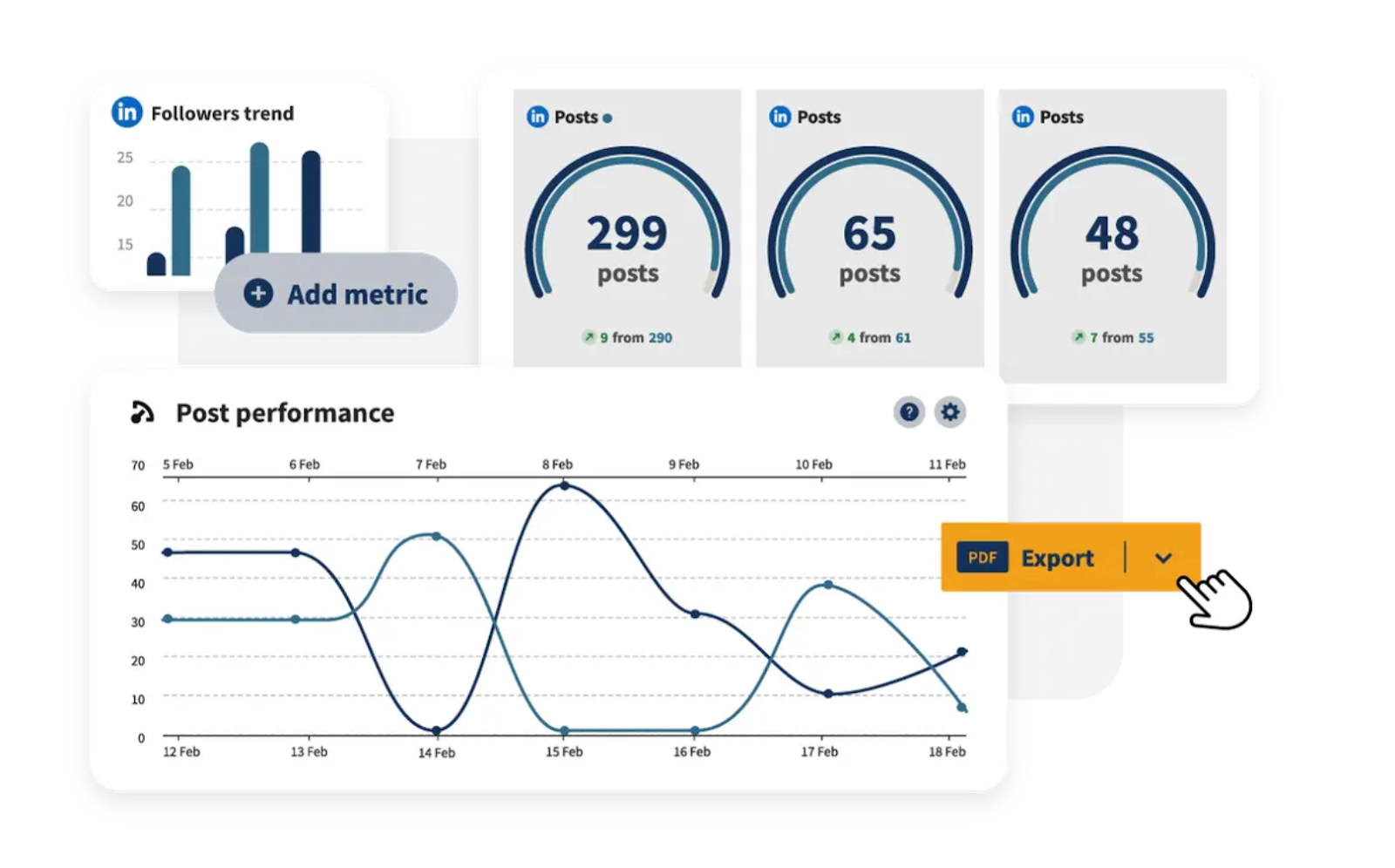
Hootsuite is a popular LinkedIn scheduling and analytics tool built for managing content at scale.
It’s used by teams, brands, and creators who want to post, analyze, and manage conversations across multiple social networks from one dashboard.
One of Hootsuite’s biggest strengths is how it brings multiple platforms together. You can schedule LinkedIn posts next to content for X, Facebook, Instagram, TikTok, Pinterest, and more. For creators who publish beyond LinkedIn, this can save a lot of time.
The drag-and-drop content calendar makes planning easier, and post previews help you see exactly how content will look before it goes live.
Hootsuite also suggests the best time to post, which is useful if you’re trying to reach decision-makers when they’re most active.
On the analytics side, Hootsuite gives a broad view of performance. You can track LinkedIn profile and page posts, identify top-performing content, and monitor engagement trends over time. OwlyWriter AI helps with caption writing, brainstorming, and repurposing LinkedIn posts.
Features
- LinkedIn post scheduling and analytics
- Multi-platform scheduling (LinkedIn, X, Facebook, Instagram, TikTok, more)
- Drag-and-drop content calendar with post previews
- Best Time to Publish recommendations
- LinkedIn analytics to track reach and engagement
- AI caption writing and content repurposing (OwlyWriter AI)
- Manage organic and paid LinkedIn content together
Cons
- Built for a wide range of use cases, not just creators
- Pricing can feel high if LinkedIn is your main platform
Pricing
- No free plan
- Paid Plan starts at $99/month
Reviews
Hootsuite is widely trusted by brands and teams managing multiple social channels. Creators who use it often like the all-in-one setup, but some mention that it can feel more powerful (and more expensive) than what they need if they focus mainly on LinkedIn.
Try Podawaa if you want to grow LinkedIn engagement
If you’re serious about improving your LinkedIn results, Podawaa is worth testing.
It helps you identify what’s working, create and schedule posts faster, boost the right content, and then measure real engagement (likes, comments, and profile views) in one workflow.
👉 Start with Podawaa’s free plan or use the 7-day trial to test premium features and see how your engagement changes.