Does LinkedIn’s Open to Work Badge Help Your Job Search? (LinkedIn Data)
LinkedIn’s Open to Work badge can help recruiters find you, but it won’t get you a job on its own. Depending on your situation and who can see it, the public green frame may help your search or work against you.
Today, I’m going to walk you through three things to consider before you add, keep, or remove the badge. We’ll look at LinkedIn’s data, why the public green frame won’t make you stand out on its own, and how your profile and posts can create more opportunities.
How I Put This Article Together
I didn’t want to base this article on one viral opinion or repeat the usual LinkedIn advice.
I started with a simple search for “Open to Work” on LinkedIn. I found job seekers, recruiters, and founders asking the same questions in different ways:
- Does the badge help?
- Does it make you look desperate?
- Has anyone actually found a job because of it?
It quickly became clear that this is still a hot topic and people have very different opinions about it:
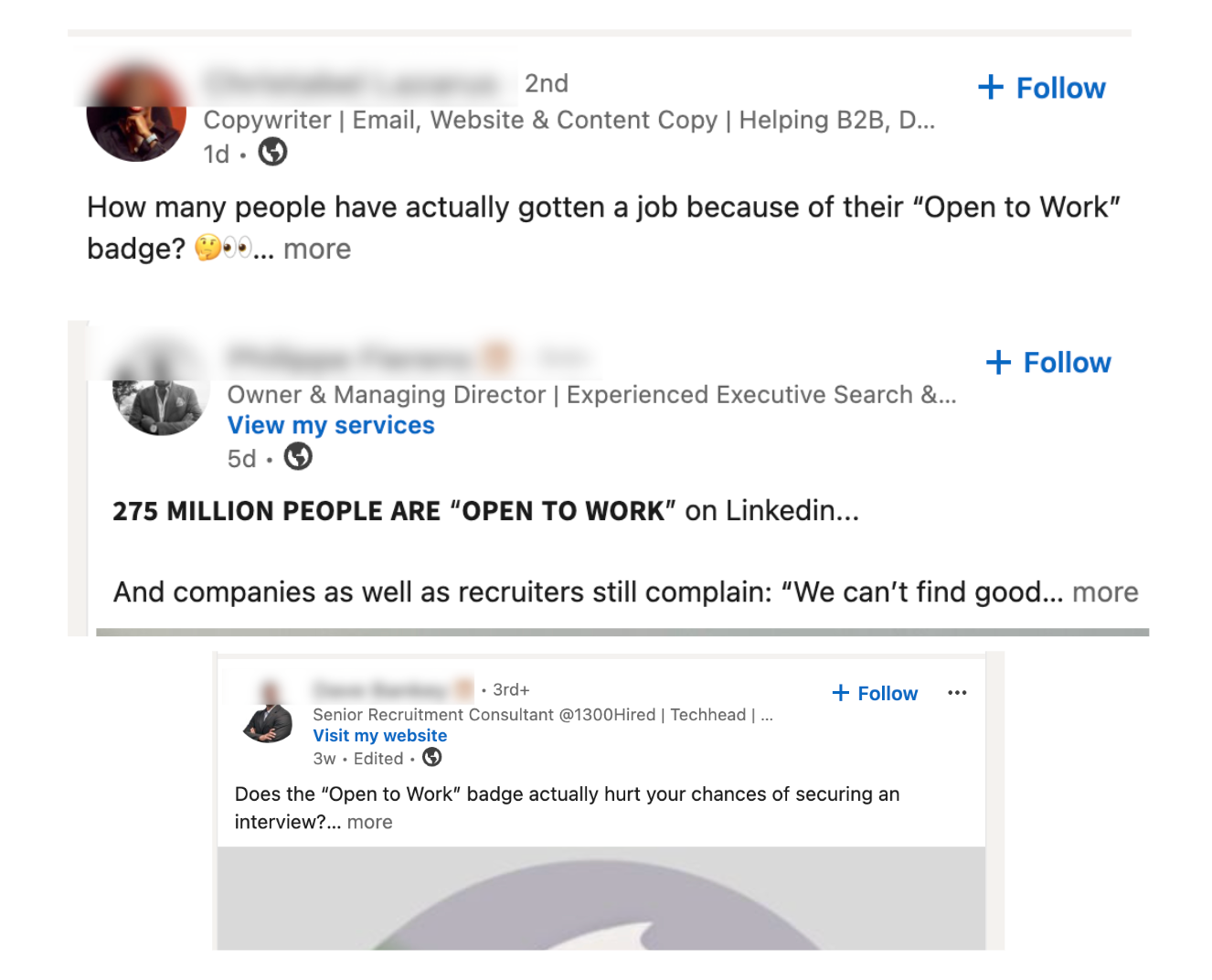
But these posts were mostly personal opinions, so I didn’t want to stop there. I checked LinkedIn’s own data and current Open to Work settings. I also spoke with founders who hire through LinkedIn and creators who find jobs and projects there, with or without the green badge.
Here is what I found:
3 Things to Consider Before Using LinkedIn’s Open to Work Badge
1. LinkedIn Says Open to Work Candidates Are 2× More Likely to Hear From a Recruiter
According to LinkedIn’s own data, candidates using the feature are twice as likely to hear from a recruiter. Recruiters can also use an Open to Work filter when searching for people, so they don’t have to guess who might be interested in a new role.
However, this number only measures recruiter messages. It doesn’t mean these candidates are twice as likely to get an interview or receive a job offer.
It also refers to the complete Open to Work feature, not only the public green frame. You can receive this search benefit without displaying the badge to everyone.
To do this, open your LinkedIn profile, click Open to, and select Finding a new job. Add the roles, locations, and types of work you want. Under Visibility, choose Recruiters only, then click Save.
If you already have Open to Work enabled, find the Open to Work box at the top of your profile and click the pencil icon to update your preferences.
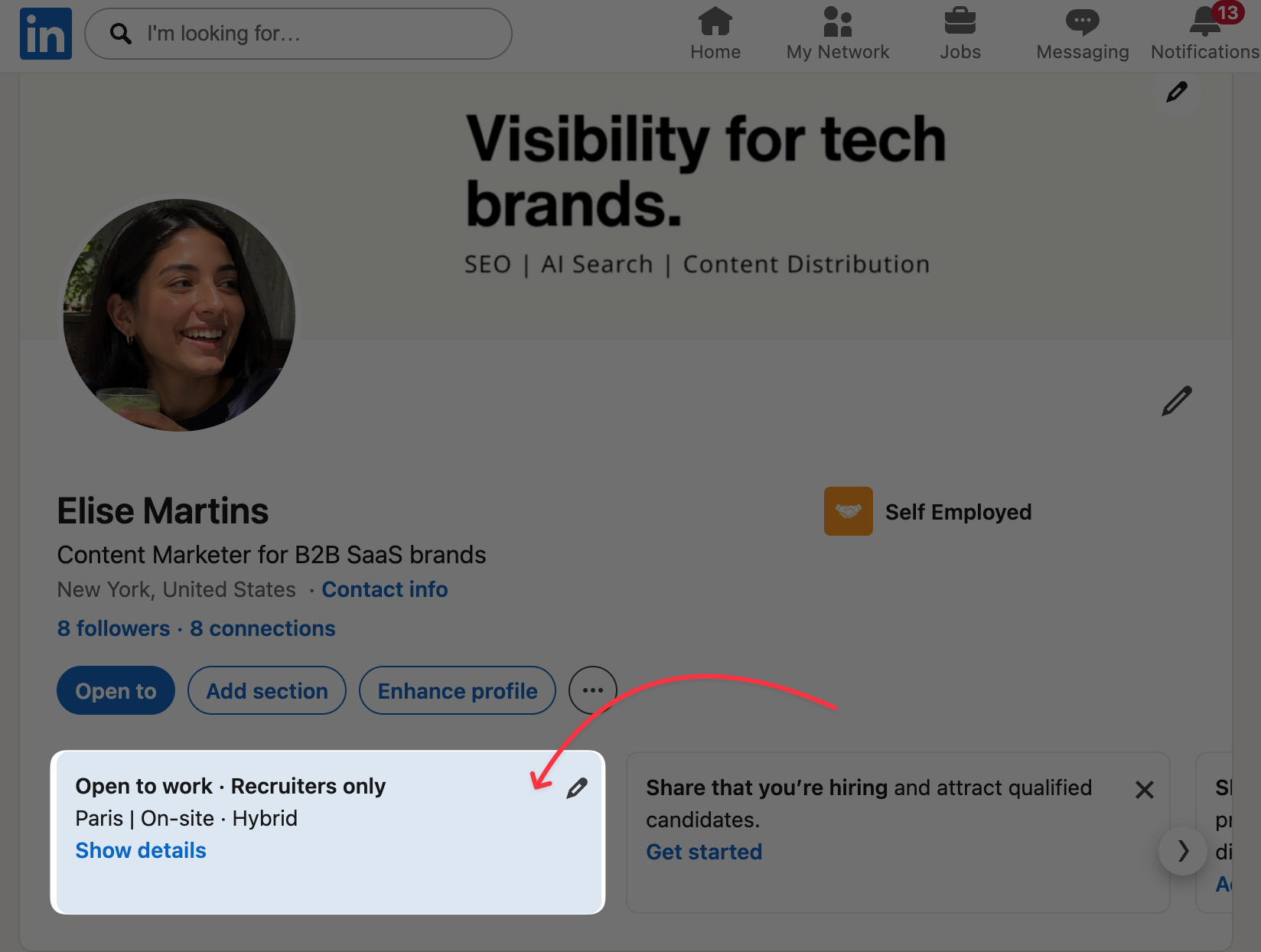
With this setting, people using LinkedIn Recruiter can see that you’re available, and LinkedIn won’t add the public green frame to your profile photo.
2. More Than 68 Million People Use the Green Badge, So It Won’t Make You Stand Out on Its Own
As of March 2026, more than 68 million LinkedIn members currently display the public Open to Work badge.
Some professionals avoid the public frame because they worry it can make them look desperate, particularly in senior roles. Even though there is no definitive proof that the badge reduces your chances, it can create a first impression you don’t control.
That doesn’t make the badge useless. It makes your availability easier to notice. But millions of other job seekers are using the same green frame to send the same message.
What makes you different is how you position yourself.
Positioning simply means making it easy for someone to understand who you are, what you’re good at, and why you would be a good fit for a particular role.
Your complete profile should support that positioning:
- Your headline should name your role, strongest expertise, and the work you want. Instead of writing only “Open to Work,” use these LinkedIn headline examples for job seekers to create something more specific.
- Your About section should explain your experience, strongest results, and what you want to do next. These LinkedIn About section examples show several ways to do that without copying your résumé.
- Your Featured section should include proof, such as projects, case studies, recommendations, certificates, or work samples. You can use these LinkedIn Featured section examples for inspiration.
- Your banner should support the same message instead of using a generic background. Our LinkedIn banner examples show how professionals use this space to communicate their role and value.
- Your posts should show what you know, how you think, and what you’ve achieved.
3. LinkedIn Creators Get Job and Project Opportunities Without the Open to Work Badge
I talk to LinkedIn creators almost every day, from people with around 5,000 followers to creators with more than 100,000.
One thing I’ve noticed is that many of them don’t add the green badge when they’re looking for a job, freelance project, or collaboration. Yet they still receive opportunities through their DMs.
Instead of displaying a general Open to Work message, they often use their headline to say exactly which opportunities they want.
For example, this creator added “Brand partnership” directly to her headline:
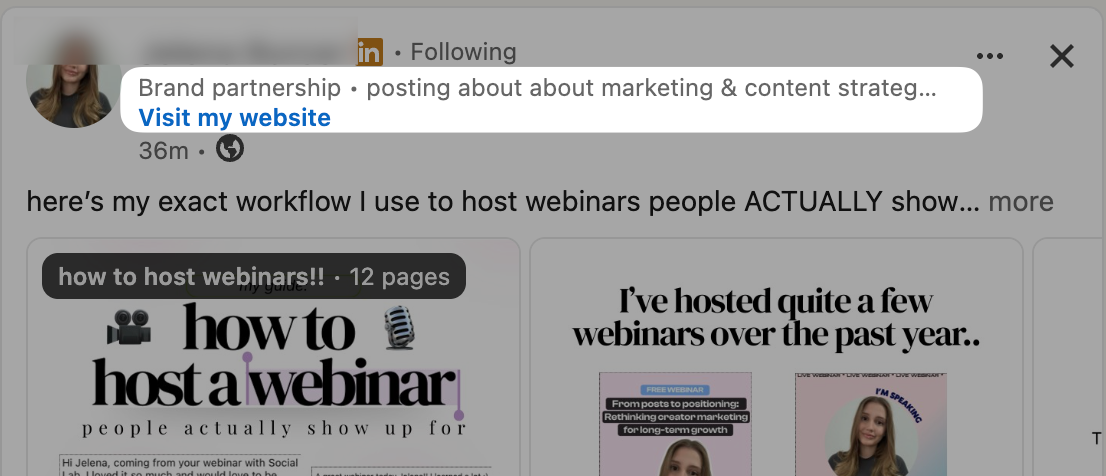
This is more specific than simply saying “Open to Work.” A founder or brand visiting her profile immediately understands that she is open to paid partnerships.
She also repeats that message at the end of her About section and tells people exactly how to contact her:
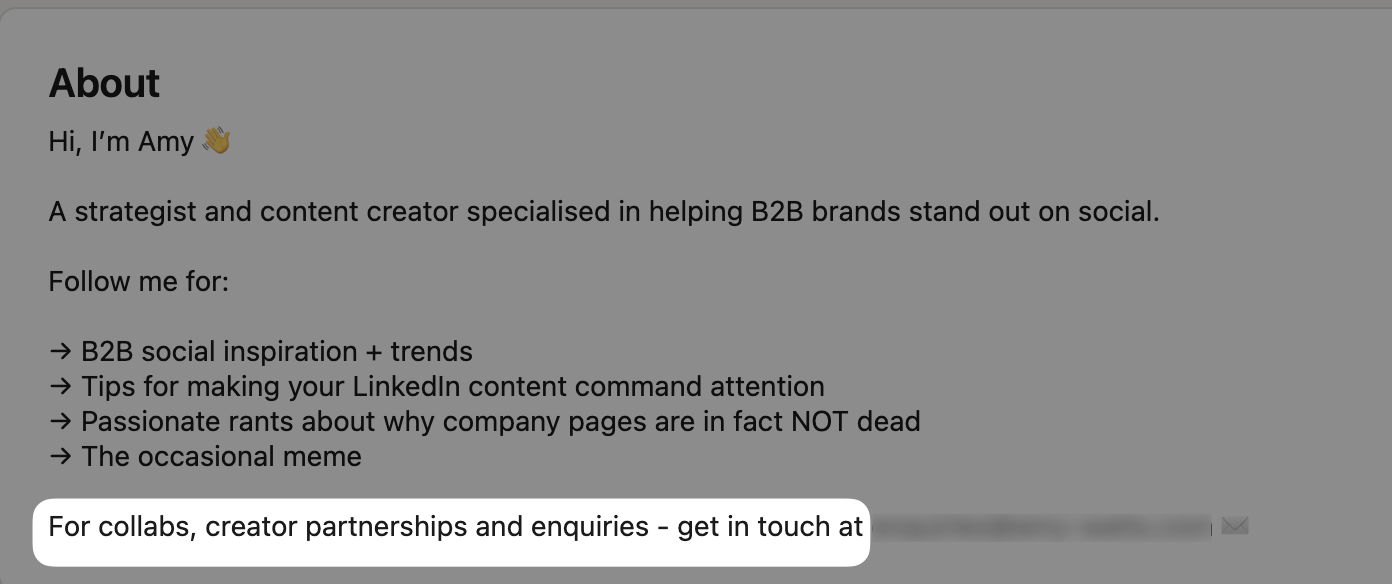
You don’t need to be a full-time creator to use the same approach. You could add a sentence like this to your About section:
I’m currently open to content marketing roles with B2B SaaS companies. Send me a DM if your team is hiring.
Your headline and About section tell people what you’re looking for. Your posts then show them what you know, how you think, and what you could bring to the role.
That’s why many creators receive job and project opportunities without using the public Open to Work badge. They don’t only tell people that they’re available. They give them a reason to start a conversation.
My Recommendation: Choose “Recruiters Only” and Use Your Posts for Positioning
If you’re actively looking for work, I recommend turning on Open to Work but setting the visibility to Recruiters only. You can still appear as available in recruiter searches without adding the public green badge to your profile.
Then use your profile and posts to show everyone else what you know, how you work, and why they should contact you.
But don’t stop there.
Start posting about your work so recruiters and founders can see how you think, what you know, and how you approach problems. Your profile can describe your experience, but your posts let people see that experience in action.
Start with one post announcing that you’re looking for a role. Include the position you want, your relevant experience, one or two results, and how people can contact or recommend you. You can use these Open to Work post examples to create your first one.
Then continue with posts about:
- A project you worked on
- A result you helped achieve
- A lesson from your previous role
- Your opinion about something happening in your industry
- How you would solve a common problem in the role you want
If you don’t know what to post, Podawaa has hundreds of free LinkedIn templates organized by formats such as Case Study, Story, How-to, Opinion, and Expertise. Choose an angle that lets you share your experience, explain how you work, or show what you know about your industry.
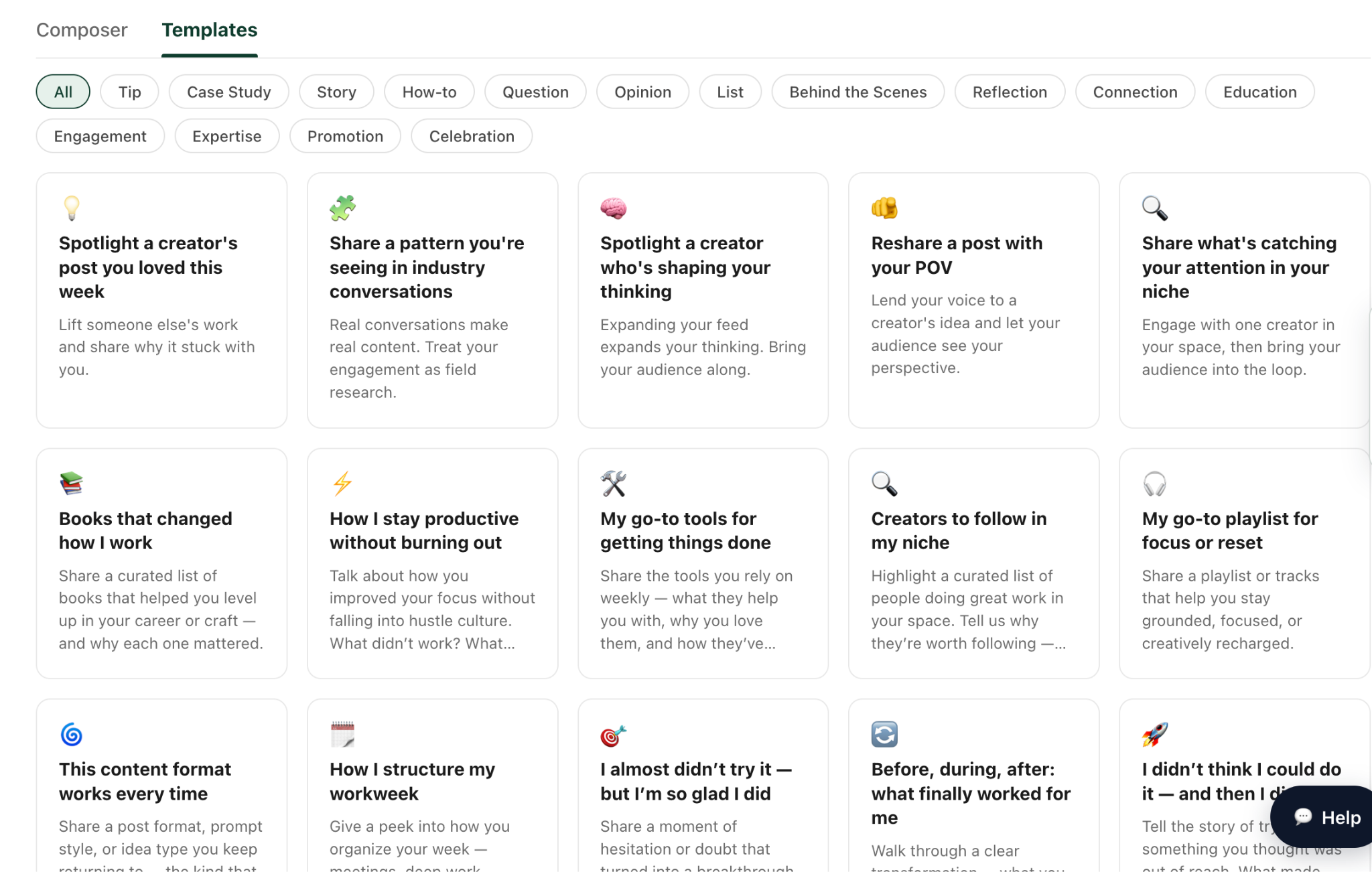
Pick your first template and create a post today. Once it’s ready, you can use the Podawaa calendar to plan three posts per week for the next month.
The more consistently you share your work and ideas, the more opportunities recruiters and founders have to discover you and understand what you could bring to their team.
Frequently Asked Questions
Does the Open to Work badge make you look desperate?
Not automatically. Some hiring managers may interpret the public badge negatively, but many recruiters simply see it as a clear sign that you’re available. If you’re worried about the perception, use the recruiters-only setting instead of displaying the green frame.
Can recruiters see that I’m Open to Work without the green badge?
Yes. Select Recruiters only in your Open to Work settings. People using LinkedIn Recruiter will be able to see that you’re available, but the green frame won’t appear on your profile photo.
Can my current employer see that I’m Open to Work?
Your current employer can see it if you choose All LinkedIn members. With the recruiters-only setting, LinkedIn tries to hide your status from recruiters at your current company, but it can’t guarantee complete privacy.
Should I write “Open to Work” in my LinkedIn headline?
You can mention it, but it shouldn’t take up your entire headline. Start with the role you want, your strongest expertise, or a relevant result. Add your availability at the end if needed.