Most profiles leave the Featured section empty, or fill it with one old post and forget it. That's a mistake, because this section is a good way to show proof, and visitors like founders and recruiters see it before they read almost anything else on your profile.
Below are 8 formats worth using, each pulled from a real profile, with what makes it work.
Key Takeaways
- Complete your Featured section. Even 3 strong items are better than leaving it empty.
- Mix formats. Use a combination of posts, case studies, testimonials, resources, credentials, or external links.
- Show proof. Prioritize real results, work samples, recommendations, and credentials over generic descriptions.
- Give people a next step. Link to something useful, like your portfolio, newsletter, resource, or booking page.
- Keep it current. Review your Featured section every few months and remove anything outdated.
Why the LinkedIn Featured Section Matters
Your headline and About section tell people what you do. The Featured section lets you show them.
- It gives people proof. LinkedIn describes the Featured section as a place to showcase samples of your work and provide evidence of your skills and experience.
- It makes your profile easier to evaluate. Recruiters, clients, or founders can quickly see what you’ve worked on without scrolling through your activity.
- It builds credibility faster. Results, testimonials, credentials, and published work are more convincing than simply describing your experience.
- It can support your profile goal. Whether you want a job, clients, connections, or more visibility for your work, the Featured section gives you space to highlight the proof most relevant to that goal.
1. A High-Performing Post
If one of your posts performed particularly well, add it to your Featured section. The reactions and comments act as social proof, showing visitors that people find your content interesting and worth engaging with. It also gives them a quick example of the topics you talk about and the value they can expect if they follow you.
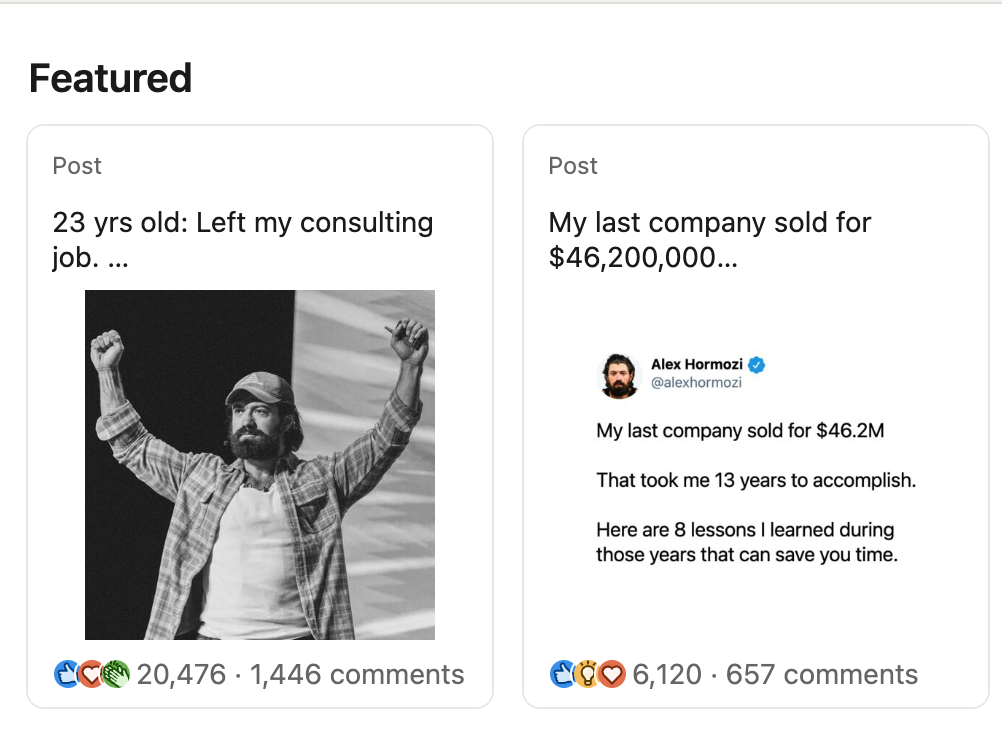
Choose a post with a clear opening line that still makes sense in the preview card. That line is what will encourage people to click and read the full post.
If you're not sure what makes a post's opening line strong enough to feature, our viral LinkedIn post examples guide breaks down the pattern in the hooks that consistently pull this kind of engagement.
2. A Case Study From Your Own Work
A case study does something a regular post can't. It shows a specific result tied to something you actually did, not just an opinion. "I helped a client go from X to Y" is a claim. The same thing with a number, a timeframe, and what changed is proof.
This makes a case study especially useful for potential clients or employers who want to understand how you work before contacting you.
If you don’t have one yet, we put together 10 real LinkedIn case study post examples and the structure behind each one, so you can use them as inspiration for your own.
3. A Newsletter
A newsletter card does two things at once: it shows you publish consistently, and the subscriber count acts as a built-in trust signal before anyone reads a word.
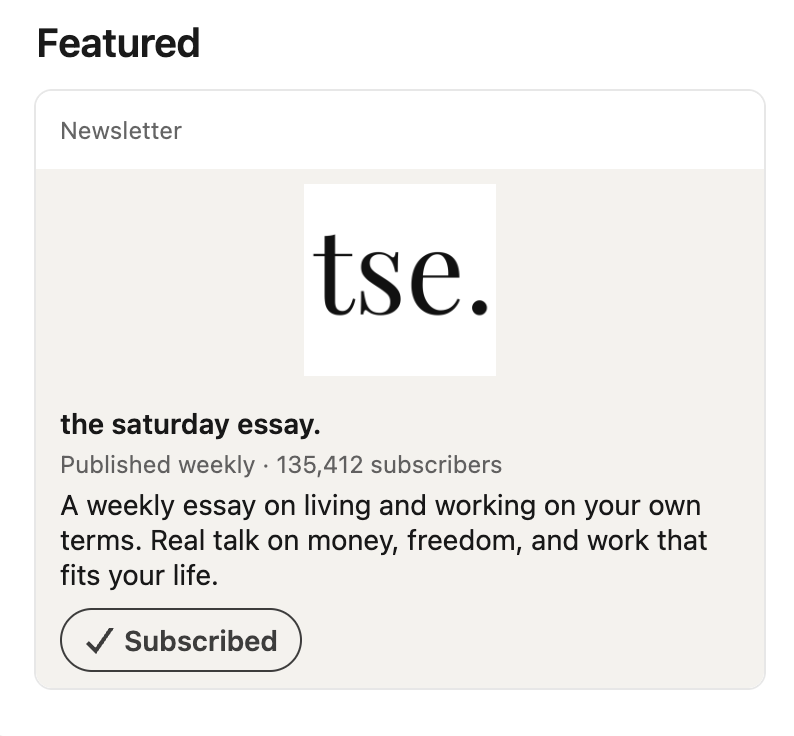
A large subscriber count can add social proof, but you don’t need thousands of subscribers for your newsletter to be worth featuring.
Even if you only have tens or hundreds of subscribers, it still gives people a better idea of your expertise and the type of content they can expect from you.
4. A Link to Something You Wrote Elsewhere
If you publish articles on a blog, Substack, or personal website, feature one or two of your best pieces. This shows that your work extends beyond LinkedIn and gives visitors a chance to explore your ideas in more depth.
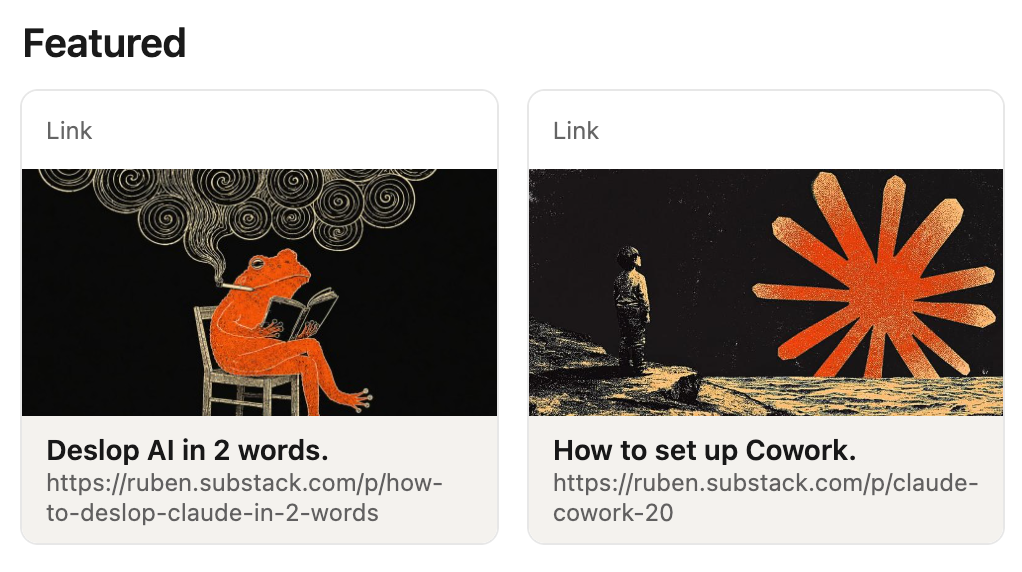
Choose articles that reflect the topics you want to be known for and are relevant to the people visiting your profile. For example, a content writer could feature a published client article, and a software engineer could share a technical tutorial or a breakdown of a project they built.
You can apply the same approach to your About section. Our guide on writing a strong LinkedIn summary explains how specific examples and links to your work can make your experience feel more concrete.
5. A Free Resource or Lead Magnet
If you’ve created a free guide, template, checklist, or playbook, add it to your Featured section with a clear link to download it or join the waitlist.
This gives visitors something useful right away while helping you grow your email list or attract potential clients.
This works especially well when the resource speaks to a specific audience by name, the way this example does.
Make the resource specific to the audience you want to reach. For example, “A 30-Day LinkedIn Content Plan for Freelancers” is more likely to catch the right person’s attention than a generic “Free Guide to LinkedIn.”
The clearer the audience and outcome are, the easier it is for visitors to understand why the resource is relevant to them.
6. A Booking Link or Service Offer
If you offer a service, a direct booking link removes the extra step of someone having to message you first. It turns profile interest into a scheduled call without any back-and-forth.
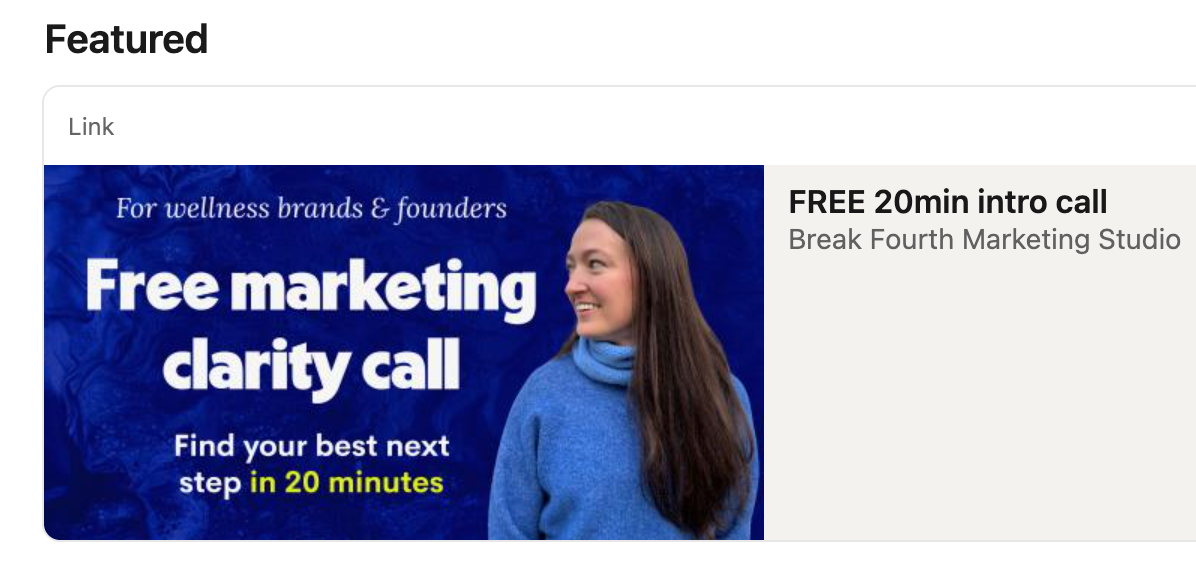
The example above makes the offer easy to understand. It explains who the call is for, what the person will get, how long it takes, and that it’s free. Include these details in your own card so visitors know exactly what they’re booking before they click.
If you're setting one of these up for the first time, our guide on adding services to your LinkedIn profile covers how this connects to the rest of your profile.
7. A Certification or Credential
A certification card is a fast, visual way to prove expertise in something specific, especially in technical fields where a general job title doesn't say much on its own.

In the example above, the Foundry Certification Exam and AIP Bootcamp are both associated with Palantir Technologies. This makes the person’s experience with the platform more specific and easier to verify than simply listing it as a skill.
You don’t need to feature every course you’ve completed. Choose the credentials that are most relevant to the work you want to be known for, especially those issued by a recognized company or professional organization.
8. A Recommendation or Testimonial
Add a recommendation or testimonial to your Featured section so visitors can quickly see what it’s like to work with you. Feedback from a client, manager, or colleague can support the claims you make elsewhere on your profile with a real example from someone who has seen your work firsthand.
If you don't have one worth featuring yet, or you're not sure how to ask for one, our LinkedIn recommendation examples guide covers both what a strong recommendation actually says and how to request one without it feeling awkward.
How to Choose What to Put in Your Featured Section
Not every profile needs all 8 of these. Start with three or four items that best support your current goal and show different sides of your work (a result, a credential, an external link, someone else's word for it).
Keep the section focused and update it as your goals change. If you’re looking for a new role, use our guide to optimizing your LinkedIn profile for a job search. You can also review these LinkedIn banner examples to make sure the rest of your profile communicates the same message.
Frequently Asked Questions
How many items should I put in my Featured section?
There's no fixed number, but 3 to 5 items covering different formats (a post, a link, a credential or testimonial) tends to read stronger than a single pinned item.
Does the Featured section actually affect the algorithm, or is it just for visitors?
Both. It's a visible trust signal for anyone landing on your profile, and profiles that use it tend to be treated as more complete and active, which plays into how LinkedIn distributes and ranks profiles in search and suggestions.
Should I update my Featured section regularly?
Yes. A section that hasn't changed in a year or two, especially one still featuring an old role or an outdated post, can undercut a profile that otherwise looks active. Treat it like your pinned content, not a one-time setup task.
What if I don't have a case study, newsletter, or certification yet?
Start with what you do have. A strong recommendation or your best-performing post is enough to begin with. The goal is showing real proof of something, not checking every box at once.
Can I feature something that isn't mine?
No. The Featured section is meant to represent your own work, results, and credentials. An exception is a recommendation or testimonial, since that's someone else's words specifically about you.