Most people open LinkedIn Jobs, click Easy Apply on 20 listings, and wait. That is the slowest and least effective way to use LinkedIn for a job search.
LinkedIn is home to 1.2 billion members according to Microsoft's 2025 Annual Report, making it the largest professional network in the world. Most hiring decisions start there, but most job seekers only use one small part of what the platform actually offers.
This guide covers 7 strategies, from the obvious ones done better to the ones almost nobody uses.
Key Takeaways
- Filter LinkedIn Jobs to the past 24 hours. A job posted two days ago already has 100 or more applicants in most competitive roles.
- Search the Posts tab for "hiring [your role]" filtered to the past week. Many roles never appear in the Jobs tab at all.
- Use specific search phrases like "Does anyone know a [role]" or "Send me your portfolio" to find posts from founders and managers actively looking right now.
- Go directly to company pages you want to work at. Check their Jobs tab and People tab before waiting for a listing to appear in search.
- When you comment on a hiring post, write three sentences: what you have done, where, and why this role fits. Never write "interested."
- Write separate outreach messages for each person that reference something specific they posted. Copy-pasting kills reply rates.
- Put your job search intent in your LinkedIn About section. Skip the Open to Work banner if you are targeting startup roles or senior positions.
- Add one line to every LinkedIn post about your search. Creators who post consistently on LinkedIn saw up to 450 profile views in 90 days and 53% follower growth in 6 months, which directly translates to more recruiters finding you.
1. Search LinkedIn Jobs but Filter to the Last 24 Hours
The Jobs tab is where most people start, and that is fine. The problem is the default settings. When you search with no filters, you are looking at the same results as everyone else, including roles that already have hundreds of applicants.
Open the Jobs tab, search for your role and location, then click All Filters. Set Date Posted to Past 24 hours. This single change completely shifts the competition level.
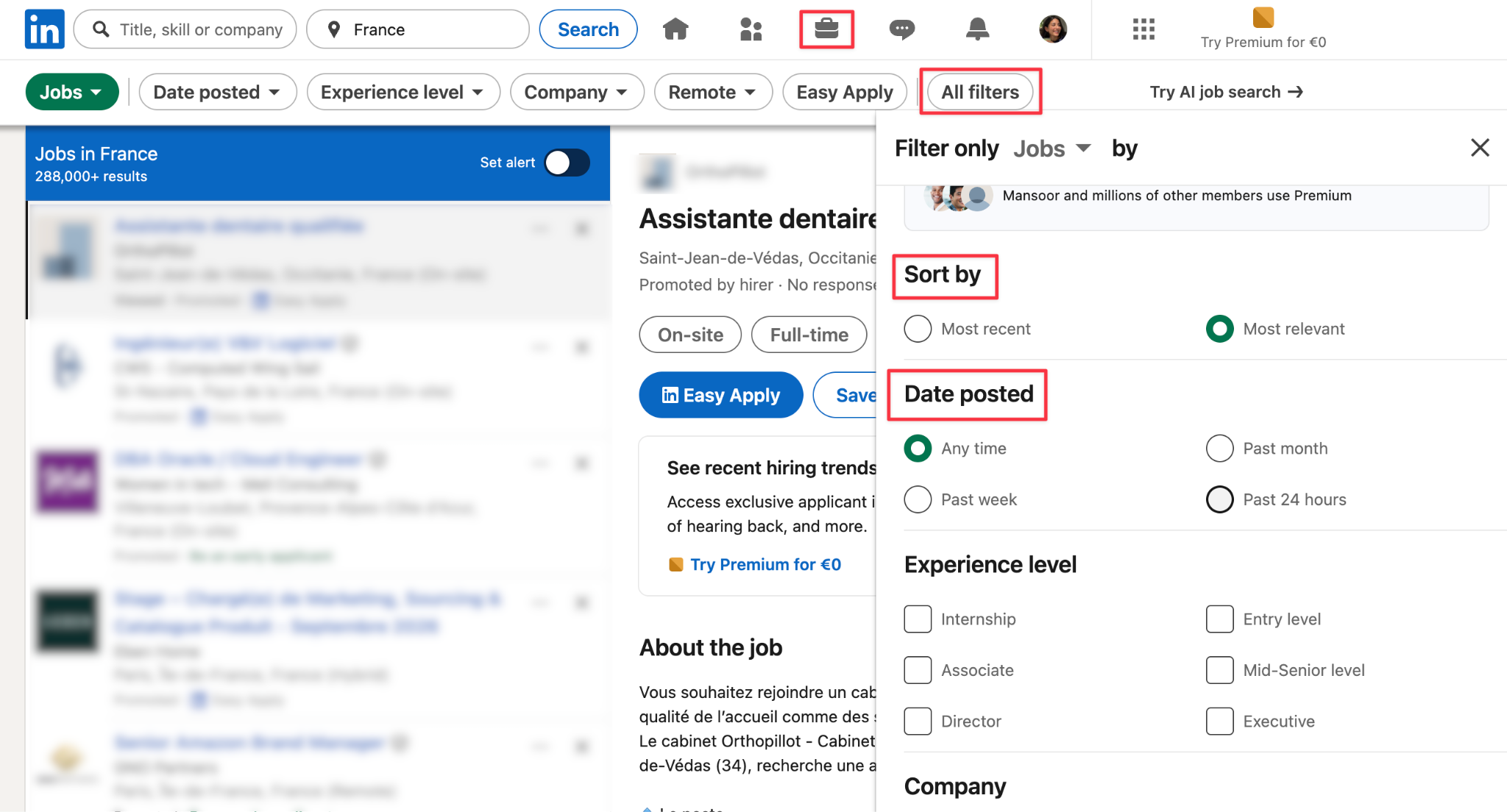
In the filters, set Experience Level to match where you actually are, toggle Remote or Hybrid if location matters, and add a company filter if you have a target list. The more specific your filters, the more time you save on roles you would never take.
One more thing about Easy Apply: it is convenient, but it puts you in a very large pile. Where you can, click through to the company website and apply there directly, it takes a few more minutes, but you stand out more compared to other applicants.
Before you apply anywhere, make sure your profile is ready. Your LinkedIn headline and About section are the first things a recruiter reads after your application arrives.
2. Search Posts for Hiring Announcements
LinkedIn Jobs is not the only place companies post open roles. Founders, recruiters, growth managers, and team leads post openings directly in their feed, often with a link to apply on the company website or just a "DM me" at the end.
These posts frequently have fewer than 20 people who respond, compared to hundreds for a standard job listing.
Go to the LinkedIn search bar, type your role (for example, "hiring software engineer"), and click Posts in the tab that appears. Then open All Filters and set Date Posted to Past Week.
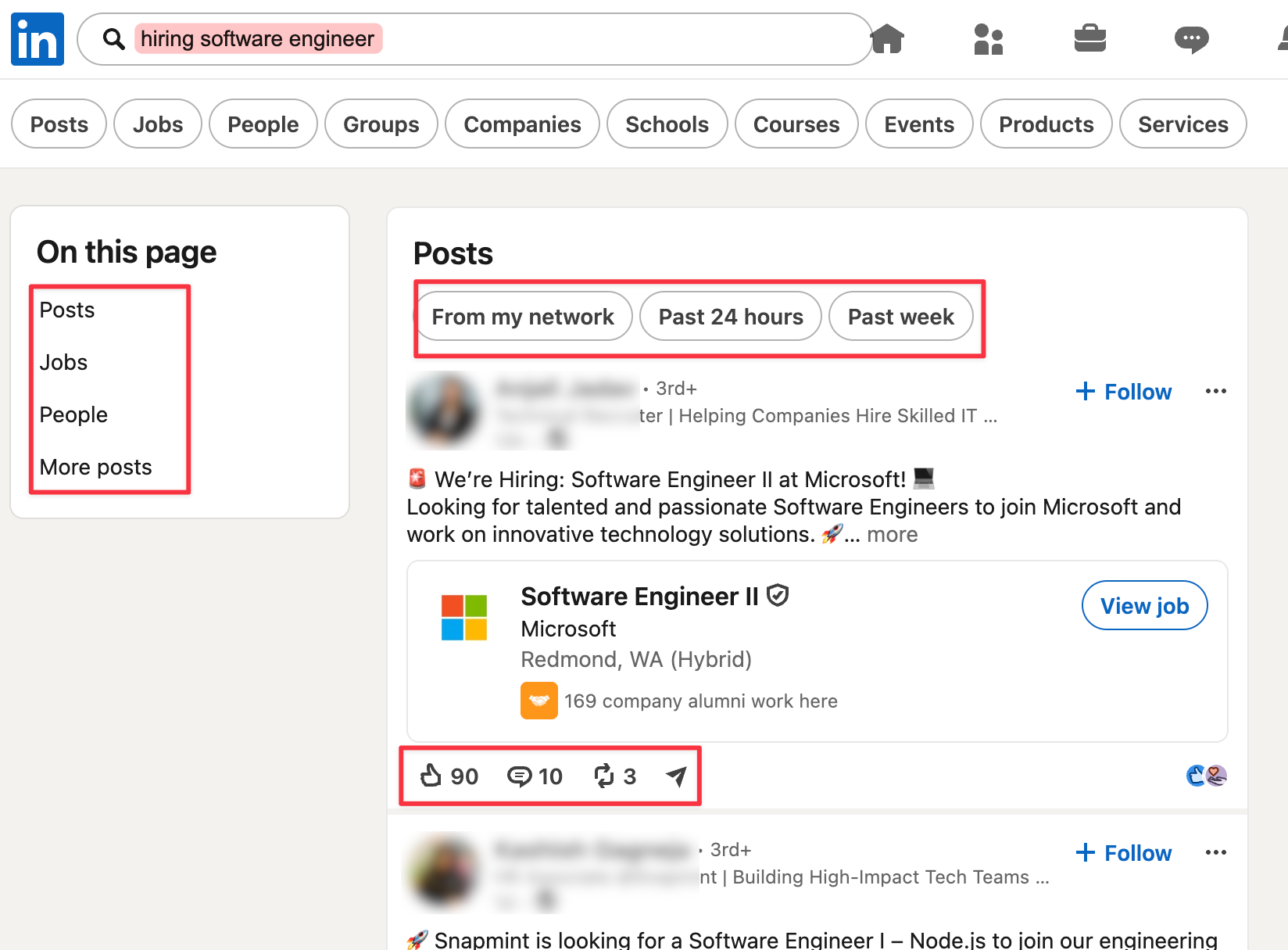
You can also use specific search phrases that surface different types of posts. Try each of these in the Posts tab:
- "Looking for a" + your role
- "Does anyone know a" + your role
- "Recommend a" + your role
- "We're hiring" + your role
- "Send me your portfolio" + your role
- "Freelance" + your skill
- "Joining our team" + your industry
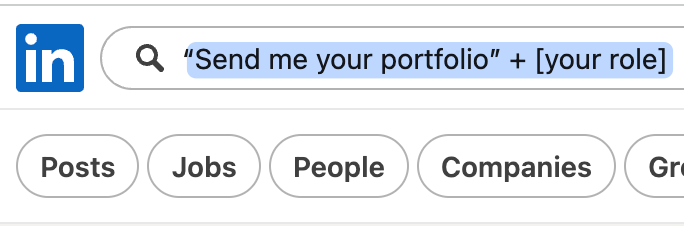
"Does anyone know a" is usually a founder or manager looking for a referral. "Send me your portfolio" means someone is reviewing candidates right now. These are warm leads, not listings with a 500-person queue.
3. Browse Company Pages Directly
If you have a list of companies you want to work at, go to their LinkedIn page directly.
On a company page, two tabs are useful when you are looking for a position. The Jobs tab shows all current openings at that specific company. The People tab shows employees, and if any of them have posted recently about hiring, you will find it there.
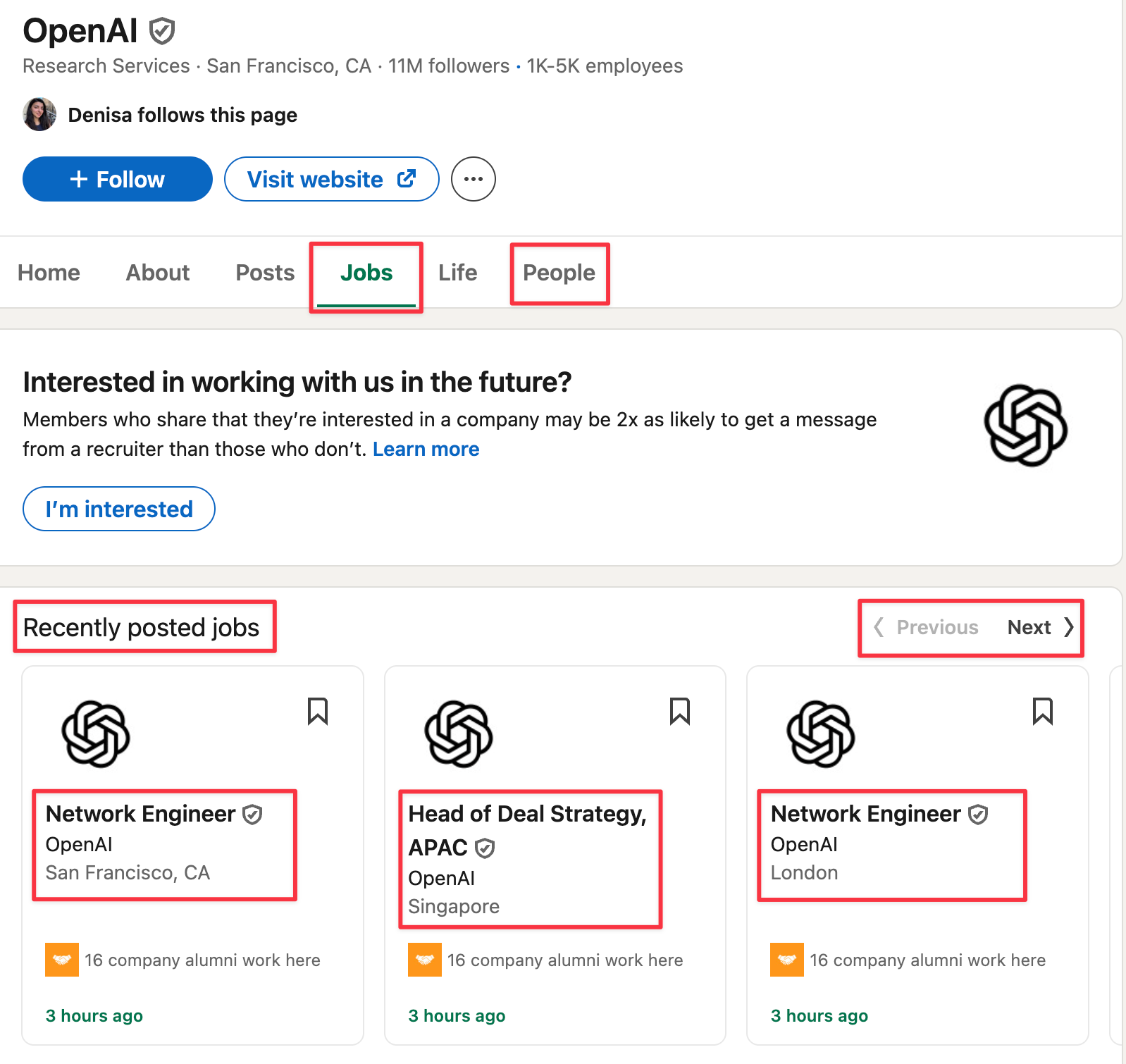
Clicking "I'm interested" on a company page puts your profile in front of their recruiters when they search for candidates. Most job seekers skip this entirely.
If you have not connected your resume to your profile yet, do it before you start this step. Here is how to add your resume to LinkedIn.
4. Comment on Hiring Posts the Right Way
When you find a hiring post in the Posts tab, the most common responses are "Interested!" and "DM'd you!" Both get ignored.
A specific comment stands out more than either, and more than most applications through the link. Here is the format that works:
"I have done [specific thing] for [X years], worked at [relevant place], and have a project that relates directly to this. Would love to learn more."
Three sentences. No more. No portfolio link, your LinkedIn profile is already your portfolio. The goal of the comment is to get them to click your name, read your profile, and reach out to you.
Do not write the same comment on multiple posts. Hiring managers see comments on their own posts and on posts from their colleagues. If the comment looks templated, it works against you. For more, you can check our guide on how to write professional comments.
5. Send Warm Outreach Messages
Most LinkedIn cold messages open with "Hi, I am looking for opportunities" and get ignored immediately. The messages that get replies start a real conversation first and mention the job search later, if at all.
Here are three message formats that work, depending on the situation.
When you genuinely like someone's product:
"Hey, I have been using [product] for about a month now and genuinely love it. It helped me [specific result]. Just wanted to let you know you are building something really good."
No ask. Just a real observation. Most people reply to genuine, specific feedback.
When you engage on something they posted:
"Hey Tom, saw your post about [topic] and loved your take on [specific point]. I actually posted about something really similar last week. Funny how we're seeing the same thing."
This shows you read their content and creates a peer conversation, not a job-seeker conversation.
When you share something relevant:
"Hey Nathan, saw you shared the organic traffic drop yesterday. I am seeing this with quite a few tech companies lately too. Have you tried [specific strategy]? I have seen some interesting results with it recently."

You are adding value to something they already care about. The conversation that follows is natural, and opportunities tend to come up on their own.
You need to be specific, genuine, and not lead with the ask. Write a separate message for each person. If the same paragraph could go to ten different people, rewrite it.
6. Update Your About Section Instead of Using the Open to Work Banner
The green Open to Work banner is direct and visible, but many founders and senior hiring managers see it as a sign that you are waiting to be found rather than going after what you want.
If you are targeting startup roles, senior positions, or freelance clients, keep the banner off and put the information where it works better.
Add one sentence to your LinkedIn About/Bio section:
"Currently open to [role] opportunities in [field]. Feel free to reach out." Here’s an example, this way, hiring managers and recruiters can find you also through these keywords.
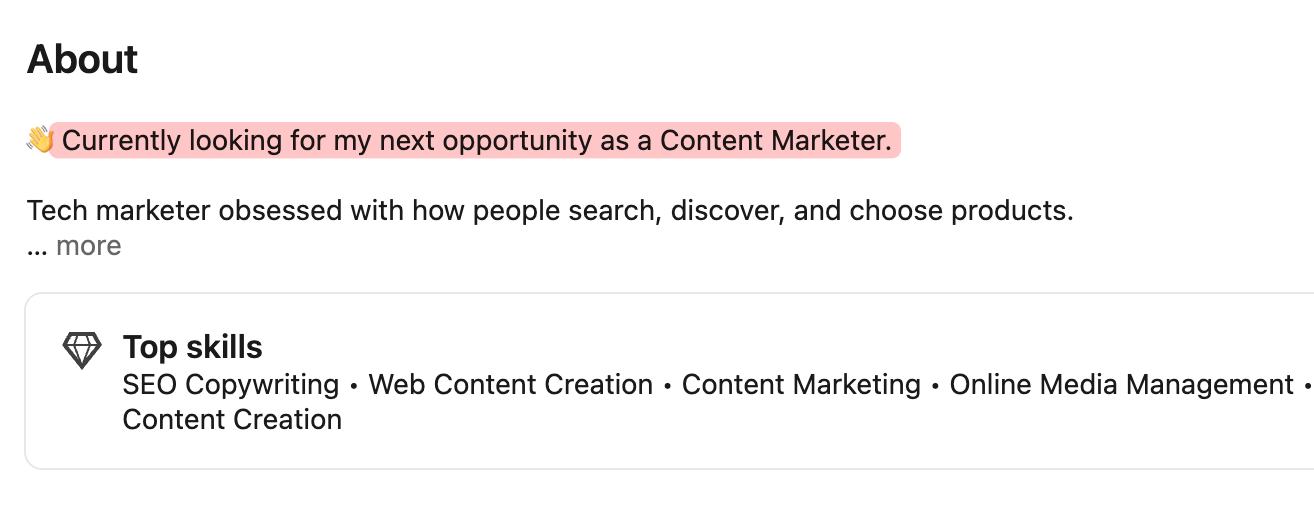
That line is visible to anyone who visits your profile, including recruiters doing searches, and it does not define your entire first impression the way the banner does.
You can also add it to your LinkedIn headline naturally alongside your expertise:
"Content Strategist | Helping B2B teams grow through LinkedIn | Open to new opportunities"
7. Post Consistently and Add a Note to Every Post
This is the slowest strategy in the short term and the most powerful over time. People hire people they already know or feel they know. Posting consistently on LinkedIn (we suggest 3x per week) is how you become known to the right people before they have a role to fill.
Creators who post consistently on LinkedIn have seen real results. In one case documented on our blog, a marketer went from 5,000 to 7,000 impressions per post to a single post reaching 340,000 impressions.
In another case study, consistent posting over six months led to 450 profile views in 90 days and 53% follower growth.
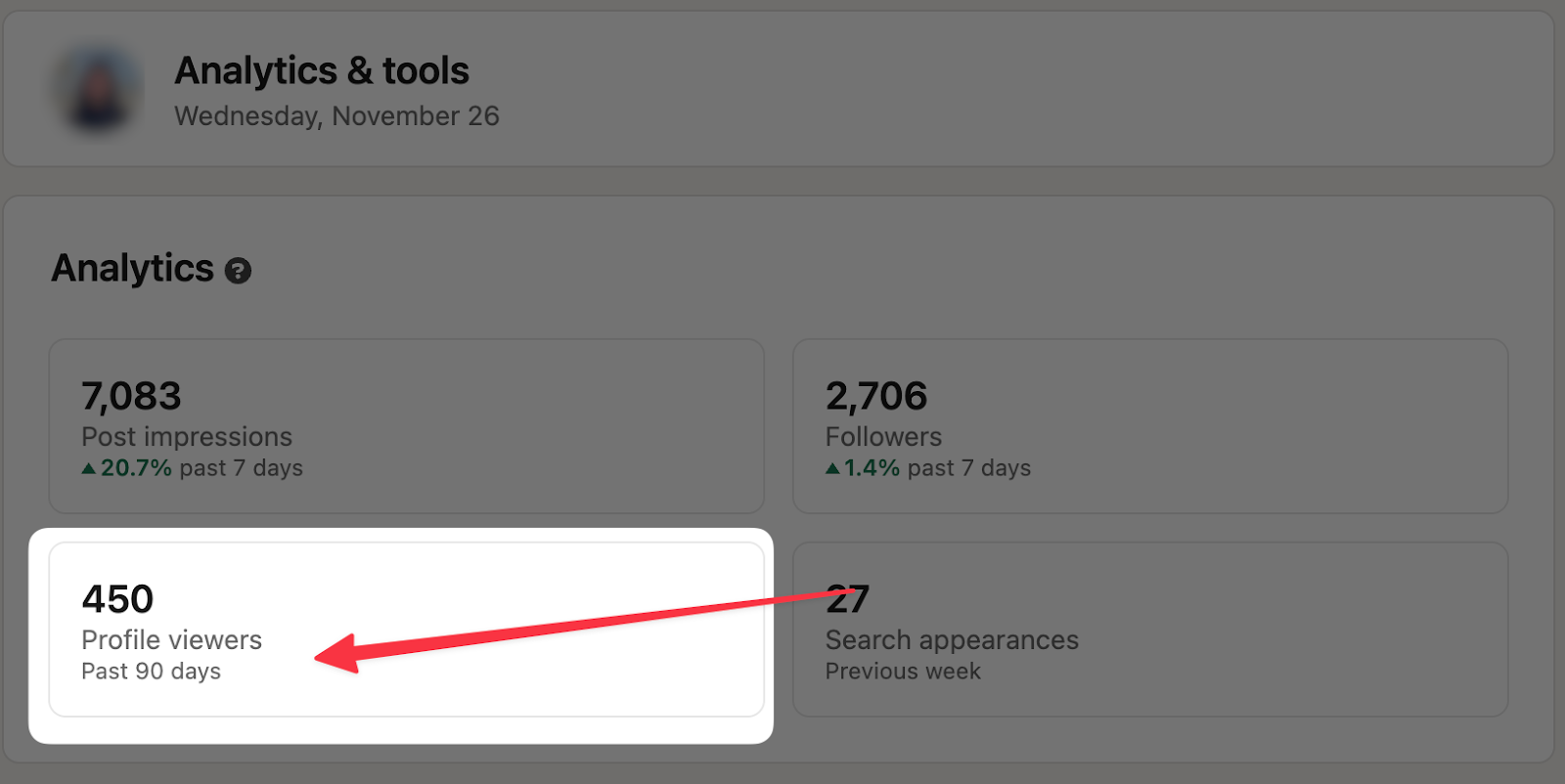
More profile views mean more recruiters finding you organically, without you applying to anything.
Post about your work, your thinking, your observations from your field. Share what you are learning. React to something happening in your industry. You do not need to go viral. You need to be visible to the 200 or 300 people in your niche who matter for your job search.
At the end of every post, add one line:
"I am currently open to [role] opportunities. If you are hiring or know someone who is, feel free to DM me."
That line reaches your network every time you publish. It is passive and it works over time.
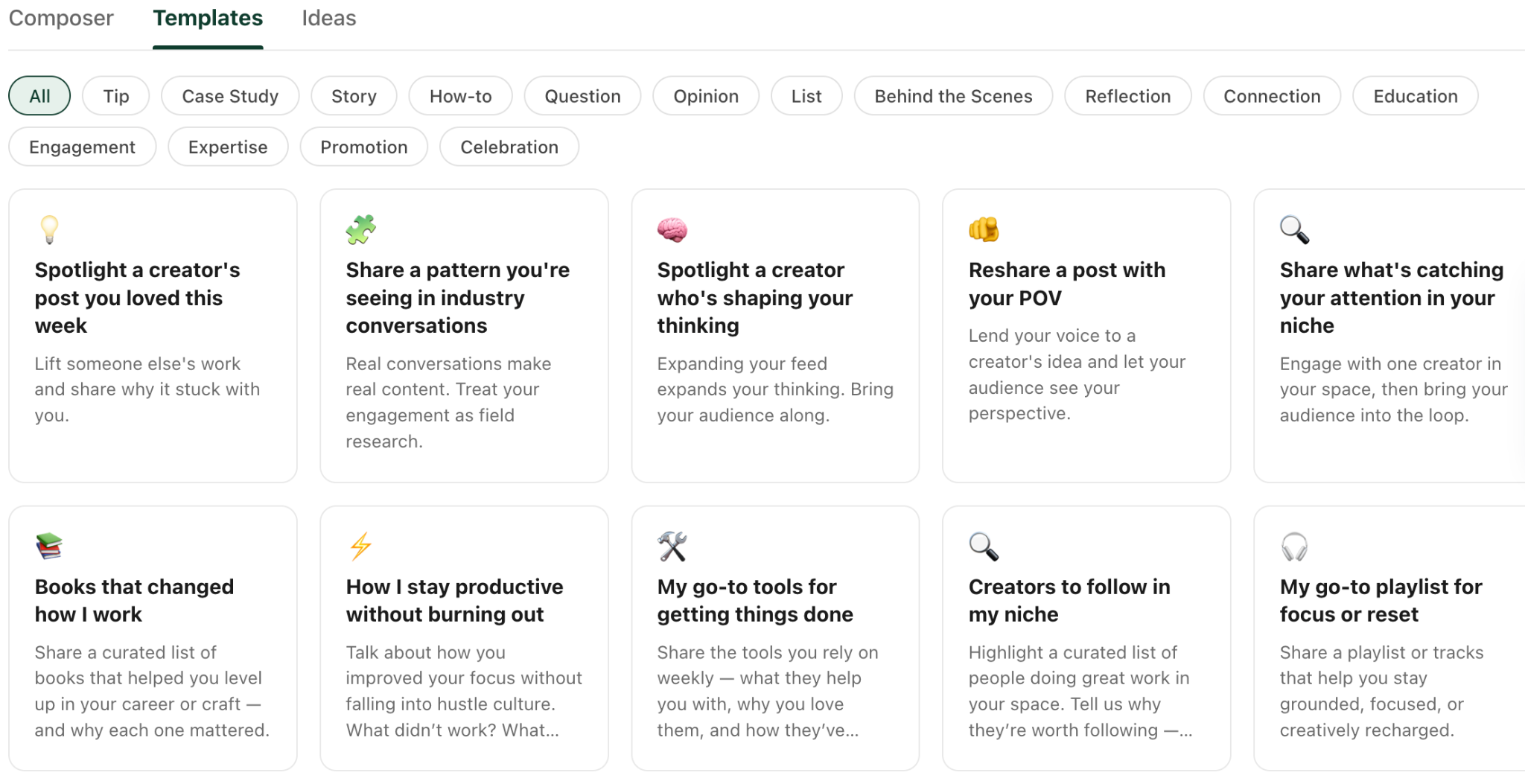
If you are not sure what to post, Podawaa's template library has over 150 post formats. Pick one that fits what you want to say, write your version, and schedule it directly inside Podawaa so your posting stays consistent even during busy weeks of applications.
Frequently Asked Questions
Is Easy Apply on LinkedIn worth using?
It depends on the role. For smaller companies or niche roles with fewer applicants, Easy Apply is fine. For anything competitive, applying through the company website is better. It creates more friction for you but far more friction for the majority of applicants who only use Easy Apply.
How often should I post on LinkedIn when looking for a job?
3 times a week is a solid target. It keeps you visible without taking over your schedule. If that feels like too much, once a week is enough to stay consistent. Consistency matters more than frequency.
Should I use the Open to Work banner on LinkedIn?
It depends on who you are targeting. For corporate roles or recruiter-driven searches, the banner works. For startup roles, senior positions, or freelance clients, the About section approach tends to work better.
What should I post on LinkedIn when I am looking for a job?
Post about your work, your thinking, and your observations from your field. Add one line at the end of every post letting people know you are open to opportunities. Keep the content focused on what you know, not on the fact that you are searching.
How do I write a LinkedIn DM that gets a reply?
Reference something real and specific before you mention anything about a job. Engage on something they posted, share a relevant observation, or give genuine feedback on their work. Never send the same message to more than one person.
How do I write a LinkedIn headline when I am job searching?
Lead with your expertise, not your job search status. Add "open to new opportunities" at the end rather than leading with it. Our LinkedIn headline examples for job seekers has templates for different roles and levels.