
LinkedIn content tools help creators write better posts, publish consistently and get real visibility from the right audience.
I wrote this guide for creators who already understand LinkedIn matters.
But want tools that actually support content quality, reach and growth.
These tools cover the full workflow: writing, formatting, scheduling, analytics and distribution.
I tested these 6 LinkedIn content tools every LinkedIn creator should know, based on how they perform in real creator workflows in 2026.
TL;DR: 6 Best LinkedIn Content Tools
- Podawaa: Boosts LinkedIn posts to a relevant audience to increase profile views and inbound DMs. Free plan available. Paid plans start at €29.99/month.
- Taplio: Helps generate post ideas, write content, and schedule LinkedIn posts consistently. Paid plans start around $39/month.
- AuthoredUp: Improves post formatting, hooks, and previews before publishing. Free plan available. Paid plans start around $19/month.
- Buffer: Schedules LinkedIn posts and maintains consistent publishing. Free plan available. Paid plans start around $6/month per channel.
- Publer: Manages LinkedIn and multi-platform posting from one dashboard. Free plan available. Paid plans start around $9/month.
- Hootsuite: Manages LinkedIn publishing, inbox, and workflows for teams. Paid plans start around $99/month.
6 LinkedIn Content Tools Every Creator Should Know
1. Podawaa
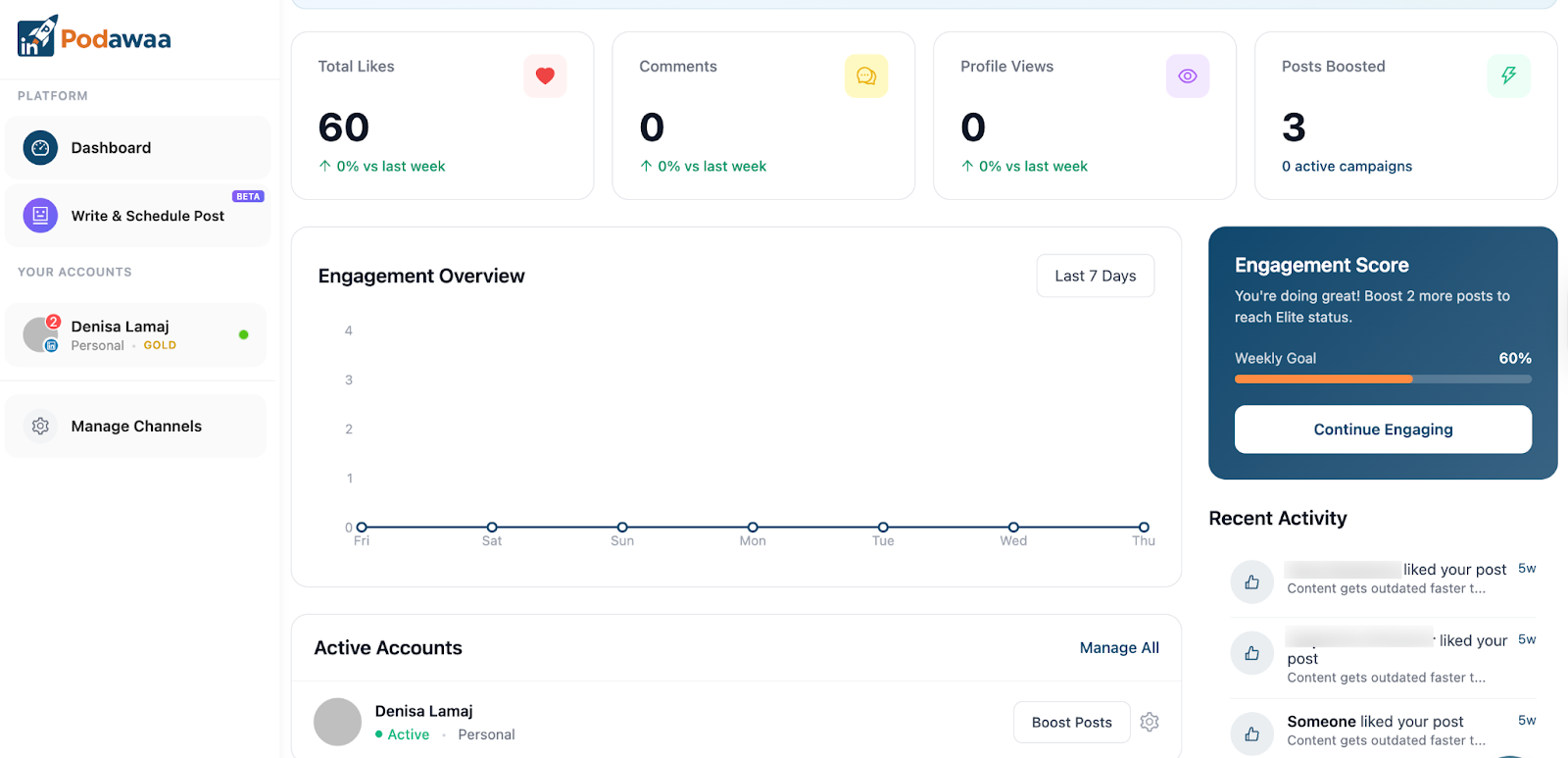
Podawaa helps creators increase LinkedIn visibility by getting posts in front of a relevant, content-aligned audience.
Podawaa boosts your posts based on what you publish and who should see it, which leads to more profile views, meaningful comments, and inbound DMs.
It also supports creators who want consistent reach growth while keeping their accounts safe and their engagement natural.
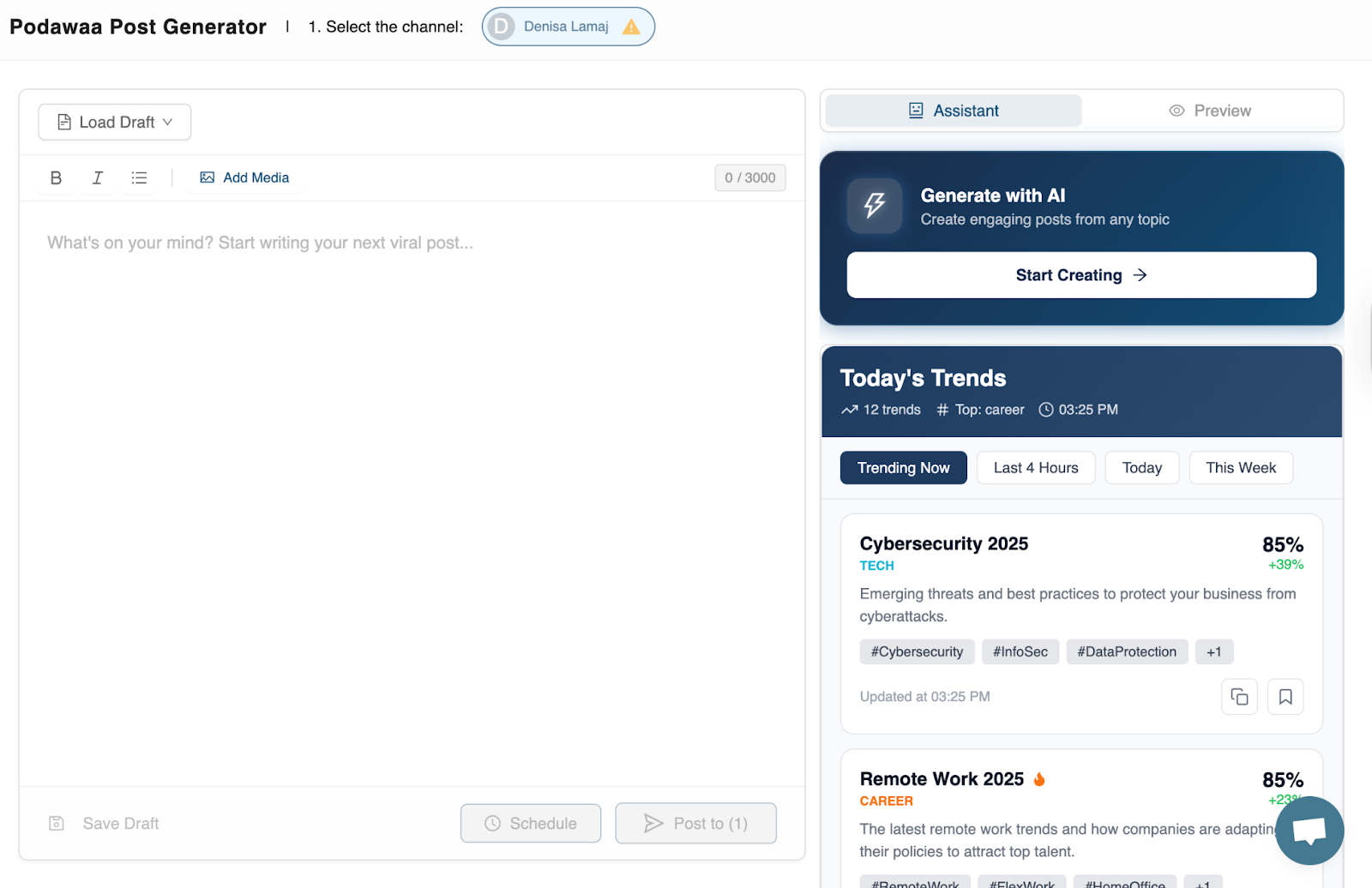
Podawaa now offers a beta post generator where you can create content and see trending topics in real time.
Podawaa Features
1. Smart post boosting: You can choose between quick boosts for fast reach or advanced boosting, where you control visibility level and interaction type.
2. Audience-quality focused distribution: Podawaa boosts posts based on content relevance, not spammy engagement.
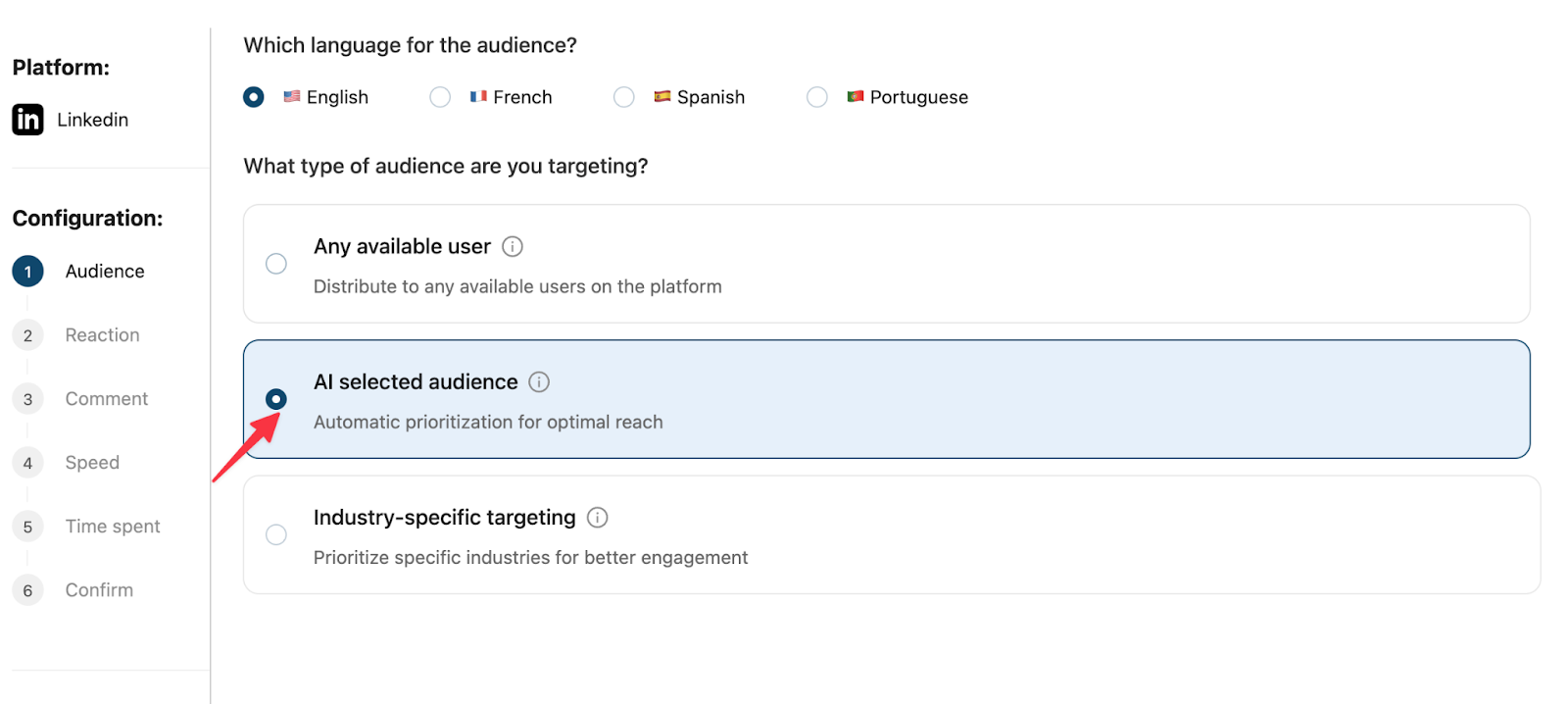
3. No risky automation: Higher plans don’t require automating actions from your own LinkedIn account
Cons:
- Limited free plan
Pricing
- Free plan available and a 7-day free trial to test the platform
- Paid plans start at €29.99/month
My Experience with Podawaa
I’ve been using Podawaa for several months, and the platform has improved consistently over time. It doesn’t rely on engagement pods and uses a smarter approach that helps your posts reach a target audience aligned with your content.
Podawaa works best when you post consistently on LinkedIn. Recently, the platform also introduced a post generator that lets you write posts with AI assistance and schedule them directly. You can handle writing, scheduling, and visibility from a single Podawaa dashboard.
2. Taplio
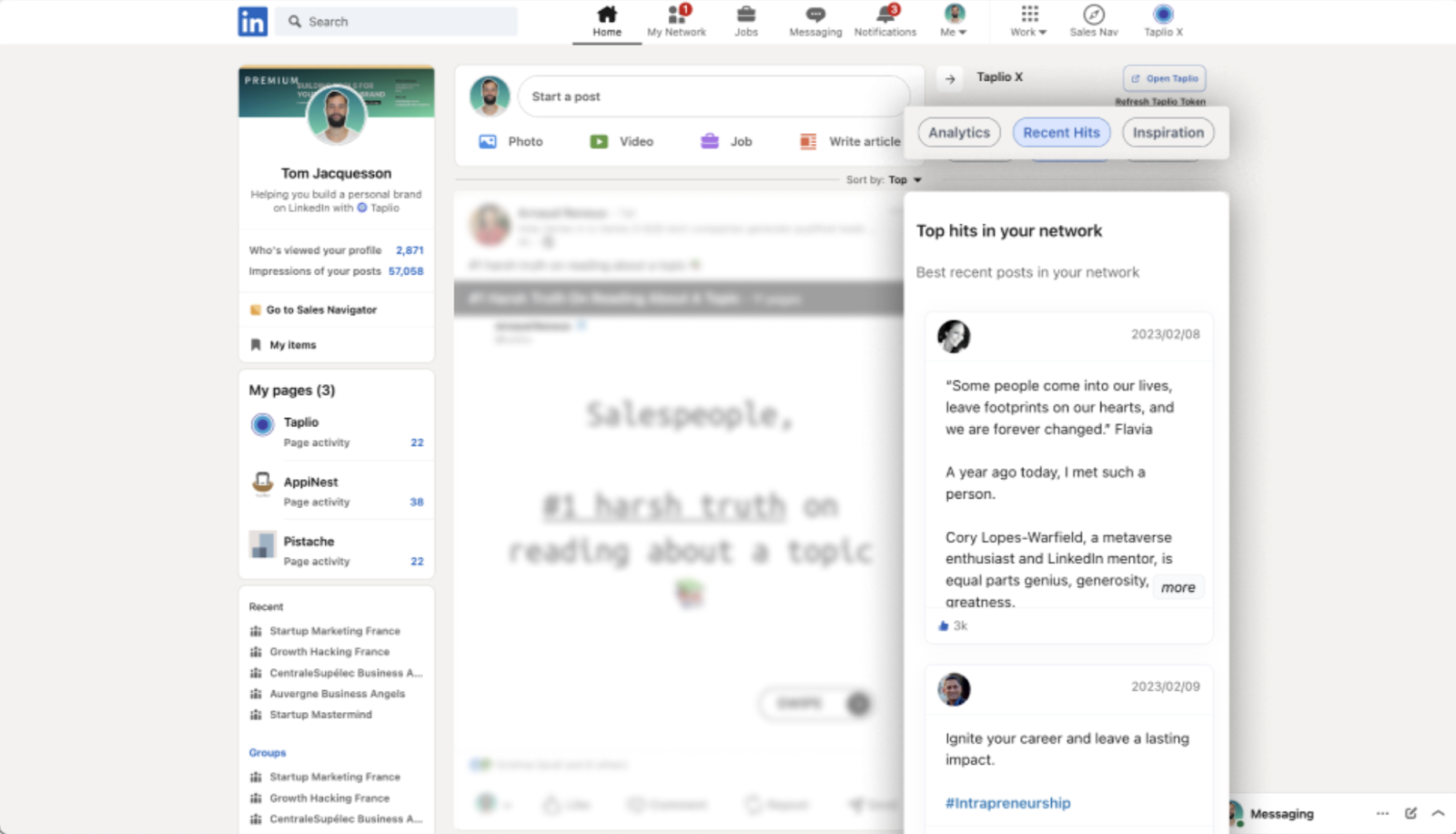
Taplio helps B2B creators write, plan, and publish LinkedIn content consistently.
The tool focuses on content creation and ideation. It gives you post ideas, AI-assisted writing, and scheduling in one workflow, which makes it easier to show up on LinkedIn every day.
If your main challenge is what to write and how to stay consistent, Taplio covers that part of the LinkedIn content process very well.
Features
- AI-powered post writing: You can generate LinkedIn posts from short prompts, ideas, or past content
- Content inspiration feed: Taplio surfaces high-performing posts from your niche to spark ideas
- Post scheduling: You can plan and schedule LinkedIn posts directly from the platform
- CRM-style lead tracking: It helps you organize profiles and interactions you care about
Cons
- AI-generated drafts still require manual editing to sound personal
- The interface can feel busy for first-time users
Pricing
- No free plan
- Paid plans start around $39/month, depending on features and usage
Reviews
- Widely used by LinkedIn creators and solopreneurs
- Strong presence on LinkedIn and creator-led communities
My Experience with Taplio
I’ve used Taplio mainly to stay consistent and avoid starting from a blank page. It helps me come up with ideas, shape posts, and plan content ahead of time, which makes it much easier to keep posting regularly.
I still rewrite everything to my own voice, but Taplio speeds up the process and removes friction from daily content creation. I see it more as a LinkedIn assistant for writing and scheduling, not a replacement for actually thinking through what I want to say.
3. AuthoredUp
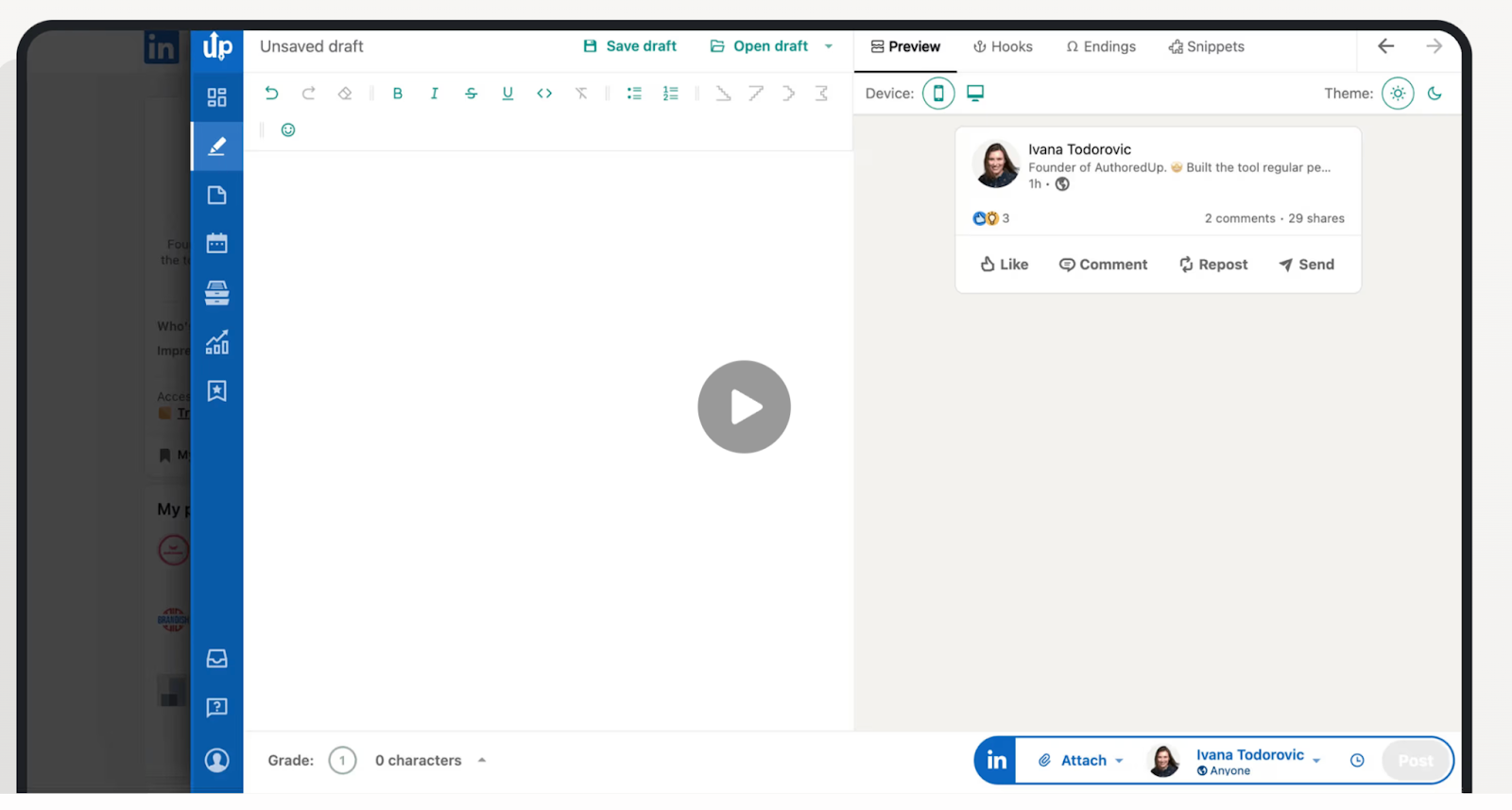
AuthoredUp helps creators write, format, and preview LinkedIn posts exactly as they will appear before publishing.
This tool focuses on post quality and presentation. AuthoredUp gives you a clean editor, real LinkedIn previews, and formatting controls so your posts are easy to read, well-structured, and optimized for scrolling.
If you care about LinkedIn hooks and how your post looks in the feed, AuthoredUp sharpens the final version before it goes live.
Features
- Live LinkedIn preview: You see exactly how your post will look on desktop and mobile
- Post formatting tools: You can control line breaks, emojis, spacing, and structure
- Chrome extension: You can also write and edit posts directly inside LinkedIn
- Hook and readability guidance: The tool helps you improve scannability and clarity
Cons
- No scheduling features
- Focused only on post creation, not distribution or reach
Pricing
- Free plan available with core features
- Paid plans start around $19.95/month
Reviews
- Popular among LinkedIn creators and ghostwriters
- Frequently recommended in creator communities
My Experience with AuthoredUp
I tested AuthoredUp, and it mostly helped me to keep posts clear and well-structured without overthinking every word or line break.
What helps most is being able to see exactly how a post will look before it goes live. That alone reduces rewrites and small formatting mistakes that hurt readability. I usually use it to tighten the hook, fix spacing, and make sure the post is easy to scan on mobile.
4. Buffer
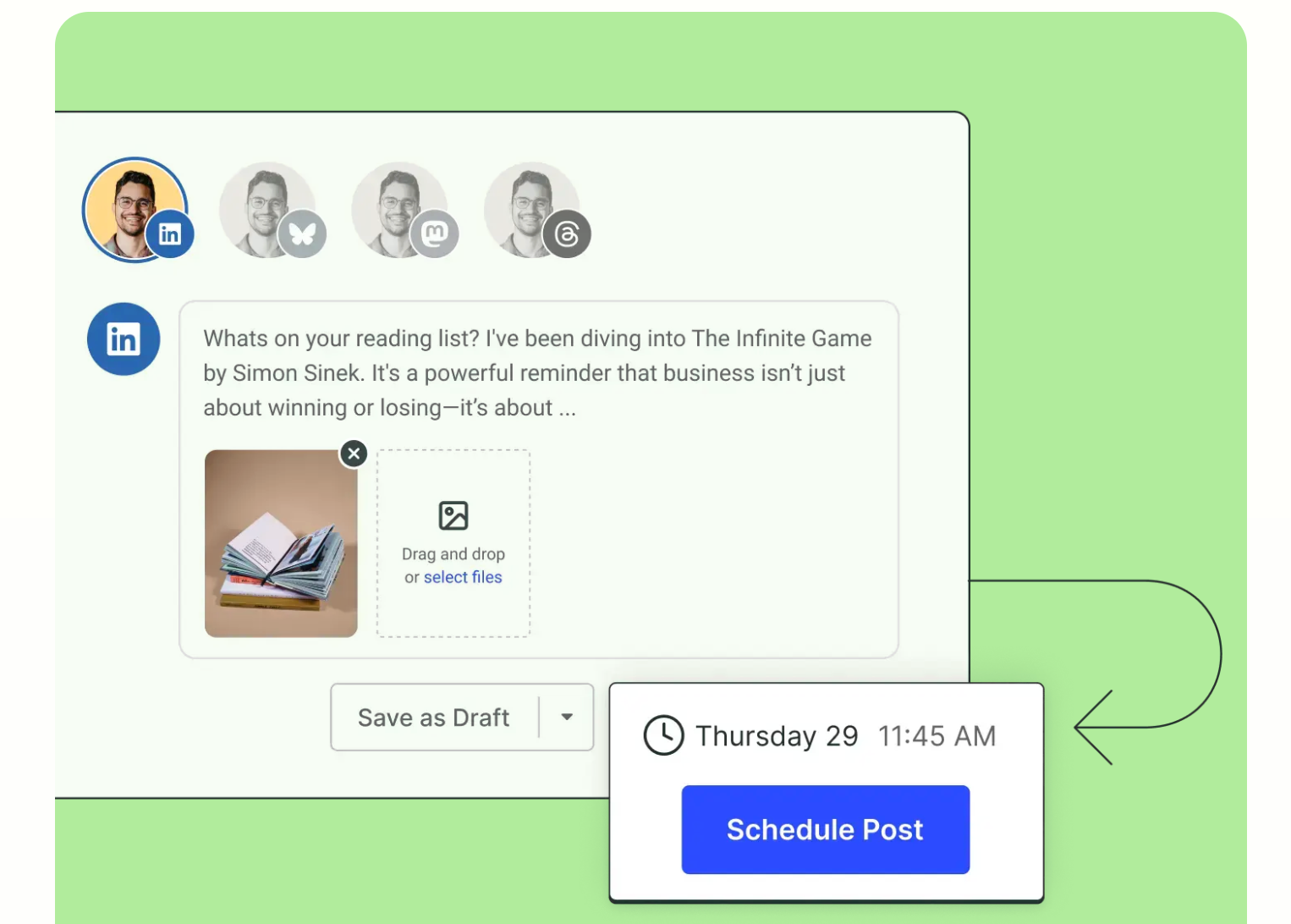
Buffer helps B2B creators schedule LinkedIn posts, stay consistent, and publish content without friction.
The tool focuses on planning and consistency. It lets you queue posts in advance, choose the best posting times, and maintain a steady LinkedIn presence even when you’re busy with client work, sales calls, or building your product.
If your content is already written and your main goal is showing up reliably, Buffer keeps your LinkedIn activity organized and predictable.
Features
- Post scheduling: You have the possibility to queue LinkedIn posts days or weeks ahead
- Clean content calendar: You can see exactly what’s publishing and when
- Optimal timing suggestions: Buffer lets you schedule posts when your audience is most active
- Multi-channel support: You can manage LinkedIn alongside other social platforms
Cons
- Limited analytics compared to other social media tools
- LinkedIn-specific optimization features are minimal
Pricing
- Free plan available with basic scheduling
- Paid plans start around $6/month per channel
Reviews
- Well-established tool with strong brand trust
- Widely used by solo creators, startups, and small teams
My Experience with Buffer
I’ve tested Buffer mainly to keep my posting consistent. The interface is simple, the calendar is clear enough to plan ahead, and saving drafts makes it easy to batch content before queuing it.
Buffer is great when you want publishing to feel routine and low-effort. I don’t use it for deep analytics or advanced engagement features, but for scheduling and keeping content going across platforms, it does the job well.
For personal branding, Buffer fits best as a quiet, reliable tool that helps you show up regularly without adding complexity.
5. Publer
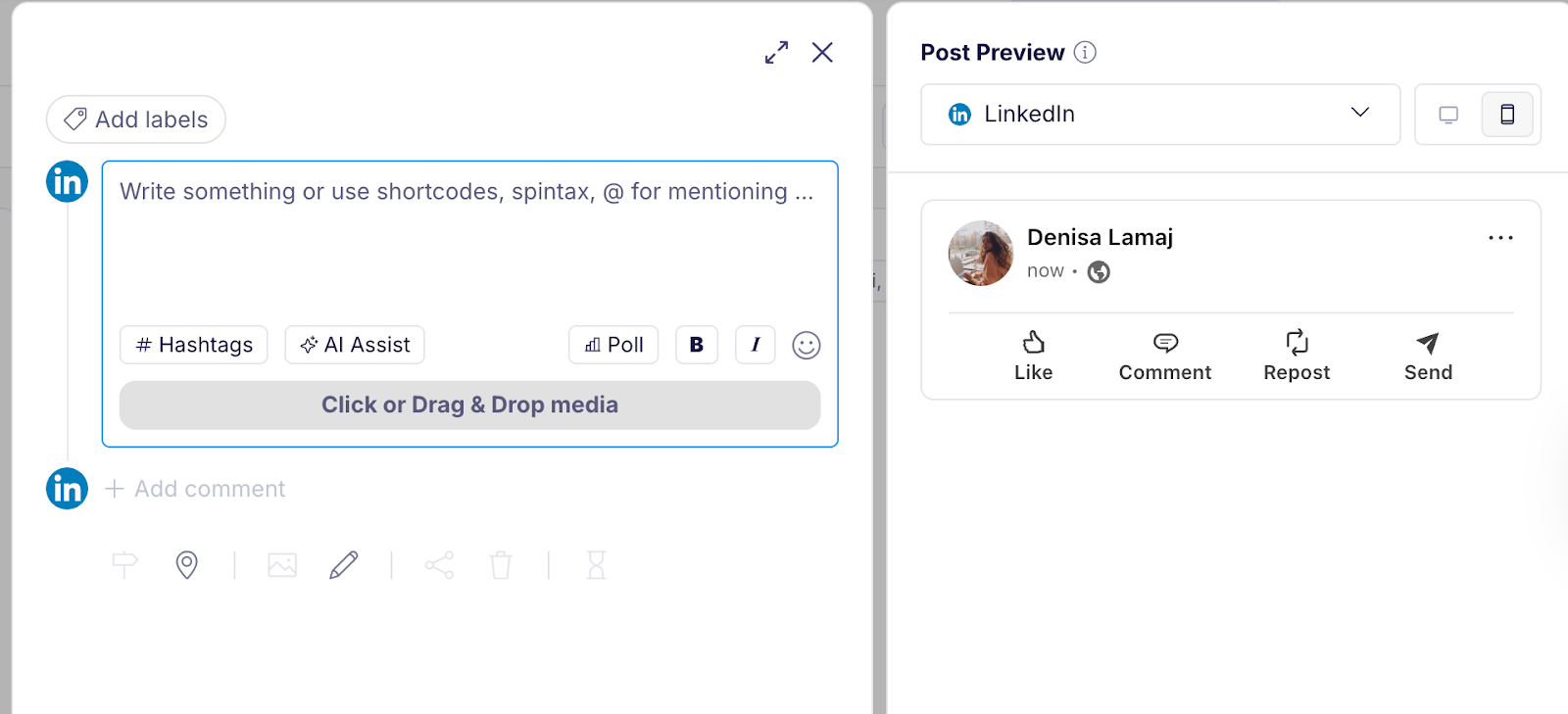
Publer also helps creators plan, schedule, and publish LinkedIn content across multiple platforms from one place.
It focuses on cross-platform consistency. The tool lets you prepare LinkedIn posts in advance while also pushing the same content to X, Facebook, and other networks, which is useful if you repurpose LinkedIn posts and want one workflow for everything.
If you create content beyond LinkedIn and want to save time on publishing, Publer keeps distribution simple and centralized.
Features
- LinkedIn post scheduling: You can queue and publish posts automatically
- Multi-platform publishing: Publer lets you manage LinkedIn, X, and other social channels together
- Post previews: You can review formatting before the content goes live
Cons
- LinkedIn-specific features are more basic than creator-focused tools
Pricing
- Free plan available
- Paid plans start around $9/month
Reviews
- Positive feedback from solopreneurs and small teams
- Known for good value relative to features offered
My Experience with Publer
I’ve used Publer mainly to simplify scheduling and stay consistent across platforms. The interface feels clean and easy to navigate.
Analytics are good, but for scheduling, repurposing, and keeping content flowing, the tool feels reliable and straightforward.
If you’re looking for a low-stress way to manage publishing without a lot of extra features or setup, Publer fits nicely into a simple workflow.
6. Hootsuite
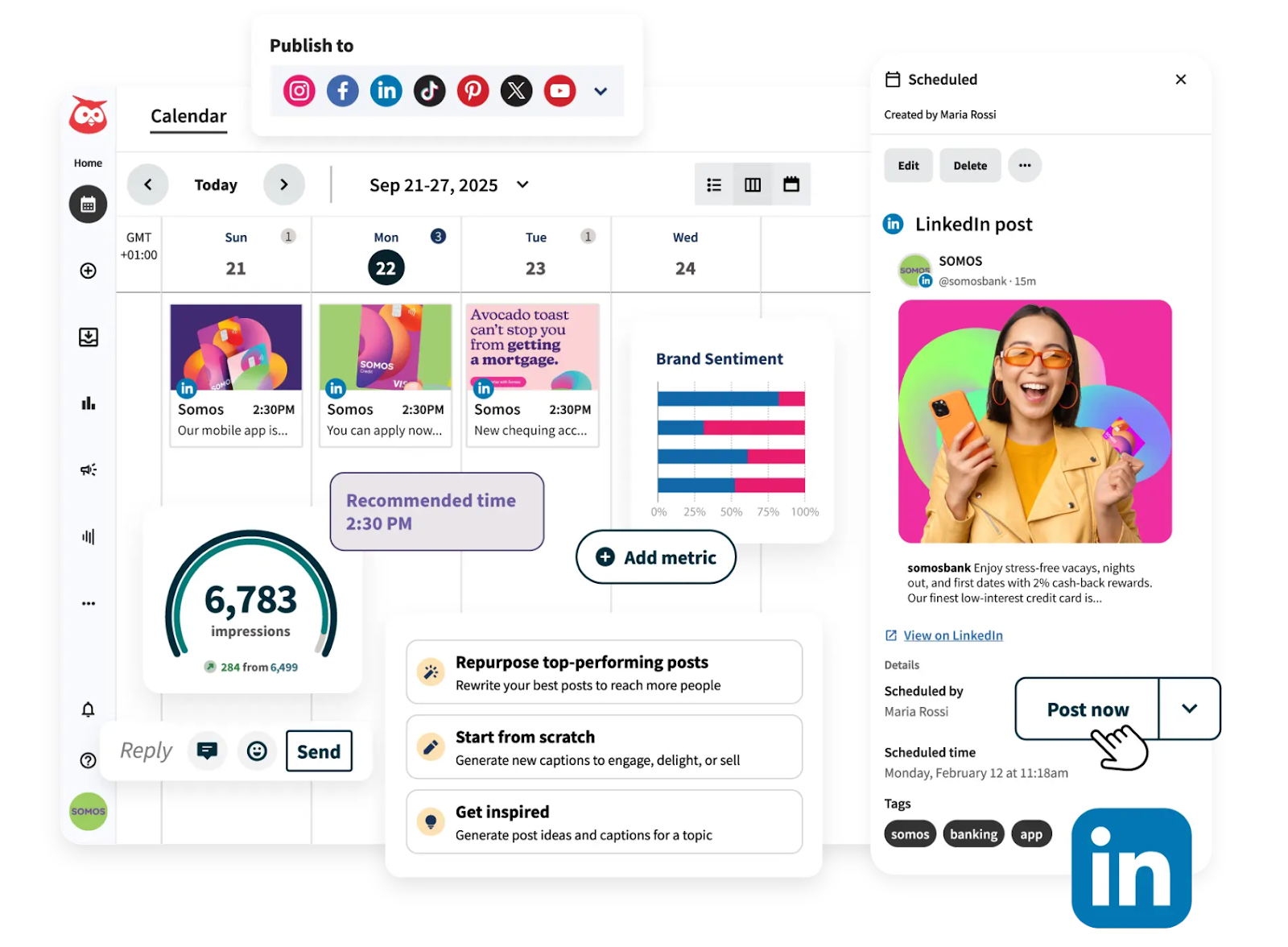
Hootsuite helps B2B teams manage LinkedIn content, conversations, and publishing at scale.
The tool focuses on team coordination and centralized control. Hootsuite lets you schedule LinkedIn posts, manage comments and messages, assign tasks, and monitor activity from one dashboard, which is useful when multiple people work on the same brand or client account.
If LinkedIn is part of a larger social operation, Hootsuite brings structure and oversight to the workflow.
Features
- LinkedIn scheduling: You can plan and publish posts in advance
- Unified inbox: Hootsuite lets you manage comments and messages in one place
- Team workflows: It offers built-in workflows that allow you to assign tasks, set approvals, and manage roles across your team
- Social monitoring: You can track brand mentions and keywords to stay on top of conversations and trends around your business
Cons
- Interface feels heavy and takes time to learn
- Pricing is high for solo creators and small teams
Pricing
- No free plan
- Paid plans start around $99/month
Reviews
- Long-standing platform with enterprise adoption
- Commonly used by agencies and in-house marketing teams
My Experience with Hootsuite
I tested Hootsuite mainly to manage publishing across multiple platforms from one dashboard. The scheduling and unified calendar work well, and having analytics and link tools in the same place helps when planning content at a higher level.
That said, Hootsuite feels heavier than creator-focused tools. The interface takes time to get used to, and the pricing makes more sense for teams than for solo creators. I see its value when coordination, monitoring, and scale matter more than simplicity.
For personal branding or small teams, Hootsuite works best when you need structure and oversight across channels, not when you want a lightweight posting workflow.
Get More Reach on LinkedIn with Podawaa
If you’re already creating good LinkedIn content, the next lever is visibility.
Podawaa helps LinkedIn creators get their posts in front of the right people.
As a result, it drives more profile views, comments, and inbound messages without risky automation or engagement pods.