LinkedIn content pillars are the broad themes that guide what you post. They give your content direction, so you don’t have to start from zero every time you open LinkedIn.
I know this problem well. You can have plenty of experience and dozens of ideas saved, then still spend too long choosing one. Does it fit your profile? Is it useful enough? Have you already talked about it too much? Clear pillars make those decisions easier because every idea has a place.
I’ll show you how to choose 3 LinkedIn content pillars based on your goals, audience, and experience. We’ll then turn them into specific post ideas and a one-month plan you can test and adjust.
What Are LinkedIn Content Pillars?
LinkedIn content pillars are the broad themes you return to in your posts. They sit at the center of your LinkedIn content strategy, giving your content direction and helping people understand what they can expect when they follow you.
A pillar isn’t one post idea. It’s a larger subject that can give you dozens of different topics to discuss.
Here’s a simple example:
- Content pillar: LinkedIn personal branding
- Topics: Writing your headline, improving your About section, choosing what to add to your Featured section, and getting more profile views
Think of the pillar as a folder. A post about improving your headline and another about creating a better banner are different topics, but both can fit inside the LinkedIn personal branding folder.
This also gives you a simple way to review new ideas: Which pillar does this belong to? If you have a clear answer, you know where the idea fits. If you don’t, it may not support what you want to be known for.
1. Start With What You’ve Already Posted
If you’ve already posted on LinkedIn, your previous content is the best place to start. It can show you which subjects you return to, what starts conversations, and what people already associate with you.
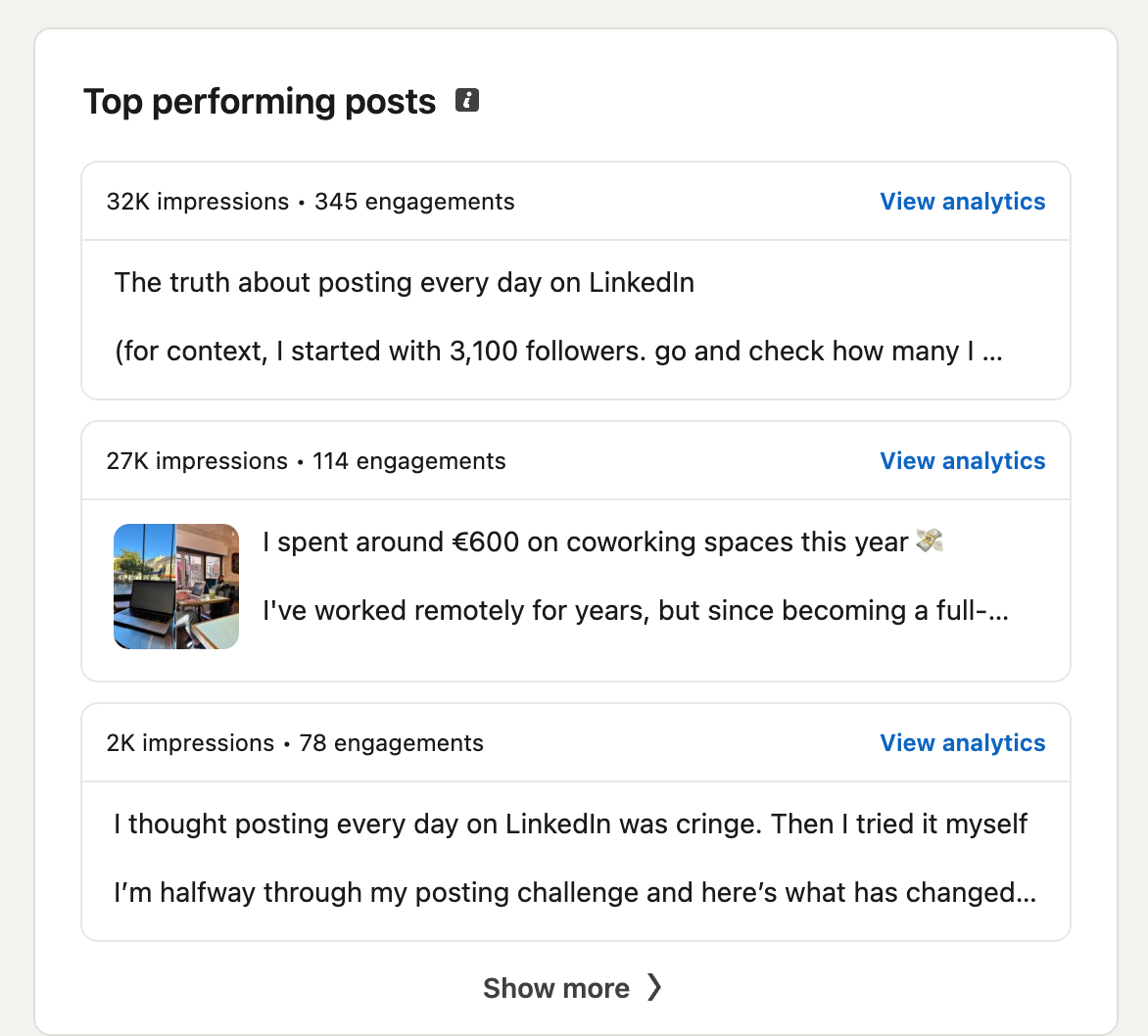
Open your LinkedIn profile, go to Activity, and select Posts. Review your last 10 to 20 posts and note the main topic behind each one. Or go to Analytics and scroll below to top-performing posts:
As you review them, ask:
- Which topics received thoughtful comments?
- What did people ask me about?
- Which posts brought relevant people to my profile or DMs?
- Which topics gave me more ideas for future posts?
- Which subjects would I genuinely enjoy discussing again?
Don’t judge everything by impressions. Look at other LinkedIn metrics, including saves, comments, followers gained, and profile views. A post with lower reach can still be valuable if it starts a conversation with someone you wanted to reach.
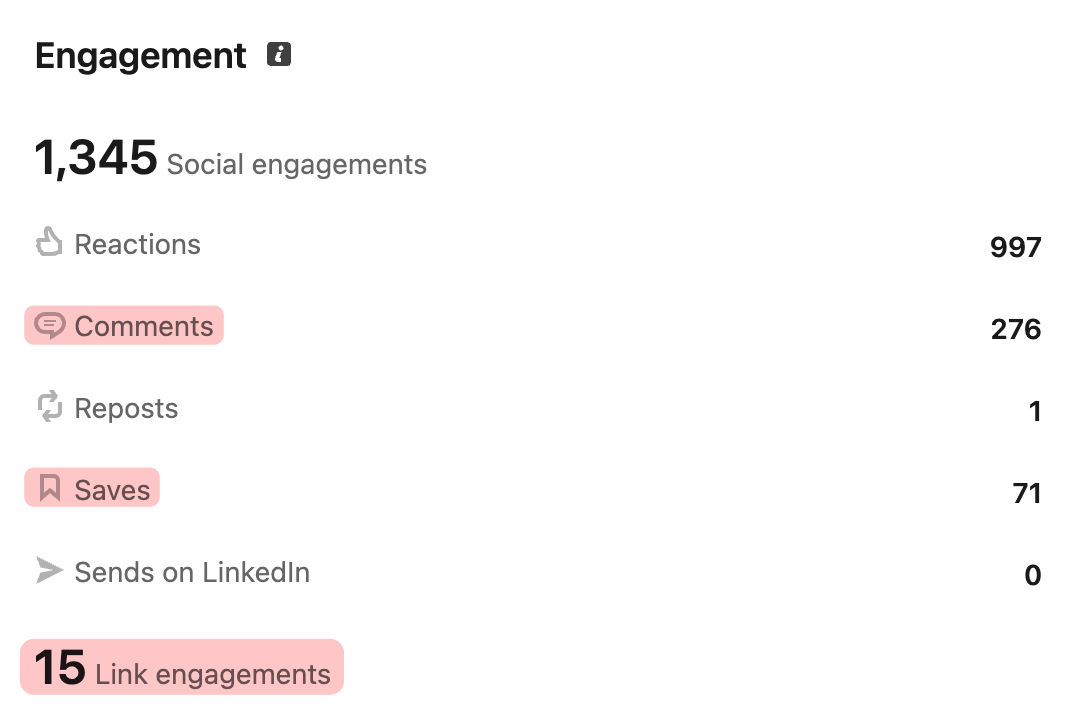
I noticed this while posting on LinkedIn. I tracked the numbers, but I also paid attention to which topics brought useful conversations and which ones I still wanted to explore after the post was published.
For example, imagine you’re a software engineer who has posted about coding, job interviews, and productivity. If people regularly ask follow-up questions under your interview posts, career growth could become one of your pillars.
You still need to ask yourself: Do I want people to know me for this?
A topic doesn’t have to become a pillar just because one post performed well. Keep it when it attracts the right people, supports your goal, and gives you more useful things to say.
If you haven’t posted yet, that’s fine. Move to the next step and start with what you want LinkedIn to help you achieve.
2. Decide What You Want LinkedIn to Help You Achieve
Your content pillars should support one clear LinkedIn goal. Otherwise, you can end up talking about several things you enjoy without giving the right people a clear reason to follow or contact you.
Your main goal could be to:
- Find a new job
- Attract clients
- Become known in your industry
- Grow your professional network
- Bring attention to your company
Choose one priority for the next few months. You may get other opportunities along the way, but having one main goal makes it easier to decide which topics deserve a regular place in your content.
For example, a freelance designer who wants to attract startup clients could focus on brand design, real project breakdowns, and their design process. Those areas help potential clients understand what the designer knows, how they work, and what they could help with.
I had to make the same decision for my own LinkedIn. I could talk about freelancing, remote work, writing, SEO, AI search, and plenty of other subjects. But my main goal is to attract SaaS clients, so my content needs to show SaaS founders and marketers how I approach content growth.
I can still share personal observations and stories. They simply need to connect with the work I want to be known for and help me reach the right people on LinkedIn.
Before you continue, answer this question:
After someone reads five of my posts, what do I want them to know about me?
Connect your answer to your goal, the people you want to reach, and the expertise you want to show. Here’s how I answer it for my own LinkedIn:
You’ll use this answer to decide which topics belong in your content and which ones can stay occasional.
3. List the Topics You Can Actually Talk About
Before naming your pillars, list the specific things you can genuinely talk about based on your work, experience, and opinions.
Starting with broad labels such as “marketing,” “leadership,” or “productivity” can leave you with pillars that sound good but still don’t tell you what to post. Specific topics make the larger patterns much easier to see.
Start with:
- Questions clients, colleagues, or followers ask you
- Problems you regularly solve
- Lessons and mistakes from your work
- Results or projects you can break down
- Opinions you have about your industry
- Changes or patterns you’ve recently noticed
For my own LinkedIn, writing down “SEO” would be too broad to help. I could start with specific topics such as recovering traffic after an update, using customer questions to find content ideas, testing how different pages appear in AI search, or turning product experience into original content. Later, I can group those ideas into broader pillars.
If your list still feels short, you can use Podawaa’s free LinkedIn templates. They’re organized into categories such as How-to, Case Study, Storytelling, Opinion, List, Behind the Scenes, and Reflection.
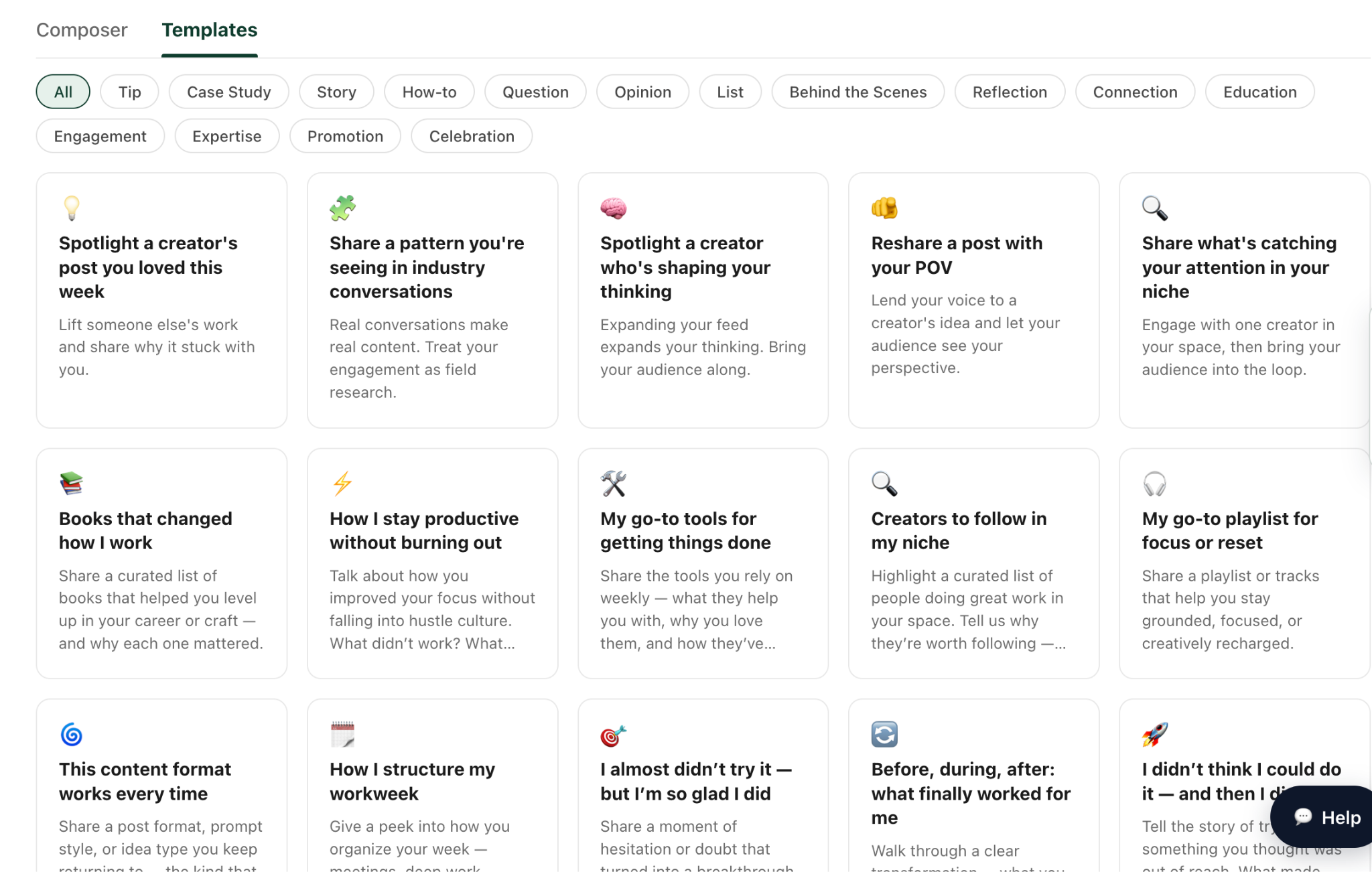
The template gives you the angle. Your own work and experience give you the topic. If you want to turn a project or result into a post, these LinkedIn case study post examples show how creators structure that type of content.
Let’s take the template “Share a pattern you’re seeing in industry conversations.”
A recruiter could use it to talk about candidates asking about salary earlier in the hiring process. That gives them one specific topic.
As they continue browsing, they might add topics such as slow feedback after interviews, unnecessary interview rounds, and why strong candidates leave the hiring process.
When you group those topics, a broader theme emerges: candidate experience. That could become one of their LinkedIn content pillars.
Try to collect at least 15 specific topics before naming your pillars. Once you have enough ideas, it becomes much easier to see which ones naturally belong together.
4. Choose Your Three LinkedIn Content Pillars
Now group your topics into three broader pillars. Each pillar should connect your experience with what your audience cares about and what you want LinkedIn to help you achieve.
Review each possible pillar using four questions:
- Do I have real experience, lessons, or opinions to share?
- Would the people I want to reach care about it?
- Does it support my main LinkedIn goal?
- Can I keep finding useful things to say about it?
Here’s how this could look for the recruiter example:
One common mistake is choosing formats as pillars. “Personal stories,” “how-to posts,” and “case studies” describe how you present an idea. They don’t describe the subject itself.
For example, a recruiter could tell a personal story about losing a strong candidate after a six-stage interview. The format is storytelling, while the pillar is still candidate experience. These LinkedIn storytelling examples show how the same format can work across many different subjects.
Your three pillars don’t need to cover every part of your work or personality. They only need to give your content enough direction for the next few months. You can adjust them later after you see what you enjoy writing and what attracts the right people.
5. Turn Your Pillars Into a Posting System You Can Maintain
Once you have three pillars, write five post ideas under each one. That gives you 15 starting points, so you don’t need to choose a new subject every time you want to publish.
Here’s what this could look like for a freelance marketing consultant:
These are starting ideas, so you don’t need to write all 15 posts immediately. Choose a posting frequency that fits your available time. This guide on how often to post on LinkedIn can help you choose a realistic schedule.
You can then add the ideas to your Podawaa calendar and rotate between your pillars:
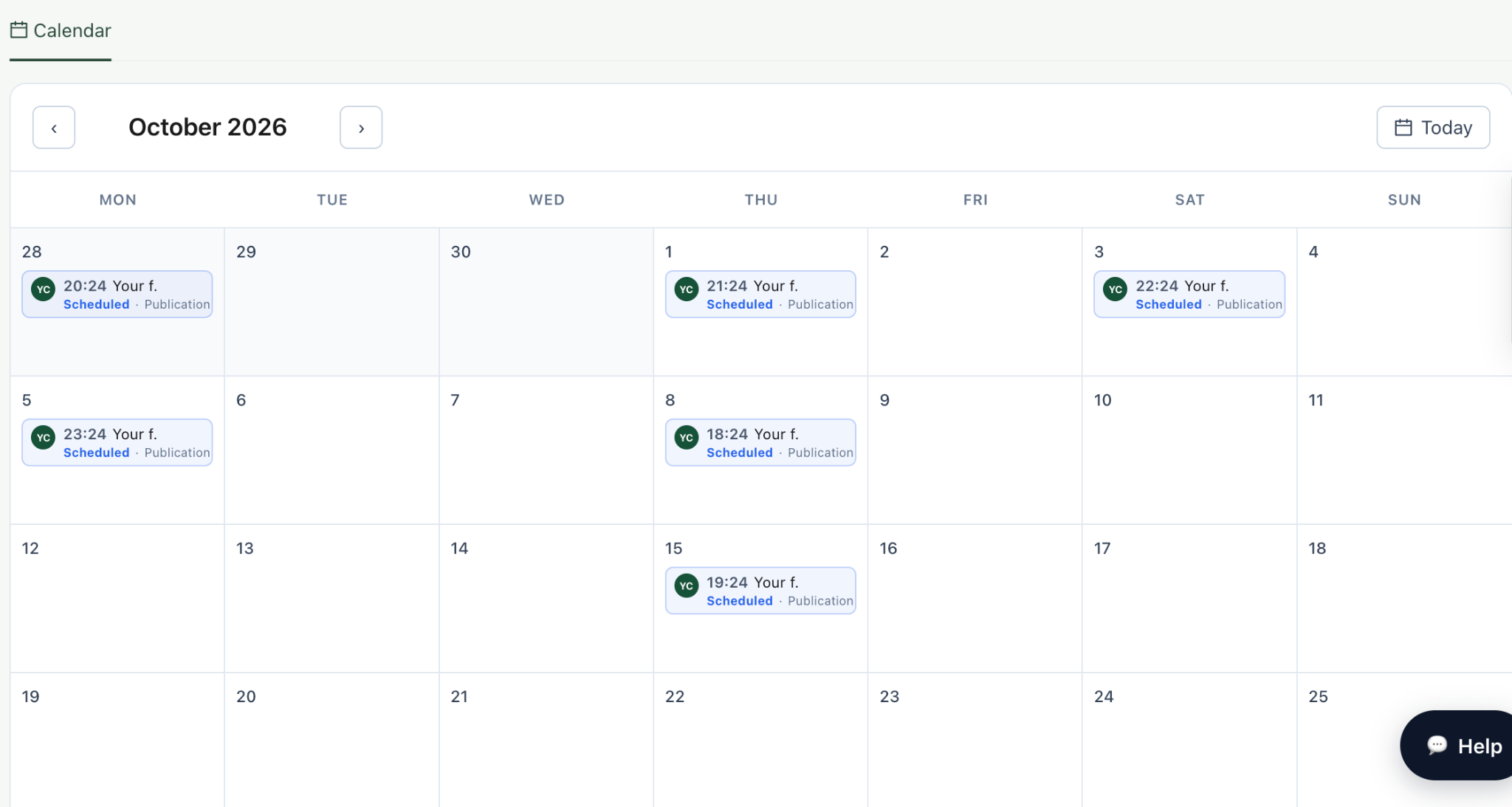
The rotation doesn’t need to be perfectly equal. One pillar may deserve more attention because it connects more closely to your current goal. The calendar simply helps you keep your content focused without making the same decisions every week.
Start by planning your first week. Once those posts are ready, continue filling the calendar at a pace you can maintain.
6. Test Your Content Pillars for One Month
Your first three pillars are a starting point. You need to publish several posts under each one before you can see which topics work for your audience and feel sustainable for you.
Choose a pace you can maintain. If you post three times per week for one month, each pillar gets four chances to appear. If two posts per week feels more realistic, extend the test for another couple of weeks.
Decide what a useful result looks like based on your goal:
- Finding a job: Recruiter profile views, relevant connections, and DMs
- Attracting clients: Conversations with potential clients, profile visits, and inquiries
- Building authority: Saves, thoughtful comments, shares, and new followers from your industry
- Growing your network: Relevant connection requests and repeat engagement from the same people
You can find these numbers by opening an individual LinkedIn post and clicking View analytics.
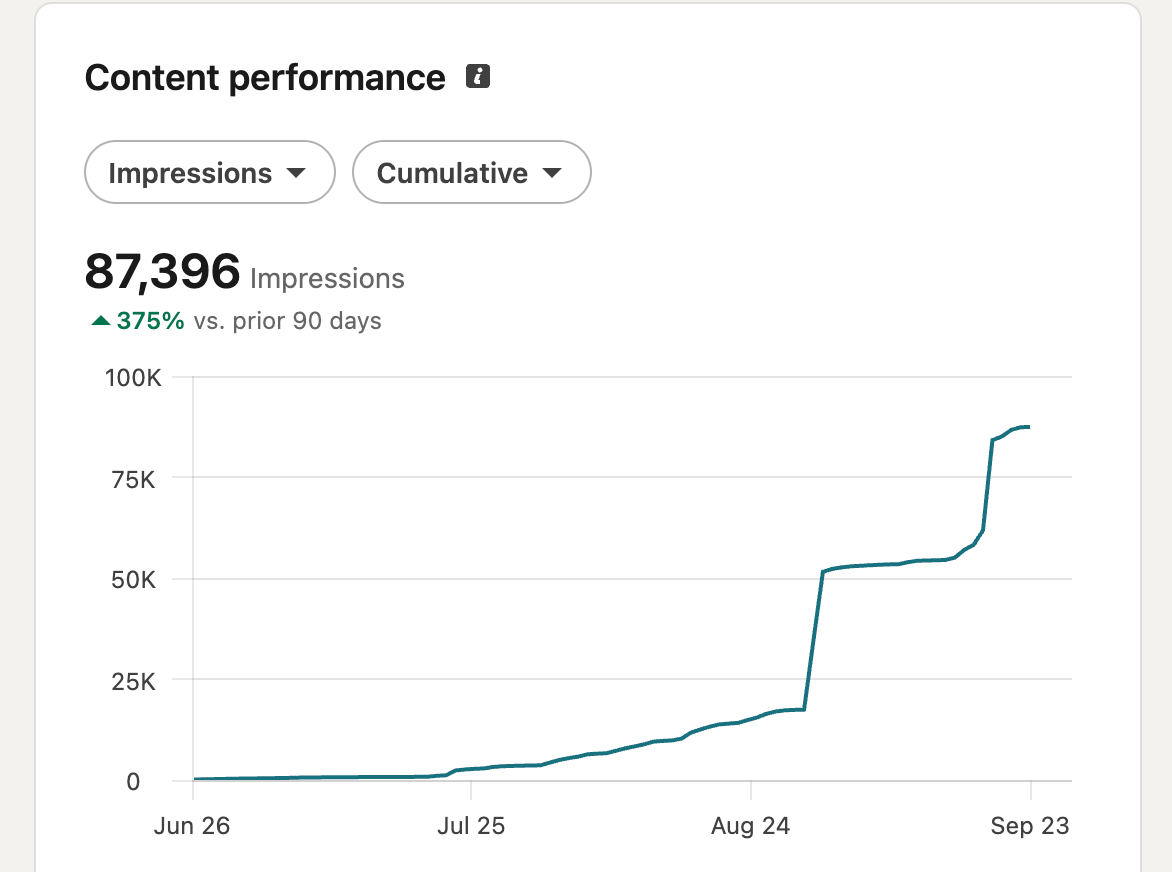
For each post, record the pillar, topic, format, useful responses, and how easy it was to write. The last point matters. A pillar may perform well, but it will be difficult to maintain if you struggle to find ideas or dislike writing about it.
One weak post doesn’t mean the entire pillar is wrong. The topic, hook, format, or posting time may have affected the result. Give each pillar several posts before changing it.
At the end of the test:
- Keep pillars that attract the right people and give you more ideas
- Narrow pillars that still feel too broad
- Replace pillars that repeatedly feel forced or disconnected from your goal
The best pillars help people understand what you know while making it easier for you to keep posting.
Your Content Pillars Should Make Posting Easier
The purpose of choosing content pillars is to make the next post easier to plan. Instead of starting with “What should I talk about today?”, you already have three clear directions and a list of topics under each one.
Start with the pillars that match your current goal and experience. Create a few posts under each, pay attention to the conversations they start, and adjust them as you learn more about your audience.
If you know your pillars but still get stuck turning them into posts, Podawaa’s templates can give you a specific angle to start from. Choose a format that fits your topic, connect it to something you’ve experienced, and add it to your calendar when it’s ready.
Choose your first template and plan your next LinkedIn post.
FAQs About LinkedIn Content Pillars
How many LinkedIn content pillars should you have?
Three content pillars are enough when you’re getting started. They give you enough variety while making it easier for people to understand what you regularly talk about.
How often should you post about each pillar?
Start by giving each pillar the same amount of attention. If you post three times per week, you can cover one pillar per post and repeat the rotation the following week.
Can you change your LinkedIn content pillars?
Yes. Your content pillars can change as your goals, work, or audience change. Test them for at least one month before replacing anything based on the performance of a single post.