
Most LinkedIn posts don't fail because the content is bad.
They fail because the signals around them are weak. Wrong audience engaging, no activity in the first hour, a hook that doesn't stop the scroll.
This happens to creators with good content and established audiences. LinkedIn's algorithm reads every post and decides whether it's worth distributing further. This guide covers why that decision goes against you and what you can do to change it.
How LinkedIn Decides Whether to Show Your Post
LinkedIn doesn't show your post to your entire network at once. When you publish, the algorithm tests your content on a small slice of your audience first and watches what happens in the first 60 to 90 minutes. Do people stop scrolling? Do they click "see more"? Do they comment?
Strong early signals: LinkedIn expands distribution. Weak signals: it stops. The post reaches that small test group and essentially no one else.
This is why two posts from the same account on the same topic can reach 300 people and 8,000 people respectively. The content difference might be small. The signal difference in that first window determines the outcome.
LinkedIn's own research on how its AI distributes content confirms this test-and-expand mechanic.
We also conducted a LinkedIn impressions case study that shows what it looks like in real account data. The gap between posts that expand and posts that don't is almost always traceable to that first hour.
5 Reasons Your LinkedIn Posts Get No Reach
1. Your Hook Isn't Stopping the Scroll
LinkedIn cuts off your post after one or two lines with a "see more" button. Those lines are your hook. Everything below them is content most people never read if the hook fails.

This is the highest-leverage element in any LinkedIn post.
The most common weak openers: "I'm excited to share..." tells nobody why they should care. "As a [job title] with X years of experience..." only interests people who already know you. Vague statements like "This changed everything for me" give no reason to click.
Strong hooks do one of three things: make a specific claim, raise a question the reader wants answered, or describe a situation they recognize from their own life.
Before you even publish, tools like Podawaa's Post Generator score your content for viral potential on a 0 to 100 scale. You can see whether your hook is likely to stop the scroll before the post goes live, not after it disappears with 4 likes.

Our LinkedIn post hook examples guide has real examples across content types.
For industry-specific patterns, our LinkedIn post examples for marketers shows what high-performing hooks look like in practice.
2. The Wrong Audience Is Engaging With Your Content
LinkedIn uses the professional identity of who engages with your posts to figure out what your content is about and who else should see it.
A marketing post getting likes from recruiters and developers doesn't look like a marketing post performing well. It looks like generic content random people clicked. LinkedIn has no reason to push it to more marketing professionals because the data doesn't suggest that's who wants it.
Engagement from an irrelevant audience isn't neutral. It actively teaches LinkedIn the wrong thing about your content. Future posts start with that misdirection already built in.
One thing most creators overlook: account verification. A verified LinkedIn account signals that you're a real, established professional, which affects how your content is weighted in distribution. If you haven't verified yet, do that before diagnosing anything else.
3. Nothing Happens in the First Hour
The first 60 minutes after publishing matter more than any other window. LinkedIn samples engagement velocity continuously and makes distribution decisions in real time.

A post that gets 8 genuine comments in the first hour is treated differently from a post that gets the same 8 comments spread over two days. Same total engagement. Completely different signal.
If your post goes quiet right after publishing, the algorithm reads that as low interest and stops distribution before most of your audience even sees it.
Two things control your first hour: when you post and who sees it first. If you're not sure when your audience is most active, the best time to post on LinkedIn gives you that data.
Once you know the timing, the first hour on LinkedIn shows you exactly what to do inside that window.
4. Your Post Has No Clear Point of View
LinkedIn's feed is full of content that describes things without concluding anything.
Posts that summarize a trend without taking a position. Posts that share a fact without saying what it means. Posts that describe an experience without drawing a lesson. These posts don't get comments because there's nothing to respond to.
Comments are one of the strongest distribution signals on LinkedIn. A post with 20 genuine comments from relevant professionals will almost always outreach a post with 80 likes from a mixed audience. To know more, our LinkedIn saves and sends guide explains the full hierarchy of signals and which types actually move the algorithm.
The fix is specificity, not controversy. "Here's what I noticed" is weak. "Here's what I think it means and why most people are getting it wrong" creates a conversation.
Podawaa's Post Generator has a "Generate with AI" feature that helps you build posts from any topic. It's useful here not just for speed, but because it prompts you to develop an actual angle rather than just describing something.

You can also use the "Polish it" option to sharpen a draft before checking the Viral Potential score.
5. The Formatting Is Working Against You
Most LinkedIn users are on mobile, scrolling fast. A wall of text creates friction before the reader has decided whether the content is worth their time.
Long posts can absolutely outperform short ones. But only if the structure makes them easy to scan. Can a reader get the shape of your argument in three seconds?
Short paragraphs, deliberate line breaks, one idea per paragraph. These reduce the effort required to engage. Lower effort means higher engagement. Higher engagement means wider reach.
How to Fix Your LinkedIn Reach (Step by Step)
Don't change everything at once. One variable at a time is the only way to know what actually moved the needle.
Start with your hook. Read the first two lines of your last five posts. Would you tap "see more" on any of them? If not, that's the fix with the highest return. Before you rewrite, check Podawaa's Viral Potential score to test whether the new version is actually stronger before it goes live.
Then look at timing. LinkedIn Creator Analytics shows when your followers are most active. Publishing at the wrong time shrinks your first-hour window, which means fewer early signals even if the content is strong.
Then look at who is engaging. Check the job function breakdown on your last 10 posts. Same small group every time, unrelated to your topic?

The accounts that consistently reach large audiences do three things well: they open with something specific (a number, a situation, a counterintuitive claim), they make one clear argument with a real conclusion, and they generate comments from people who actually work in the relevant field.
That last part reinforces to LinkedIn that the content is reaching the right audience, which is what keeps distribution expanding.
Our LinkedIn follower growth case study shows what this looks like in real data.
For post structure specifically, our guide on how to write a viral LinkedIn post breaks down what makes posts break out.
Podawaa helps on both sides of this. Before publishing, the Post Generator scores your content so you know if the hook and structure are strong enough. After publishing, the engagement configuration controls who reacts, how fast, and at what volume, with each setting labeled by risk level before you confirm.
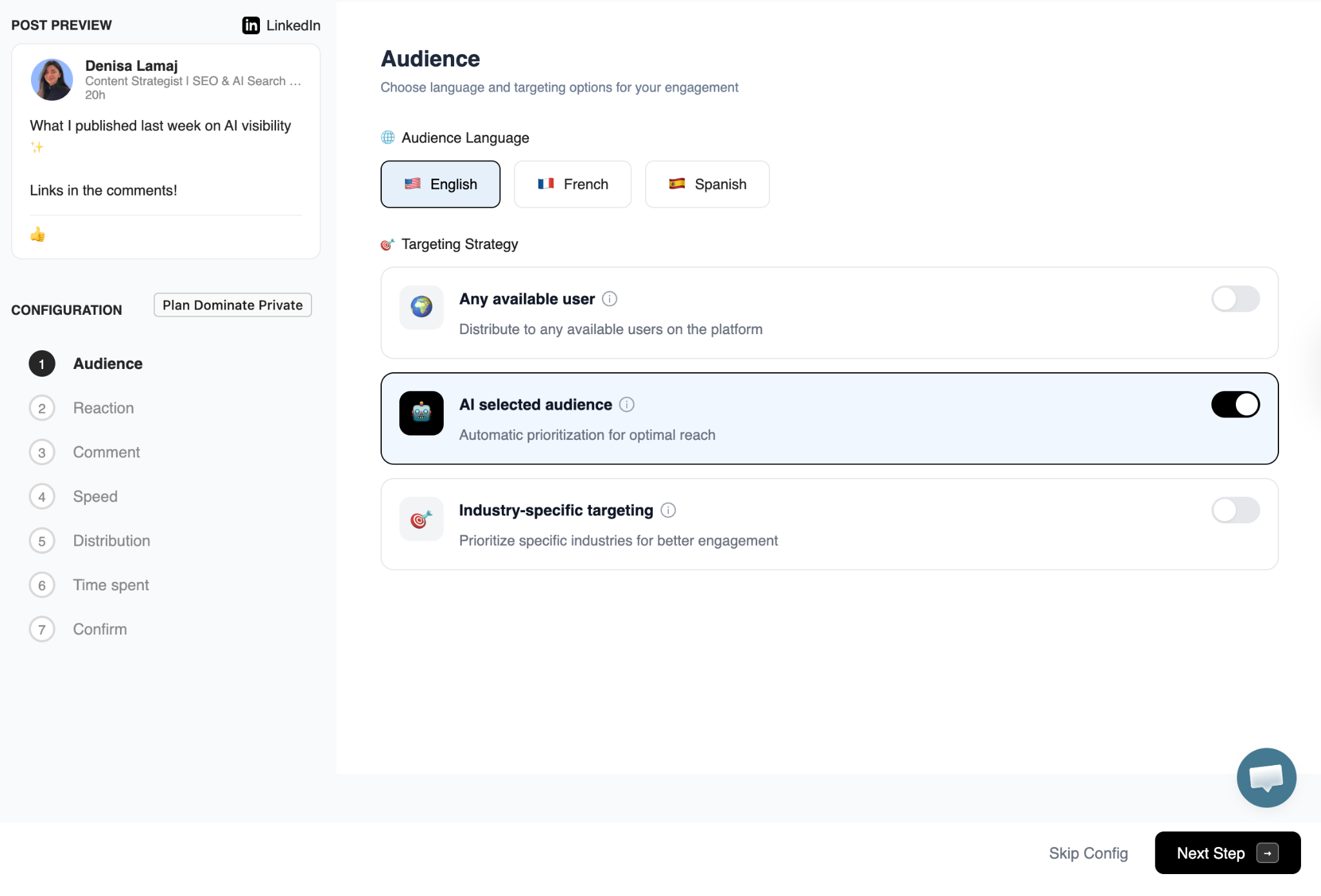
If you'd rather grow without engagement tools, growing on LinkedIn without engagement pods covers what that looks like realistically.
Key Takeaways
- LinkedIn tests every post on a small audience first. Weak early signals means no distribution
- The first two lines of your post determine whether anyone reads the rest
- Engagement from the wrong audience teaches LinkedIn the wrong things about your content
- The first hour after publishing matters more than any other window
- Comments from relevant professionals push distribution further than reactions from a mixed audience
- Formatting determines whether people read at all. No reading means no engagement, then no reach
- Podawaa scores your post for viral potential before you publish, and controls who engages after
Frequently Asked Questions
Why did my LinkedIn post suddenly stop getting reach?
The most common causes are a weaker hook than your recent posts, publishing at a different time, or a shift in who engaged first. One underperforming post can temporarily affect how the next one is distributed because the algorithm has less recent evidence of what your content is worth.
Does posting frequency affect reach?
Yes, but not the way most people expect. Posting too often dilutes early engagement across posts. Each post gets a weaker first-hour signal. Posting at a pace your audience can consistently engage with produces better cumulative reach than posting daily and splitting attention.
Does post length affect reach?
Length affects readability and comment rate more than reach directly. Long posts with strong structure outperform short posts with no substance. Match the format to what the content needs, not a target word count.
Why do some accounts consistently reach tens of thousands of people?
They've built a stable, reliable engagement pattern over time. When LinkedIn sees a new post getting quick, relevant engagement from an established audience, it distributes further immediately. That pattern builds over months of consistent posting, not from one strong post.
Does LinkedIn account verification affect reach?
Verification signals that you're a real, established professional, which affects how your profile and content are weighted. It's not a direct reach multiplier, but it influences the trust signals associated with your account.
What LinkedIn metrics should I actually track?
Impressions, engagement rate, and audience breakdown by job function. Impressions tell you whether distribution is expanding or shrinking. Engagement rate tells you whether your content resonates with whoever is seeing it. Audience breakdown tells you whether the right people are engaging. Likes alone don't tell you any of these things. The full LinkedIn metrics guide breaks down what to track and why.