

The best LinkedIn posting API depends on where you write your posts and what you need after they go live. LinkedIn's own API is free if you can code and only post to your own profile.
Podawaa is the pick if you write in Claude Code and want each post to reach the right people in your industry once it's live. Buffer gives you a free API for LinkedIn and other networks, and Postiz is the cheapest option if you're willing to host it yourself.
Below, I'll compare the four against each other and show you where each one wins, where it falls short, and who it suits.
Quick Answer: Best LinkedIn Posting APIs in 2026
- LinkedIn's own API is free, but you write the code, reconnect every 60 days, and can't schedule posts
- Podawaa publishes and schedules LinkedIn posts from Claude Code and gets each one in front of people in your industry, from €89 a month
- Buffer schedules posts for LinkedIn and other networks for free, but the free plan holds only 10 queued posts per channel and does nothing for a post once it's live
- Postiz does what Buffer does for less, free if you host it yourself, but self-hosting brings LinkedIn's 60-day limit back
Here's how the four compare (prices included):
How I Picked These Four Social Media APIs
I checked each option's pricing page, help documentation, and blog, then looked at what developers and creators say about them on GitHub and in online discussions. Four things kept coming up as the reasons people pick one API over another: having to maintain their own LinkedIn app, working with tools like Claude Code, Zapier, or Make, what it costs for one person posting to their own profile, and what happens to a post after it goes live.
Each pick is the strongest option on at least one of those points. LinkedIn's own API is the only free one that needs no third-party tool. Podawaa is the only one of the four that helps the post it publishes reach people in your industry, and it has a ready-made Claude Code skill.
Buffer's shows 310,369 creators, brands, and agencies using it, which makes it the best-known free option for several networks. Postiz has about 39,700 stars on GitHub, a strong sign of how many developers follow and use it.
1. LinkedIn's Own API: Free, but You Build and Maintain Everything
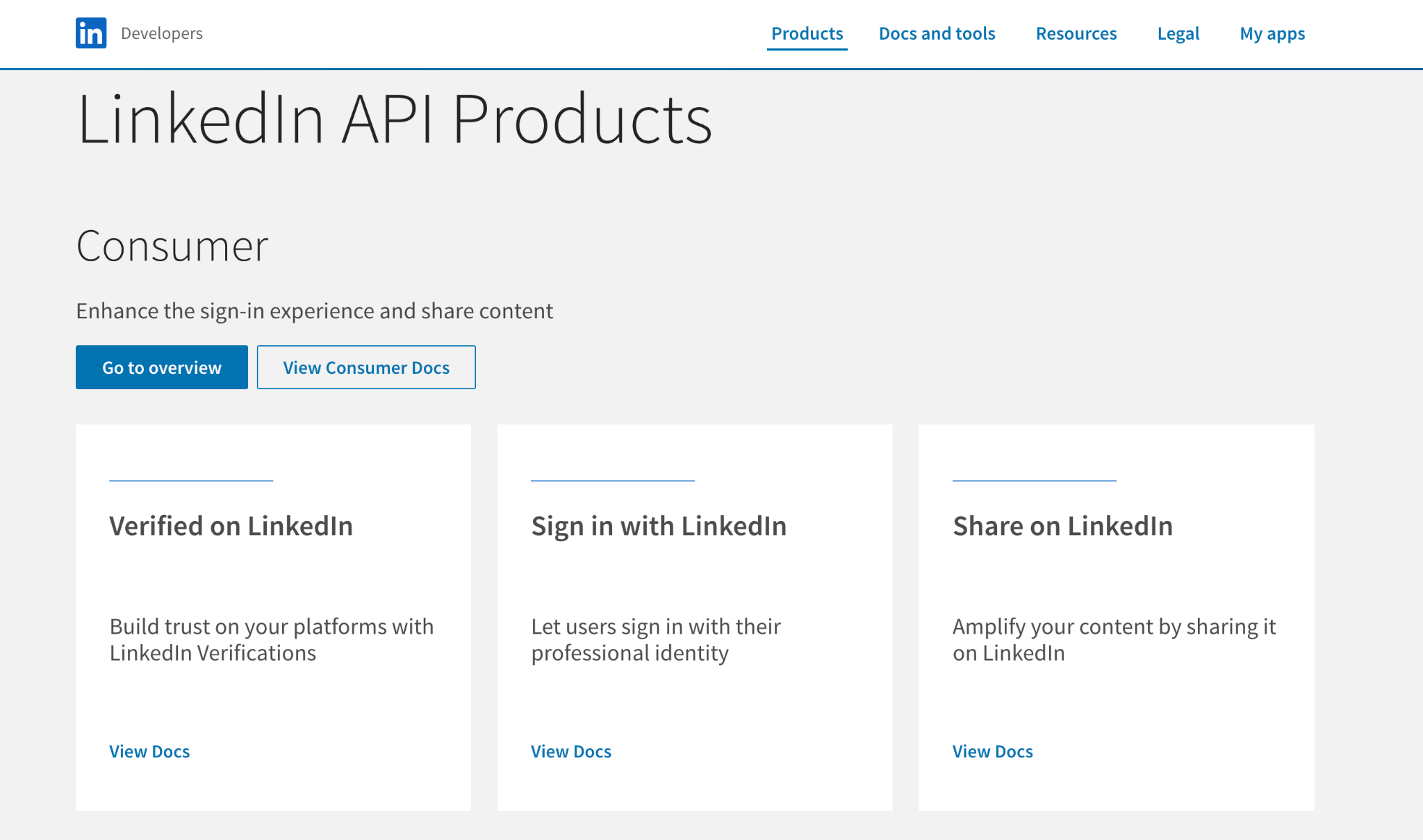
LinkedIn's API costs nothing, and it's the most direct way to post. You create a developer app in the LinkedIn Developer Portal, add the free "Share on LinkedIn" product, and your app can post to your own profile with the w_member_social permission. LinkedIn's documentation explains each step, and posting to your own profile needs no review.
Here's "Share on LinkedIn" on LinkedIn's API products page, the product your app needs before it can post.
A text post looks like this, after you've built the sign-in flow and found your member ID:
POST https://api.linkedin.com/rest/posts
Linkedin-Version: 202610
X-Restli-Protocol-Version: 2.0.0
{
"author": "urn:li:person:YOUR_ID",
"commentary": "We cut onboarding from 9 screens to 4.",
"visibility": "PUBLIC",
"distribution": { "feedDistribution": "MAIN_FEED" },
"lifecycleState": "PUBLISHED"
}
Keep this request in mind, because I'll compare the others with it. Notice lifecycleState: the Posts API only accepts PUBLISHED when you create a post, so you can't schedule one for later without running your own server.
The bigger problem is keeping it working. According to LinkedIn's sign-in documentation, access tokens last 60 days, and automatic renewal is only "available for a limited set of partners." For everyone else, posting stops after two months until you sign in again. Developers run into this often, as in this bug report about posts failing once the token can't be renewed.
Claude Code can send this request too, but only after you create the developer app, sign in to get a token, and save it where Claude Code can read it. There's no ready-made skill, so you also replace the token every 60 days.
A few more limits using LinkedIn's own API:
- Company pages need approval through the Community Management API, a vetted program where you apply, start on a limited tier, and send a screen recording of your app to move up.
- The API changes versions. The November 2025 version, for example, stops working on November 16, 2026, so you update your code a few times a year.
LinkedIn's API does one thing the others on this list don't: it lets you edit and delete posts through the API. It also supports text, images, videos, documents, polls, and multi-image posts.
LinkedIn's API is worth it if you're a developer posting to your own profile and paying nothing matters more than convenience.
LinkedIn's API is not worth it if:
- You don't write code, because even a text post needs a sign-in flow, a member ID, and version headers
- You want to schedule posts, because the API only publishes right away
- You want posting to keep running without interruptions, because the connection breaks every 60 days until you sign in again
2. Podawaa: Publish From Claude Code and Reach the Right Audience in One Request
LinkedIn's API leaves you with three jobs: building the sign-in, scheduling posts yourself, and reconnecting every 60 days. Podawaa takes those off your plate, and it adds something none of the other options on this list do.
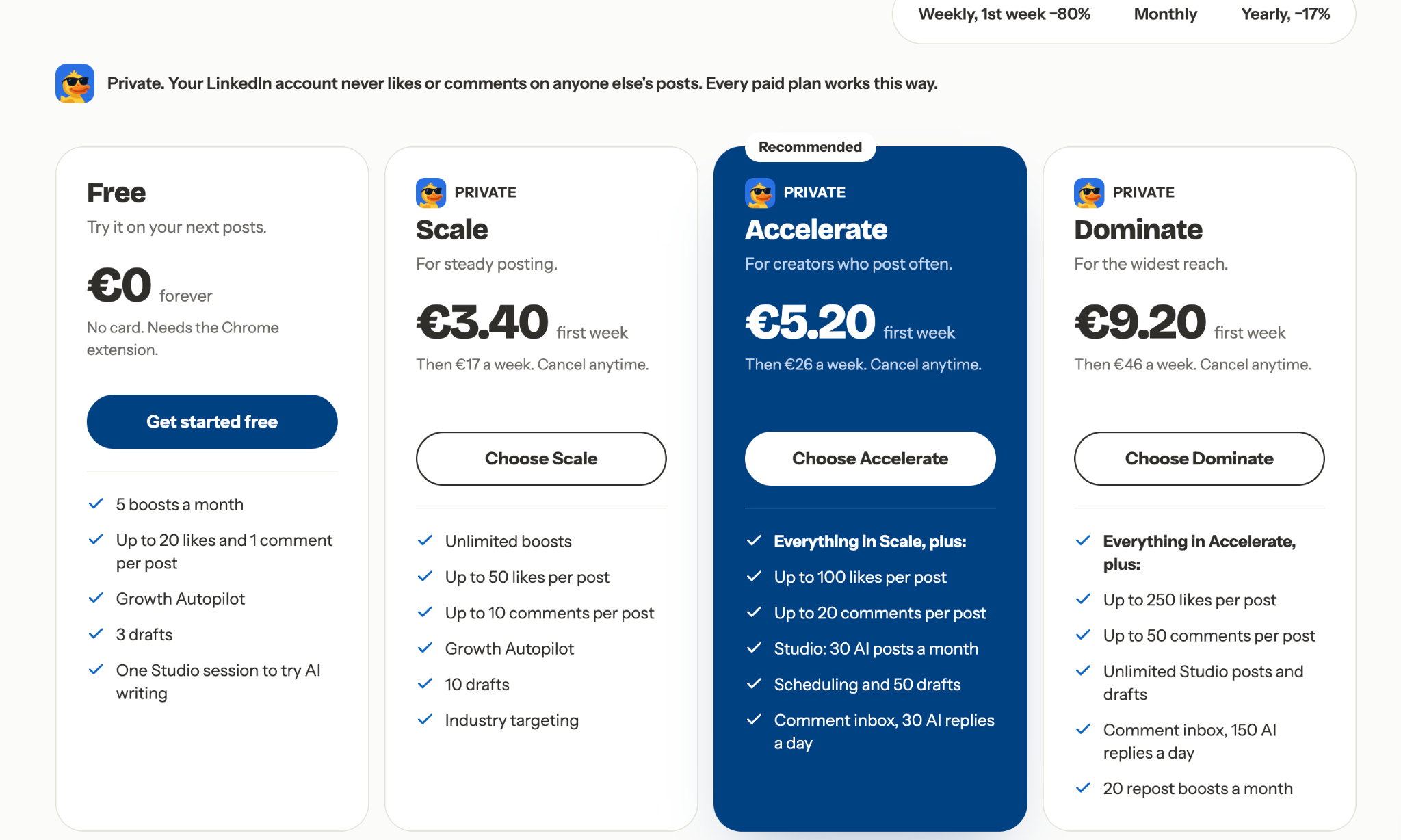
The Podawaa API publishes and schedules LinkedIn posts, and the same request can ask for reactions and comments from members in your industry, so the post reaches the right audience in its first hours instead of starting at zero. The API is included on the Accelerate plan (€89 a month, or €74.17 a month billed yearly) and on Dominate.
Here are Podawaa's pricing plans with weekly billing selected. Accelerate, the plan where the API starts, also adds scheduling, 50 drafts, and Studio for 30 AI-written posts a month. Notice the line above the plans, too: on every paid plan, your LinkedIn account never likes or comments on anyone else's posts.
Compare the request with LinkedIn's above. There's no member ID, no version header, and no token to replace every 60 days, just your Podawaa API key. The same request also schedules the post, adds a first comment, and sets how many reactions and comments the post should get (the boost field):
POST https://api-podawaa.com/api/v1/posts
Authorization: Bearer YOUR_PODAWAA_KEY
{
"channelId": "YOUR_LINKEDIN_ACCOUNT",
"content": "We cut onboarding from 9 screens to 4.",
"firstComment": "Full breakdown here: https://example.com",
"scheduledAt": "2026-11-03T09:00:00Z",
"boost": { "boostLevel": 2, "targetReactions": 50, "targetComments": 10 }
}
The Podawaa API documentation lists every field. The reactions and comments arrive gradually over the following hours from members matched to your language and industry, and our article on how Podawaa matches people to your post explains how they're chosen. This is engagement arranged through Podawaa, not engagement your audience gives on its own, and Podawaa says openly that LinkedIn's terms restrict inauthentic engagement.
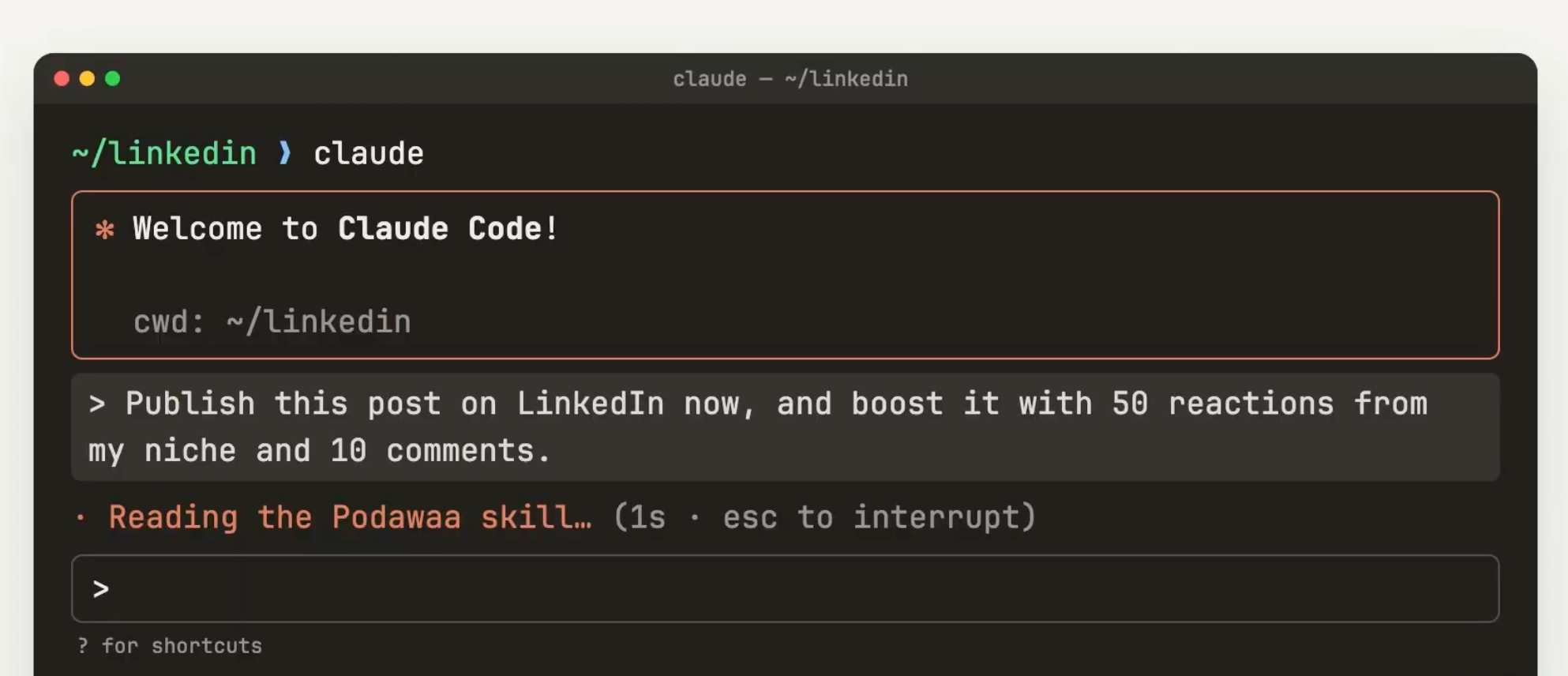
Most founders won't write that request themselves. Podawaa's Claude Code skill is a file of instructions that teaches Claude Code to publish, schedule, add first comments, and bring each post to people in your niche, so one sentence covers the whole job. Here's Claude Code reading the Podawaa skill after a single request to publish a post now with 50 reactions and 10 comments from the same niche.
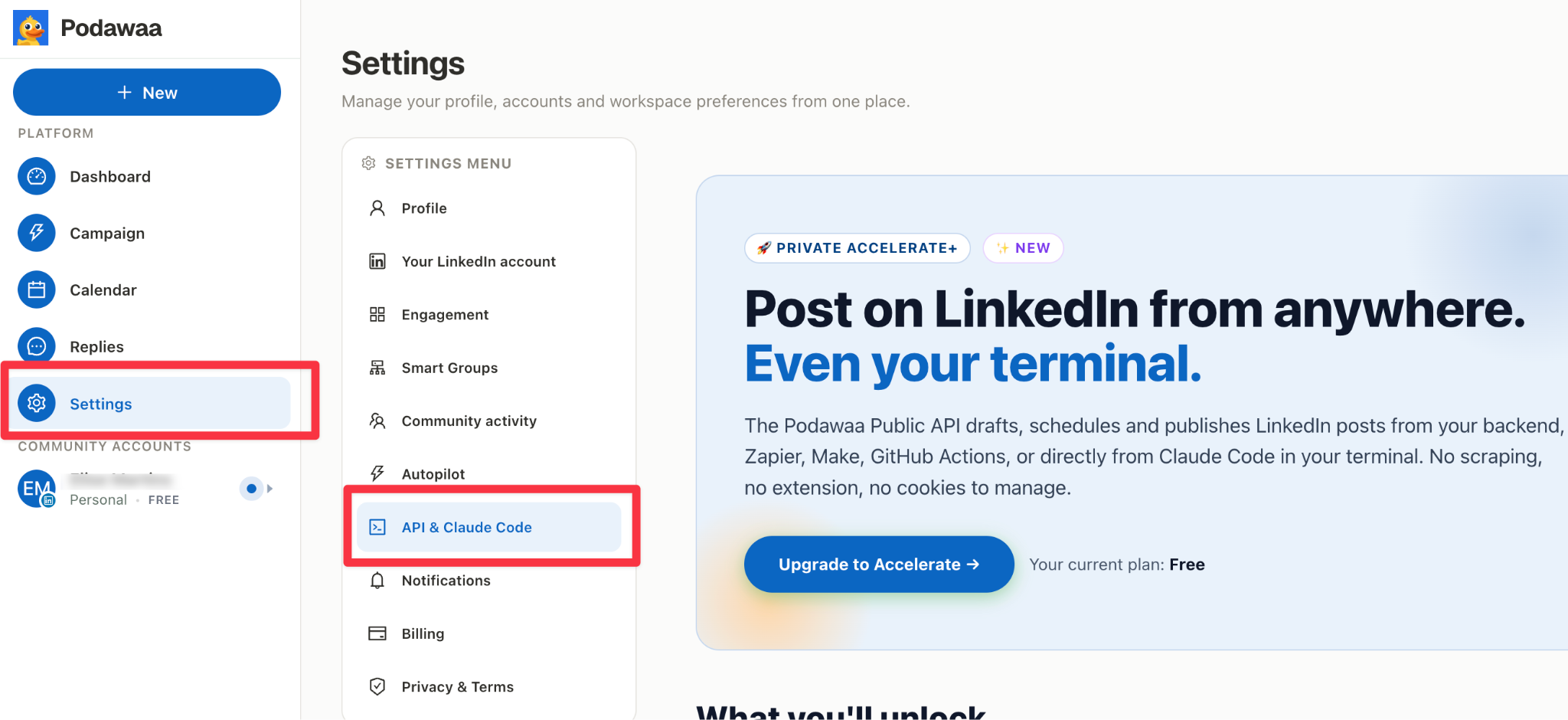
You create the API key and download the skill on the API & Claude Code page in Podawaa's settings. On a plan without API access, the page shows the "Private Accelerate+" label, like this free account.
Through the API, you can also attach a PDF carousel (from a public link, up to 10 MB), add lead magnet comments that repeat a keyword like "GUIDE," and post to several connected LinkedIn accounts. The same API works with Zapier and Make, and you get the rest of the Podawaa app too: Studio for writing posts with AI, a calendar, and an inbox for replying to comments.
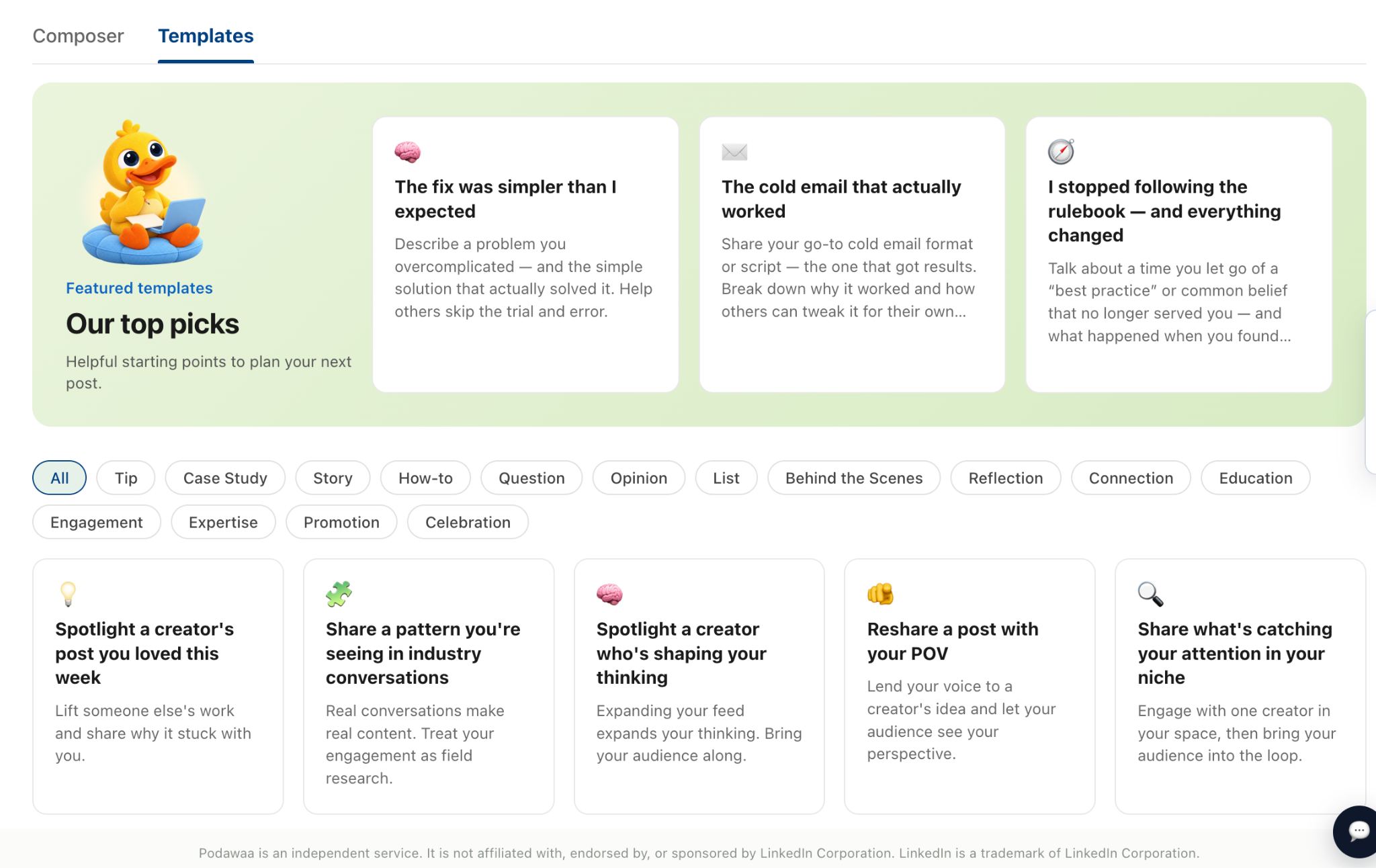
The app also helps when you don't know what to post. Every plan, including Free, comes with post templates sorted by type, such as Tip, Case Study, Story, How-to, Opinion, and Behind the Scenes. You pick a type, fill in your own example, and the post already has a structure that works on LinkedIn. Here's where you find them in Podawaa.
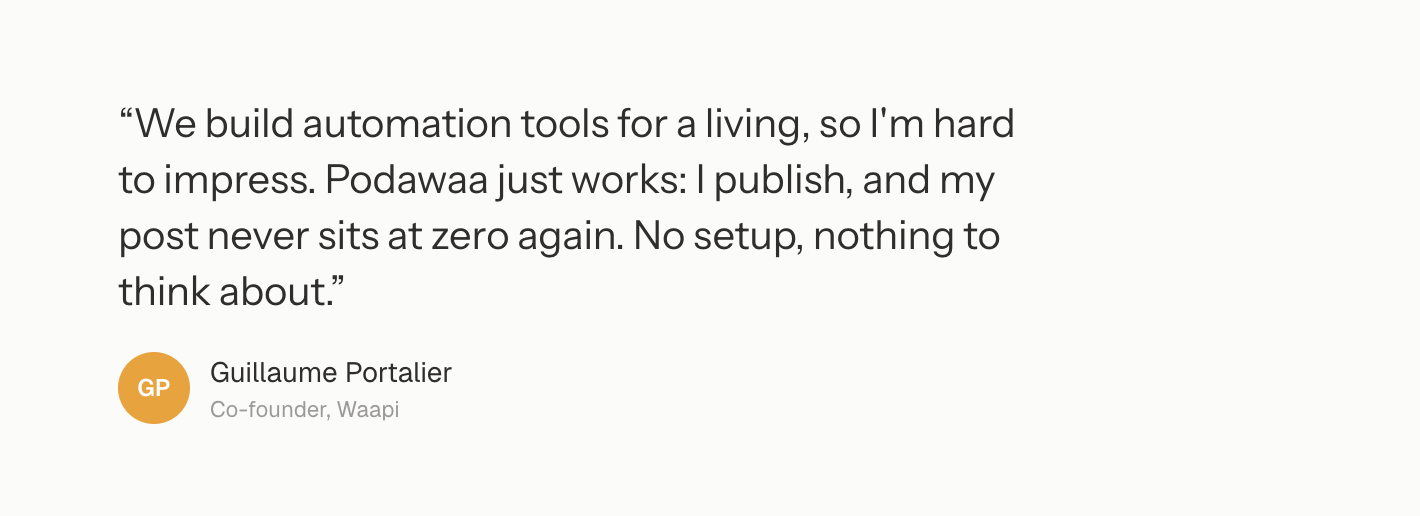
People who build automation tools have noticed. Guillaume Portalier, co-founder of Waapi, shared this:
Podawaa has two trade-offs compared with the options below. At €89 a month, it costs more than Buffer's free plan and Postiz's $29 cloud plan, because you're paying for reach and LinkedIn-specific tools, not only publishing. It also posts only to LinkedIn. And compared with LinkedIn's own API, it can't edit or delete a post or read comments through the API, so you do those in the app.
Podawaa is worth it if you write in Claude Code, post mainly to LinkedIn, and want to grow on LinkedIn faster.
Podawaa is not worth it if:
- You post the same update to Instagram, X, or other social channels, because Podawaa only publishes to LinkedIn, while Buffer and Postiz cover them all
- You only need free publishing, because the API starts on the €89 Accelerate plan, while LinkedIn's API and Buffer's free plan cost nothing
Our guide on posting to LinkedIn from Claude Code walks through the setup step by step. One tip: LinkedIn doesn't display Markdown, so Claude's bold shows up as asterisks. Ask Claude to write without Markdown, or use our free Text Formatter.
3. Buffer: Free Scheduling for LinkedIn and Other Networks
Buffer fixes the same two problems with LinkedIn's API that Podawaa does: you don't build a sign-in, and you can schedule. You connect your LinkedIn profile or page in Buffer once, and Buffer handles the connection from then on. Where it beats Podawaa is price and reach: its public API launched in May 2026, it's available on every Buffer plan, including Free, and it also posts to networks such as Instagram, X, and Threads.
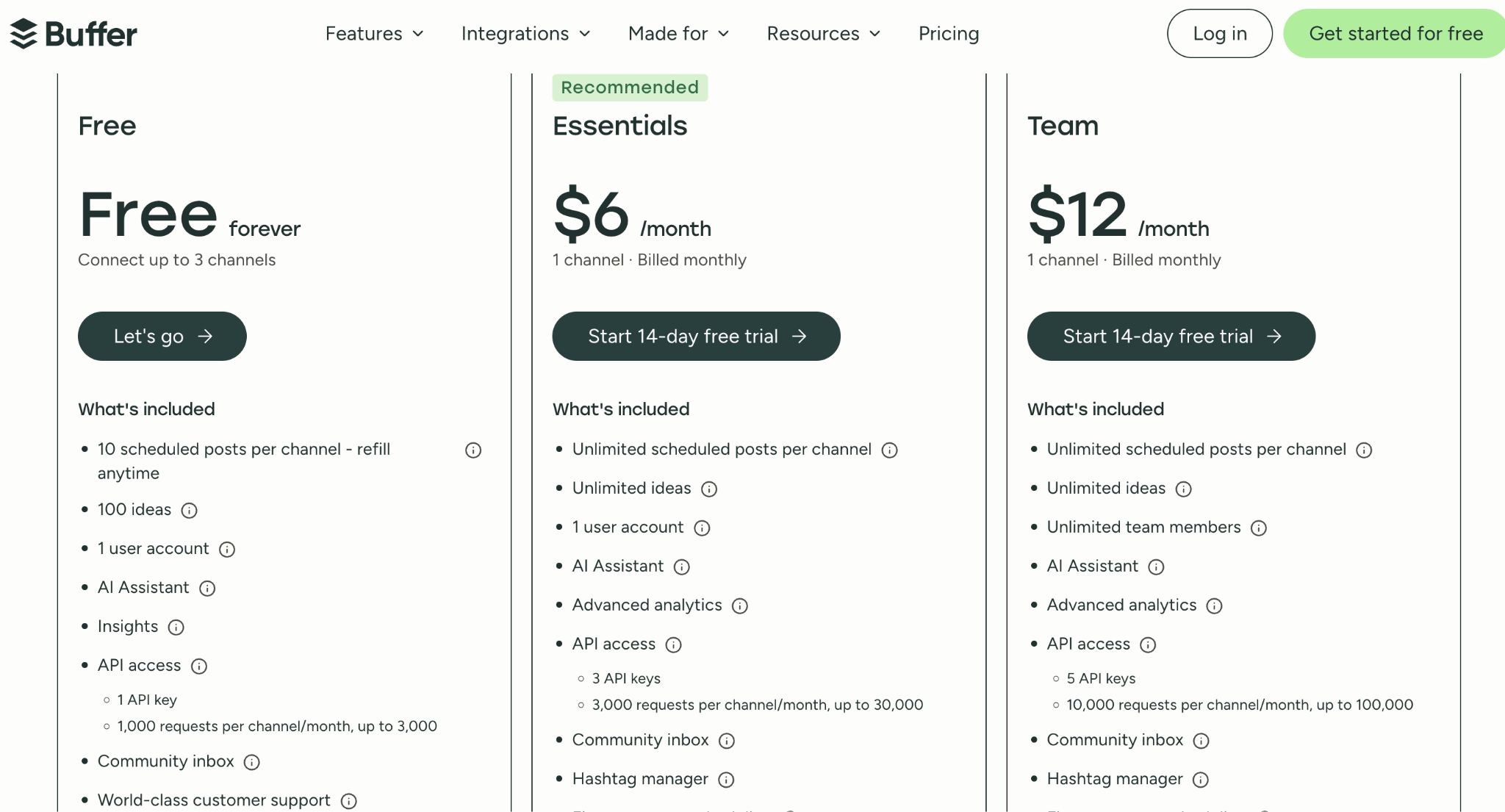
The free plan has limits you'll feel quickly if you post often. Buffer's free plan includes:
- 3 channels, so LinkedIn plus two other accounts
- 10 scheduled posts per channel at a time, which you refill as posts go out
- 1 API key with 1,000 requests per channel a month (up to 3,000 in total)
- 1 user account, so no teammates
Paid plans start at $6 per channel a month, billed monthly, with unlimited scheduled posts and a 14-day free trial. Here's Buffer's pricing for the Free, Essentials, and Team plans.
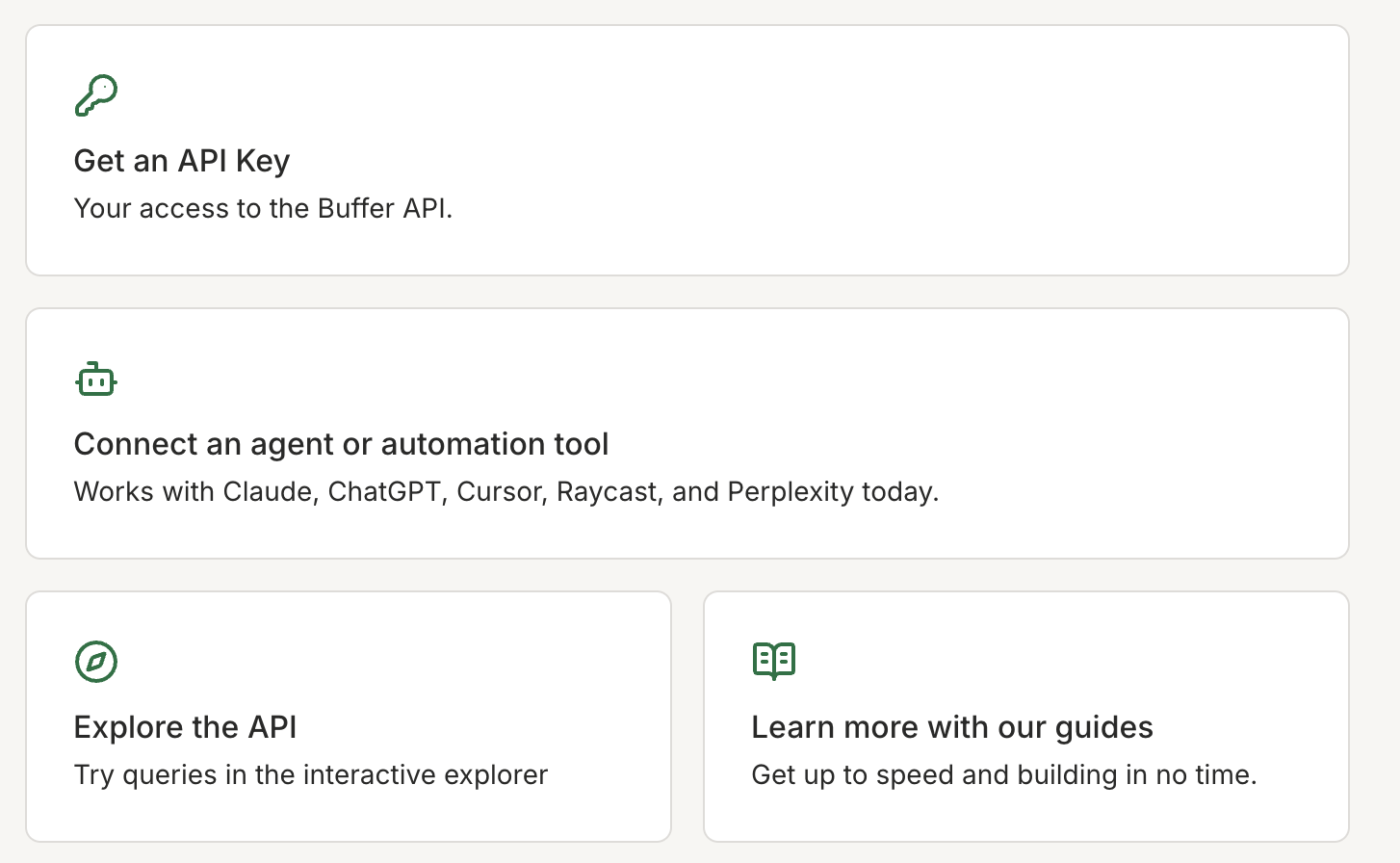
Buffer works with Claude, too, through an MCP server, a standard way for AI assistants to use an app. Once connected, you can ask Claude to draft or schedule posts in your Buffer queue across networks. Buffer's developer page is where you get an API key and connect Claude or another AI tool, such as ChatGPT or Cursor.
Where Buffer stops is the moment the post goes live. Like LinkedIn's API, it publishes the post and nothing more, so a new post starts with no reactions or comments. Unlike Podawaa, there's no way to get engagement from your industry or set lead magnet comments through Buffer, because Buffer is built as one scheduler for every network rather than around LinkedIn.
Buffer is worth it if you post the same update to LinkedIn and at least one other network, and you want a free scheduler that Claude can manage.
Buffer is not worth it if:
- You only post to LinkedIn and want each post to reach people in your industry, because Buffer only publishes, while Podawaa does both in the same request
- You plan weeks ahead on the free plan, because 10 queued posts per channel last about three weeks at three posts a week, and then you have to come back and refill the queue
4. Postiz: Buffer's Features for Less, if You Can Host It Yourself
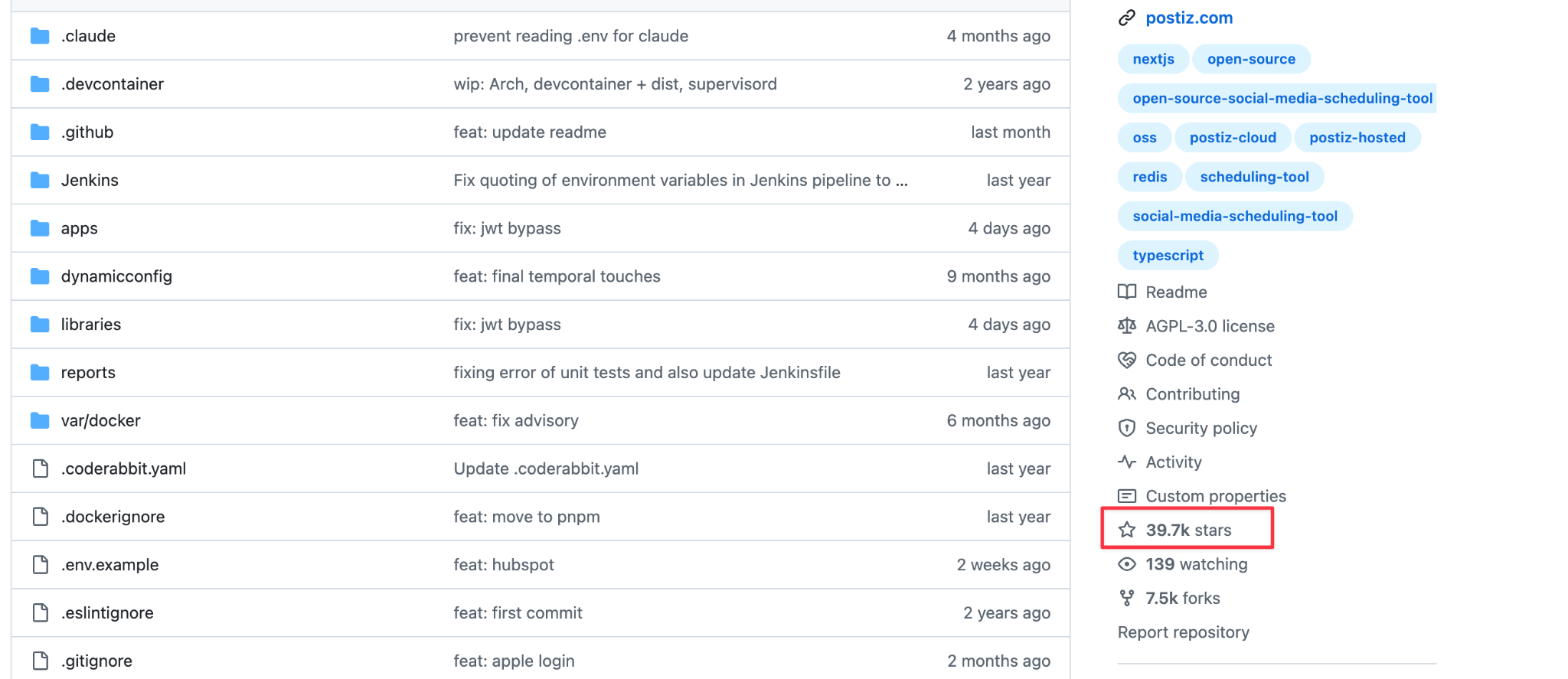
Postiz covers much of what Buffer does, with scheduling, several networks, an API, and an MCP server for AI assistants, but it's open source. Anyone can download its code and run it on their own server for free. It has about 39,700 stars on GitHub, and its code was updated as recently as October 24, 2026, so it's actively maintained.
Here's the Postiz project on GitHub, where you can check how active it is before you commit. Look at the star count and how recently files were updated.
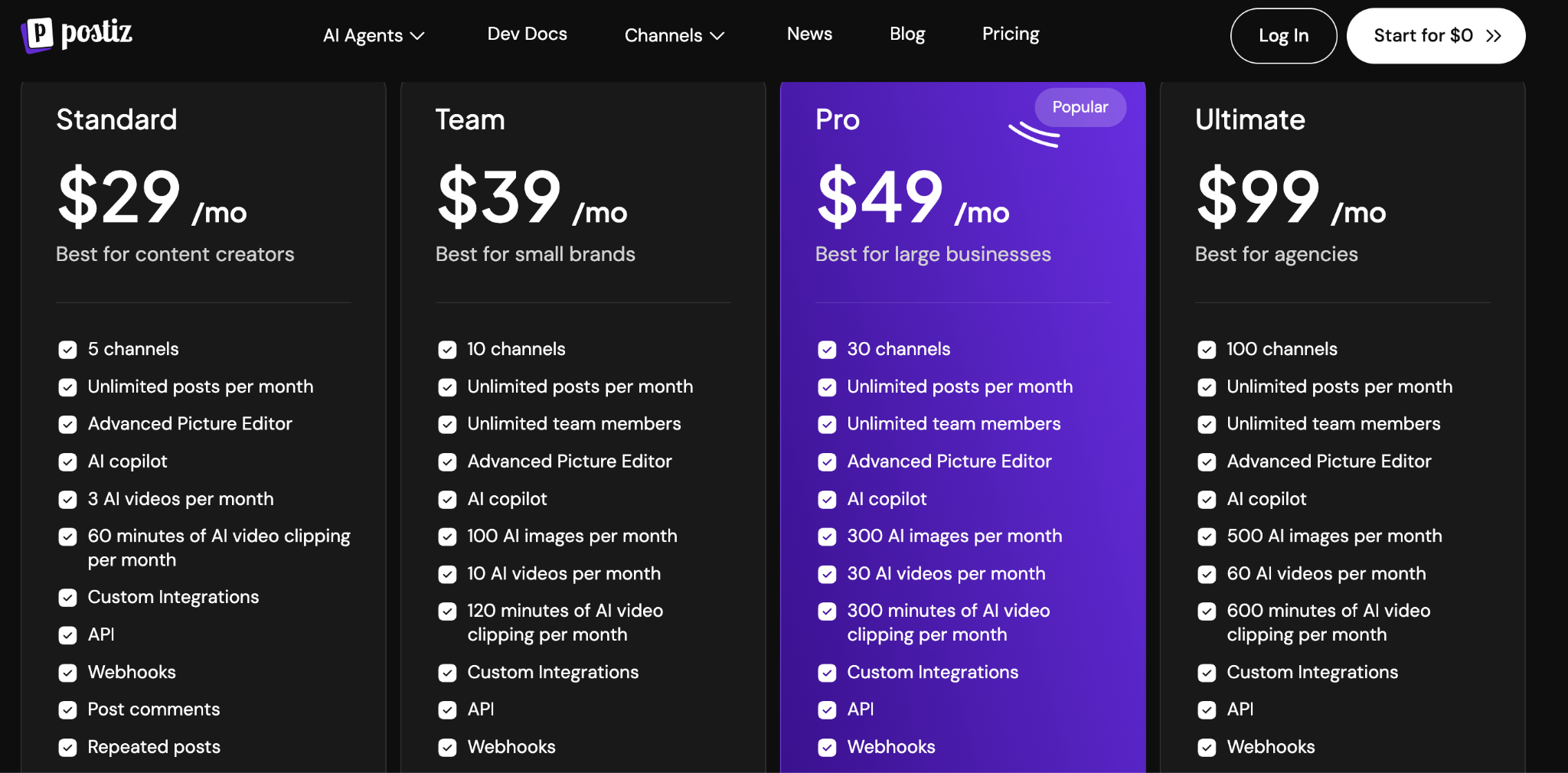
If you'd rather not run a server, Postiz's cloud plans start at $29 a month for 5 channels, with a 7-day free trial. Every cloud plan includes the API and webhooks (alerts that tell your other tools when a post goes out), as Postiz's pricing shows. Postiz also offers a hosted MCP server and a command-line tool.
Compared with Buffer, the free version costs nothing for any number of channels, but it comes with work Buffer doesn't ask of you. When you self-host, you set up and update the server, and you create your own LinkedIn developer app. That brings back the problem from section 1: a standard LinkedIn app has to reconnect every 60 days. And like Buffer, Postiz stops when the post is published, with no way to help it reach your industry the way Podawaa does.
Postiz is worth it if you're comfortable running software on your own server and want an open-source tool you control for free.
Postiz is not worth it if:
- You don't want to manage a server, because the free version only exists if you host it, along with your own LinkedIn developer app
- You only post to LinkedIn, because the $29 cloud version is a general scheduler with no engagement and no Claude Code skill, which Podawaa includes
Which One Should You Choose?
Start from where you write your posts and what you need after they go live:
- You code, post only to your own profile, and want to pay nothing: LinkedIn's own API, as long as reconnecting every 60 days is fine.
- You write in Claude Code and want each LinkedIn post to reach the right audience: Podawaa, because it's the only one that publishes a post and brings it to people in your industry in the same request.
- You post to LinkedIn and other networks: Buffer, because it schedules everywhere for free (within 10 queued posts per channel).
- You want Buffer's features and can run your own server: Postiz, self-hosted.
- You only post a few times a week by hand: you may not need an API at all. LinkedIn lets you schedule posts for free, and the Podawaa app gives you templates, Studio, and a calendar.
Publish From Claude Code and Grow on LinkedIn With Podawaa
If LinkedIn is where you post, start with Podawaa's free plan to try templates and see your next posts reach people in your industry. When you're ready to publish from Claude Code, Zapier, or Make, the API comes with the Accelerate plan.
Frequently Asked Questions
Can I post to a LinkedIn company page through an API?
Yes, but not with LinkedIn's free self-serve access. Posting as a page needs LinkedIn's Community Management API, which requires an application and review.
Is posting through an API against LinkedIn's rules?
No, not when it goes through LinkedIn's official API, which exists so apps can post for you with your permission. Be careful with tools that ask for your LinkedIn password or browser session instead, because they act as you outside the official API.
Can I schedule posts with LinkedIn's own API?
No. LinkedIn's Posts API only creates posts that publish right away. To schedule, you need your own server to send the request later, or a tool like Podawaa, Buffer, or Postiz that schedules for you.
Can Claude post to LinkedIn?
Not on its own. Claude Code can post through LinkedIn's API if you set up your own developer app and token, or through a tool that connects to it: Podawaa has a Claude Code skill, and Buffer and Postiz offer MCP servers. LinkedIn doesn't offer an official MCP server.