Posting matters, that part of the advice is true, and we'll get to it. But most guides stop there, and the things nobody talks about are just as important: the settings, habits, and small mechanics that quietly decide whether someone who lands on your profile actually follows you or scrolls past.
This isn't a list of things you already know. Fix these first, and every post you publish afterward works harder.
Key Takeaways
- Make your profile public. Your LinkedIn public profiles can appear in Google, Bing, DuckDuckGo, ChatGPT and other search tools, giving people another way to discover you.
- Make Follow your primary button. LinkedIn lets anyone switch their main profile action from Connect to Follow, and there’s no follower minimum required.
- Turn off private browsing. Showing your name and headline when you view profiles gives those people a reason to check your profile in return.
- Use your Featured section as proof. Add your strongest post, case study, newsletter, project, or another piece of work that quickly shows people why you’re worth following.
- Add something new in the comments. Don’t leave another version of “Great post.” A different angle, example, question, or useful disagreement gives people more reason to notice your name and visit your profile.
- Post 3–5 times per week so you can produce stronger reach and engagement than posting once a week.
1. Make Your Profile Fully Public
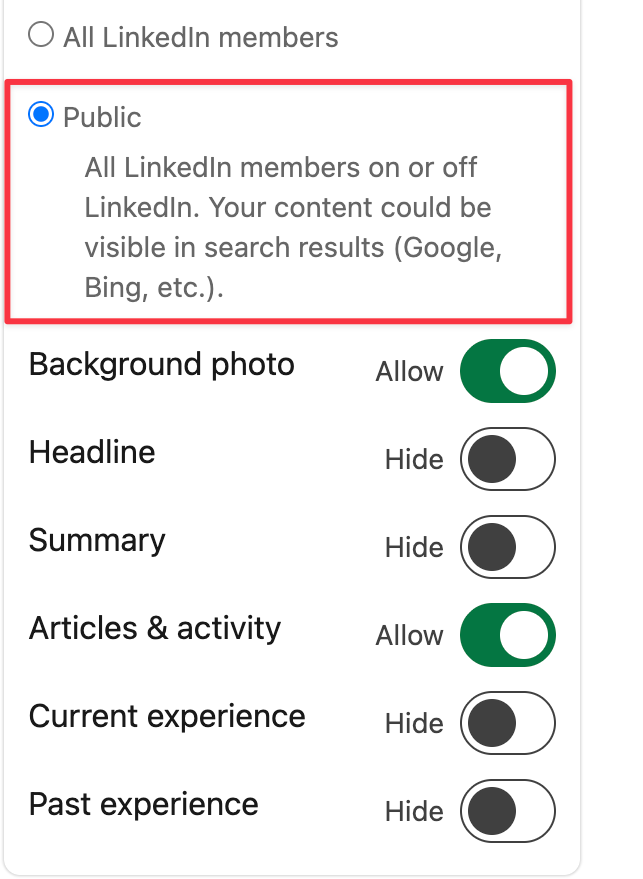
Making your profile public means Google, Bing, and AI tools like ChatGPT and Copilot can actually find and surface your content.
Most profiles default to "All LinkedIn members," which sounds public but isn't. It hides you from anyone searching from outside the platform entirely.
To fix it, you need to open Settings & Privacy → Visibility → Edit your public profile, and set it to Public. This allows LinkedIn to show your profile and selected information in public search results.
While you're in this menu, do two more things at the same time:
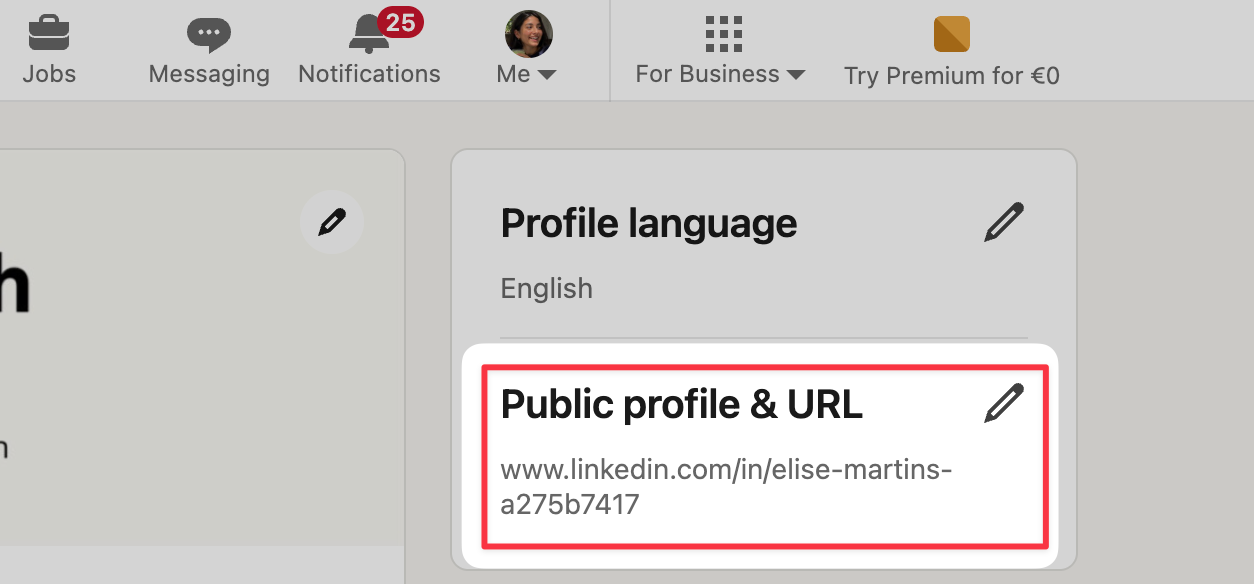
- Go to your Public profile & URL settings and create a custom URL (linkedin.com/in/yourname instead of a string of numbers). It's what shows up when your profile appears in search results or gets shared anywhere off LinkedIn.
- Check which sections are set to "Allow" vs "Hide" in this same panel. If your headline or summary is hidden from public view, someone finding you through search sees almost nothing about who you are or what you do.
This is also the setting that decides whether your profile views can come from outside LinkedIn at all, not just from people already in your network.
2. Set Follow as Your Primary Button
Follow and Connect are two different buttons LinkedIn can show as the main action on your profile. Some people see Connect on your profile, some see Follow, it comes down to a setting you control, not a follower count you have to hit first.
We've covered exactly how these two custom LinkedIn buttons work in more depth if you want the full mechanics.
To fix, it you need to go to Settings & Privacy → Visibility → Followers. Set "Who can follow you" to Everyone on LinkedIn, and turn "Make follow primary" to On.
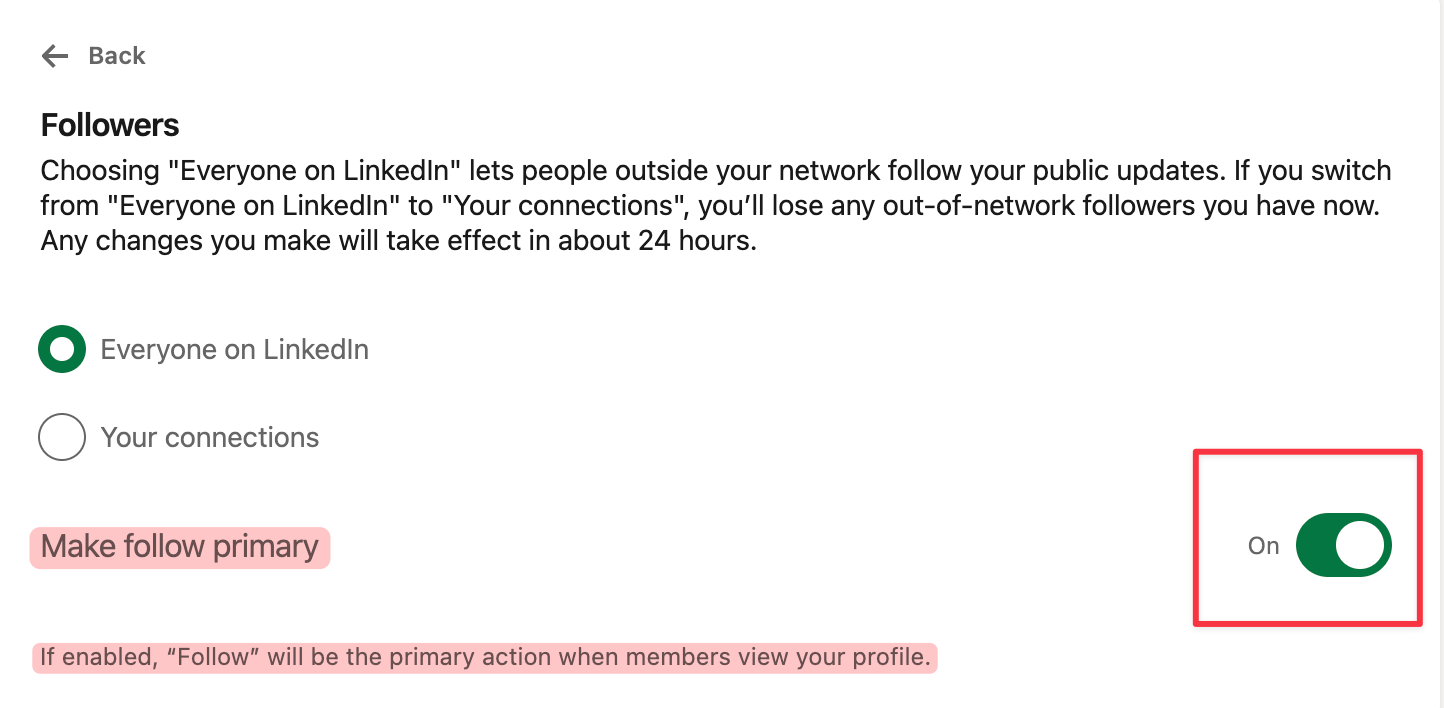
If your goal is audience, not a curated contact list, Follow should be the button people see first.
3. Turn Off Private Browsing
This setting controls what people see when you visit their profile. If yours is set to either private option, you can browse freely, but the person never knows you were there, which means they never come check out who you are.
To change that, you need to go to Settings & Privacy → Visibility → Visibility when viewing other profiles, and set it to "Your name and headline."
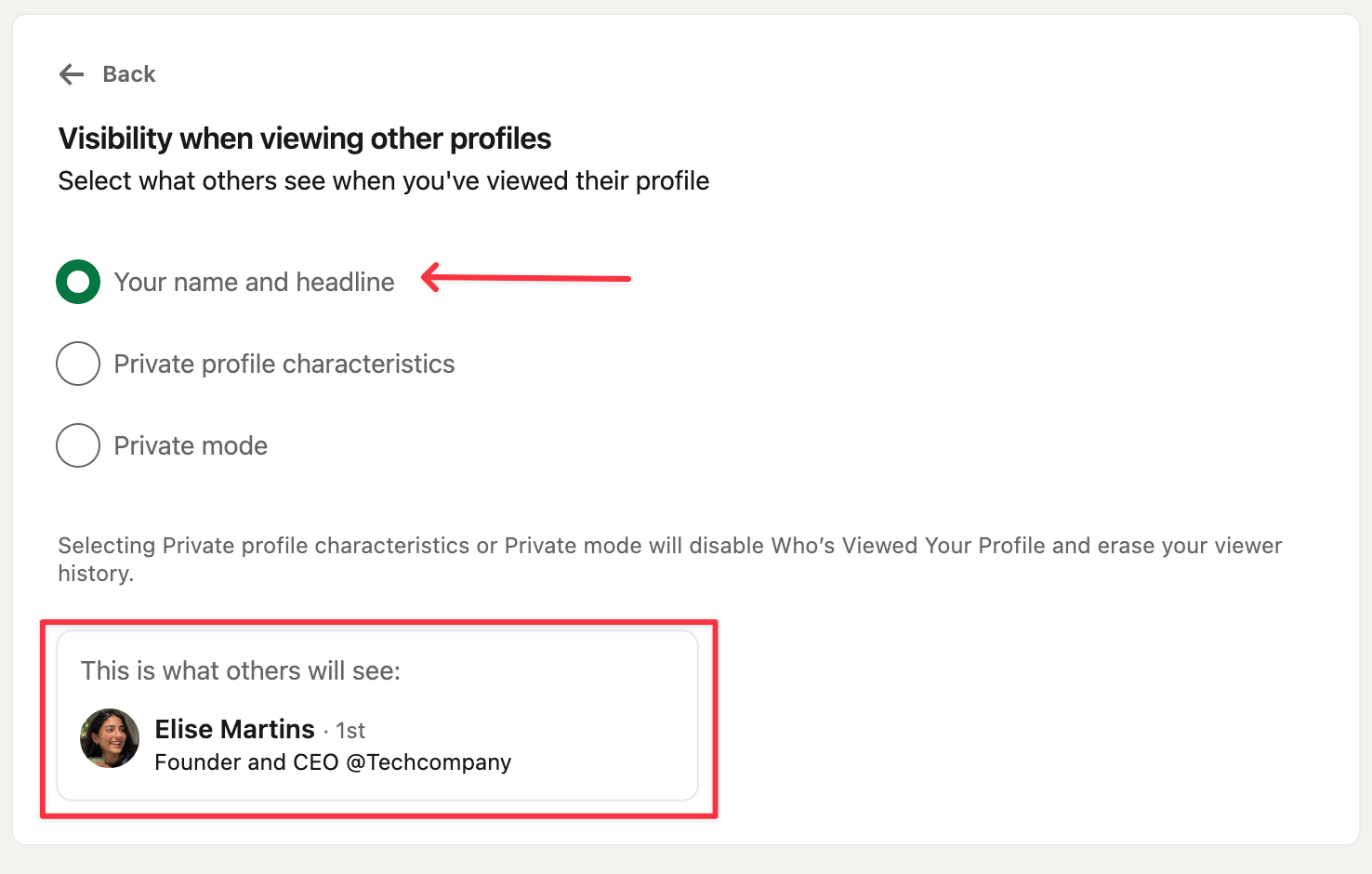
Once your name is visible, every relevant profile you view can create a small opportunity for discovery. Some people will naturally check your profile to see who you are, which can lead to a new connection or follow.
It's the same trust logic behind verifying your LinkedIn account. The more real and visible you appear, the more likely someone who doesn’t know you yet is to visit your profile and connect with you.
4. Use Your Featured Section to Give People a Reason to Follow
Most Featured sections have one thing pinned, usually whatever post did best. That's a missed opportunity. Founders, recruiters, and other creators specifically check this section, and a single item makes it look thin.
Add a mix of content that shows your expertise in different ways. For example, combine your best-performing post with a published article, newsletter, or case study. This gives visitors more proof of your experience and a clearer reason to follow you.
A few formats worth having here, based on what tends to work:
- A link to something you wrote elsewhere that shows expertise.
- A newsletter, if you have one, shows an audience that already trusts you.
- A high-performing post, ideally one with real engagement numbers visible, since social proof does work here. Our viral LinkedIn post examples guide has a few worth studying for the format.
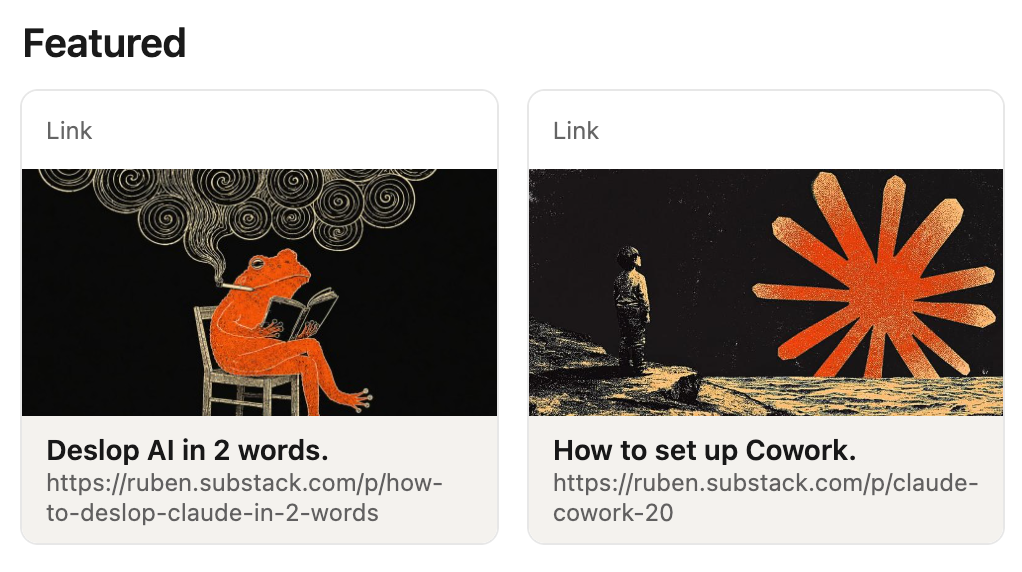
We've got a full breakdown of Featured section ideas and exactly what to put in each slot in a separate guide, worth a look once you've got the basics above sorted.
5. Don’t Just Agree in the Comments
Comments like “Great post” or “I completely agree” rarely give people a reason to stop. A more specific comment can stand out as it adds a new perspective, raises a question, or points out something the post missed.
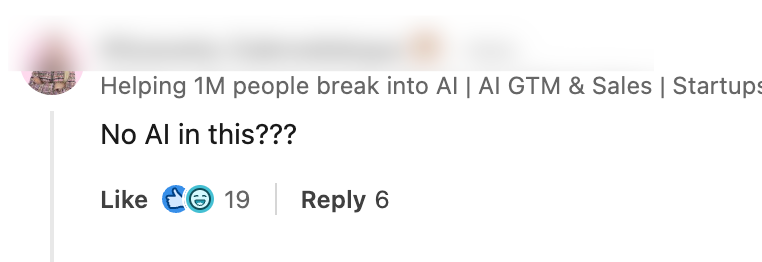
Even a short comment can start a conversation when it focuses on a clear gap. For example: "No AI in this???" This comment got 19 likes and 6 replies
If you have direct experience with the topic, share that too. Explain what happened, mention the specific problem, and ask whether others had a similar experience:
"I have tried this but my experience hasn't been great. For every successful call, 3 to 4 calls failed with API timeouts/resource not available error. Would like to know how other's experience has been with this."
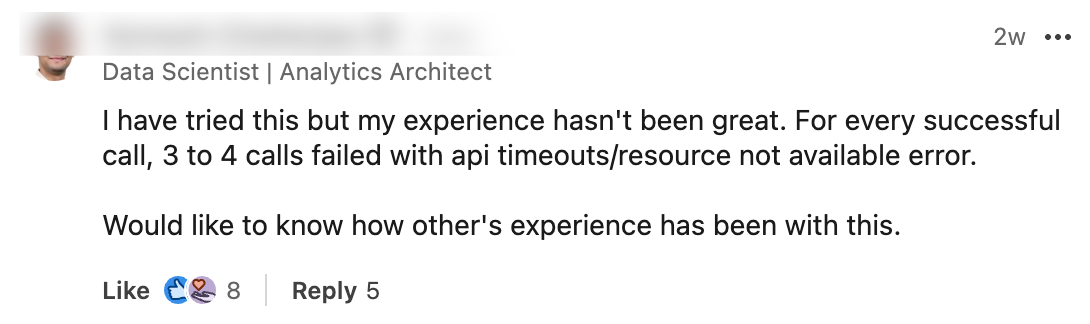
The strongest comments add something the original post didn’t cover. That can encourage people to join the discussion and visit your profile to learn more about you.
For more on what makes a comment land, see how to comment professionally on LinkedIn.
6. Send Connection Requests With a Personal Note
A blank connection request gives someone very little reason to accept, especially if they don’t know your name or share any mutual connections with you. It can easily blend in with the other requests sitting in their inbox.
A note gives them context and a reason to pay attention to who you are. And if they accept the connection, that opens the door to future profile visits, DMs, and seeing more of your content.
But the note only works if it’s specific. Reference something real like a post they wrote, a project you both know about, or a genuine reason you’re reaching out. A generic “I’d like to add you to my network” doesn’t give them much more reason to connect than a request with no note at all.
Here are two examples of what a strong note looks like in practice:

Or another example:
"Hello :) I've been following what you're doing with [company] for a while (I connected with you a month ago). I noticed you're starting to post more about [topic]. I actually have 2 to 3 content ideas that could work really well for this. Happy to send them over if useful :) Thanks!"
Both work for the same reason. They prove you actually paid attention, instead of sending the same three lines to a hundred people.
7. Post 3 to 5 Times a Week Consistently
Aim for around 3 to 5 posts a week while you’re building your first 1,000 followers. The goal is simply to stay visible often enough that people start recognizing your name, clicking your profile, and seeing what you post more than once.
This is also where all the earlier steps start working together. A post brings the profile visit. Your Featured section gives people proof. Follow is already your primary button. And your comments and connections keep putting your name in front of more people.
The hard part is usually keeping that rhythm without running out of ideas. Podawaa helps with that through 150+ post templates for storytelling, case studies, opinions, and other formats, so you’re not starting from a blank page every time.
And if you want more relevant people to see a post after you publish, Podawaa Boost can help get it in front of people in your niche too.
Frequently Asked Questions
How long does it actually take to get 1,000 LinkedIn followers?
It depends more on consistency and profile setup. Creators who fix the basics above (public profile, Follow set as primary, an active comment habit) usually see faster growth than those relying on posting alone.
Do I need to post every day to grow on LinkedIn?
No. Three to four times a week with a real system is enough. What matters more is not skipping weeks entirely.
Should followers or connections be my focus?
Followers, if your goal is reach and visibility. Connections are capped at 30,000 and require mutual approval; followers have no cap and no approval needed on their end, which makes Follow the better default for anyone trying to build an audience rather than a private network.
Is commenting really worth the time compared to posting?
Yes, especially early on. A sharp comment on someone else's post with a large audience puts your name in front of people who've never seen you before, something your own posts can't do until you already have some reach.
What's the fastest way to get my first 100 followers?
Fix your settings first (public profile, Follow primary, private browsing off), then comment actively on posts in your niche for a week or two before focusing heavily on your own content. The profile visits from comments tend to convert faster than cold posts. If you're job hunting at the same time, how to find a job on LinkedIn covers how the same visibility work doubles as a job search strategy.